
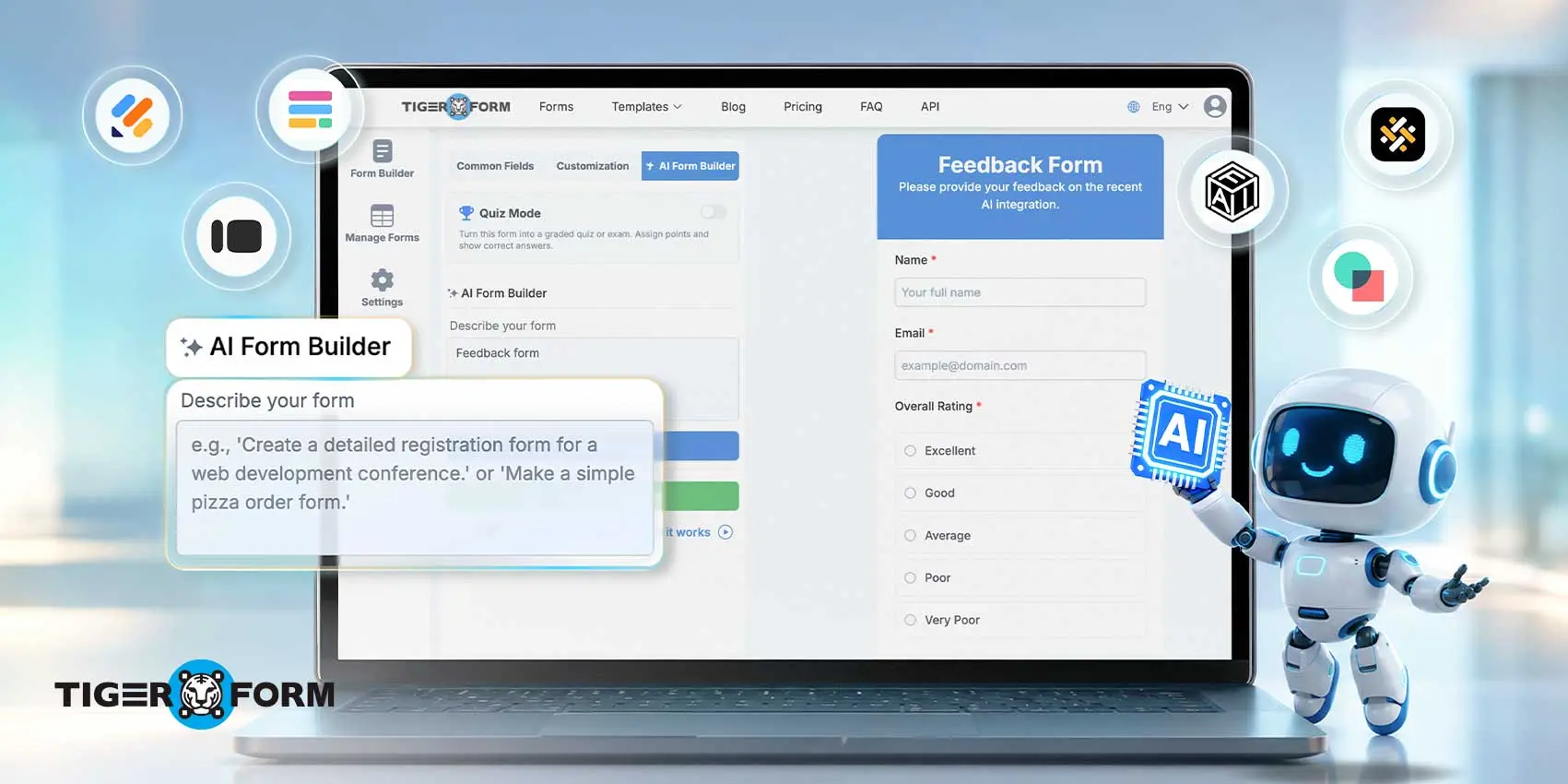
Most best-of lists rank tools by feature count, not by what actually fits your workflow.
We tested seven AI form builders with free and paid tiers against the same criteria: how well each interprets a prompt, what it automates after the prompt is built, and whether the free plan is usable on its own: Fillout, Jotform, TIGER FORM, Typeform, MakeForms, Cognito Forms, and Involve.me.
Each one solves a different problem, from quick QR-linked signups to enterprise compliance.
Keep reading to see how each tool’s AI features, free plan limits, and pricing stack up, so you can match one to what your forms actually need.
Top recommendations
- Best overall: Fillout
- Best enterprise and templates: Jotform
- Best for quick offline-to-digital setup: TIGER FORM
- Best conversational UI: Typeform
- Best for security and compliance: MakeForms
- Best for workflow automation: Cognito Forms
- Best interactive lead gen: Involve.me
Key takeaway: AI form builders with free and best features
| Tool | Standout AI Feature | Free Tier | Starting Paid Price |
| Fillout | AI form generation from prompts, PDFs, or documents | Yes | $19/mo |
| Jotform | AI form generation plus multi-channel AI Agents | Yes | $39/mo |
| TIGER FORM | Prompt-to-form generation with native QR code | Yes | $16/mo |
| Typeform | AI-generated conversational forms with logic jumps | Yes | $29/mo |
| MakeForms | AI-assisted form architect with built-in compliance | Free trial only | $29/mo |
| Cognito Forms | AI form generation with an auto-built visual workflow diagram | Yes | $24/mo |
| Involve.me | AI-generated funnels that adapt to each answer | Yes | $29/mo |
What is an AI form builder?
An AI form generator lets you create a working online form by describing what you need in plain language, instead of dragging and dropping every field manually.
You type something like “build a vendor registration form for a trade show,” and the AI turns that request into a structured form with the right field types already in place.
Most tools go beyond the initial draft. They can also suggest question flows, catch missing fields, and automatically route completed responses to a CRM, spreadsheet, or email tool.
The difference between tools comes down to how much of that process the AI actually handles.
Some generate only the initial layout and leave the logic, validation, and routing to you. Others, like the tools compared here, extend AI into logic building, compliance checks, or QR-based distribution.

How did we evaluate these form platform tools?
“AI-powered” on a pricing page does not always mean the AI does meaningful work. We evaluated each tool on four factors:
- Depth of AI generation. Does the tool interpret a detailed prompt into a structured form, or does it default to a generic contact form regardless of what you describe?
- What happens after form generation? Does AI help with logic, validation, access, response analysis, routing, or does it stop with just form building?
- How much manual cleanup remains? A form tool that builds within five minutes but costs two hours of fixing afterward is not a real upgrade.
- Value of the free tier. Since this list is built around free and advanced features, we checked whether the free plan is usable on its own or just a stripped-down trial that pushes you to upgrade immediately.
7 best AI form builders with free and advanced features
1. Fillout

Free plan limitations: unlimited forms with 1,000 monthly responses with basic features
Key AI Features:
- AI form generation from prompts or PDFs
- Multi-step and conditional logic generation
- Smart field recommendations
- Native database integrations
Fillout can generate a form directly from an uploaded PDF or existing document, not just a text prompt, which is useful for teams digitizing an old paper intake form.
This platform tool for forms combines AI-generated content with a strong visual editor, making a generated draft easy to adjust by hand. Its integration library, including Notion, Airtable, and Salesforce, connects submitted data without manual webhook setup.
The trade-off: advanced logic setups still require a learning curve, and the free plan’s scope limits for high-traffic forms.
2. Jotform

Free plan limitations: 5 forms with 100 submissions per month
Key AI Features:
- AI form generation by text or voice prompt
- AI Copilot for editing existing forms
- HIPAA-compliant form generation
- Multi-channel AI Agents
Jotform’s AI Agents extend past form generation into ongoing customer conversations across Gmail, WhatsApp, Instagram, and SMS, so a support inquiry can start as a form and continue as a routed conversation.
Jotform has a huge scale of over 20,000 templates and integrations across nearly every business tool category. For healthcare, especially, you can handle intake, consent, and payment across departments without managing separate tools or dealing with scattered data.
The trade-off: cost climbs with scale, and Jotform’s HIPAA compliance requires the $99/month Gold plan, not the entry tier.
3. TIGER FORM
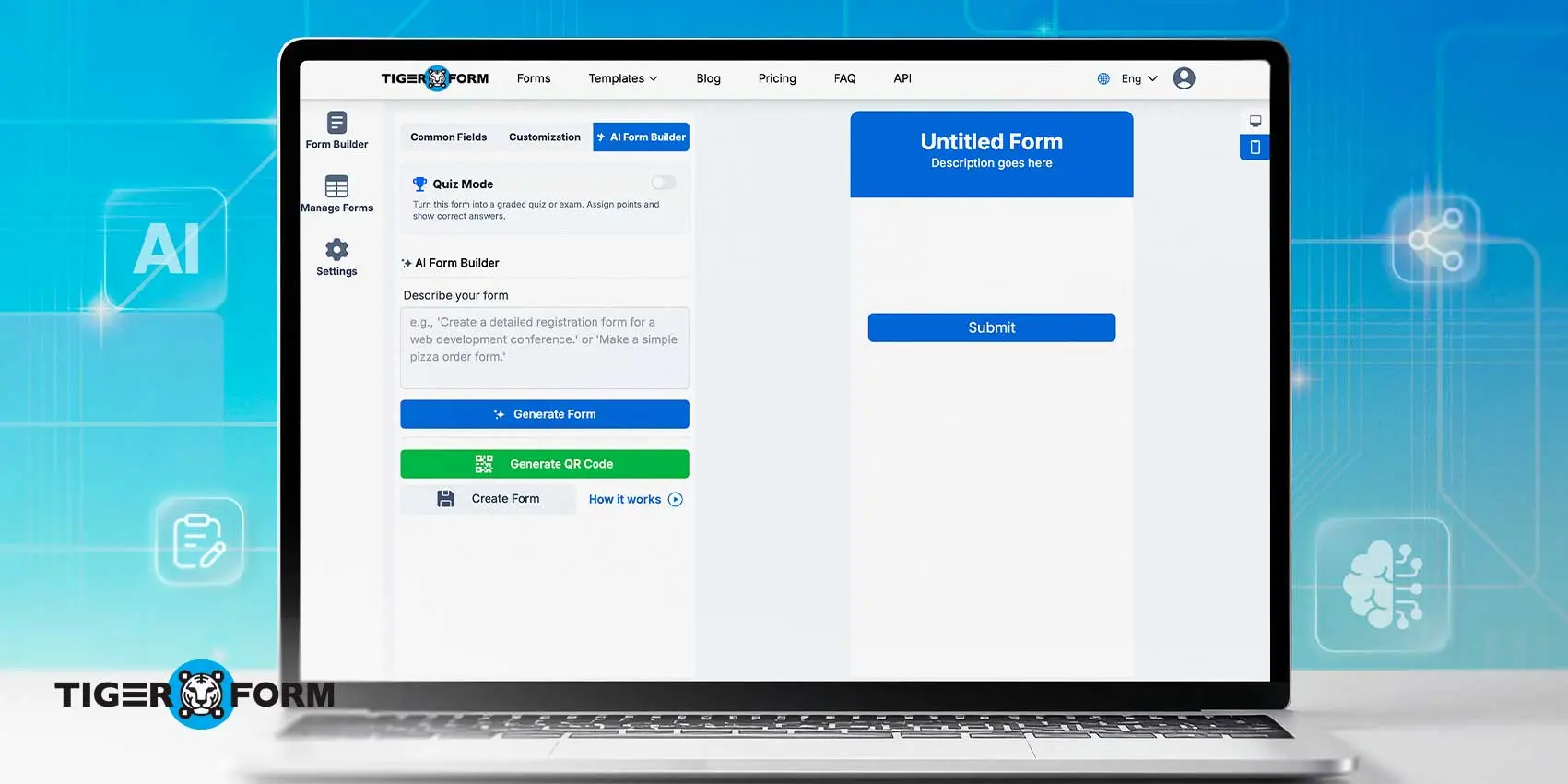
Free plan limitations: 5 forms with 100 submissions per month
Key AI Features:
- Natural language prompt-to-form generation
- Automatic field-type recognition
- Native QR code generation
- Smart field validation
- Quiz maker
- GPS location insights on responses
Every form built on TIGER FORM comes with a native, scannable QR code. Users can embed or print this QR code, and every scan opens a form, and responses go straight into the dashboard, no separate QR tool required.
TIGER FORM is built for users who need quick form creation and instant access via QR codes. The AI form maker is a new feature that lets users give a prompt in plain language, say “build a contest registration form with name, age, and email,” and TIGER FORM’s AI generates a complete form accordingly.
The trade-off: The tool’s integrations currently include Zapier, HubSpot, Google Analytics, and Monday.com. It is still smaller than more established platforms, so confirm compatibility with your existing stack first.
4. Typeform

Free plan limitations: 10 responses per month and 10 questions per form
Key AI features:
- AI-generated forms from a prompt
- Smart logic jumps
- Advanced branding controls
- Built-in analytics
Typeform uses AI automation to simplify conditional logic, so the flow of questions no longer needs manual branching. Instead, AI handles it for you.
Typeform’s core strength is completion rate. The one-question-at-a-time design feels less overwhelming than long forms, which matters for surveys and lead capture, where drop-off is the real cost.
The trade-off: the free plan’s 10-response cap makes it impractical for anything beyond a quick test.
5. MakeForms
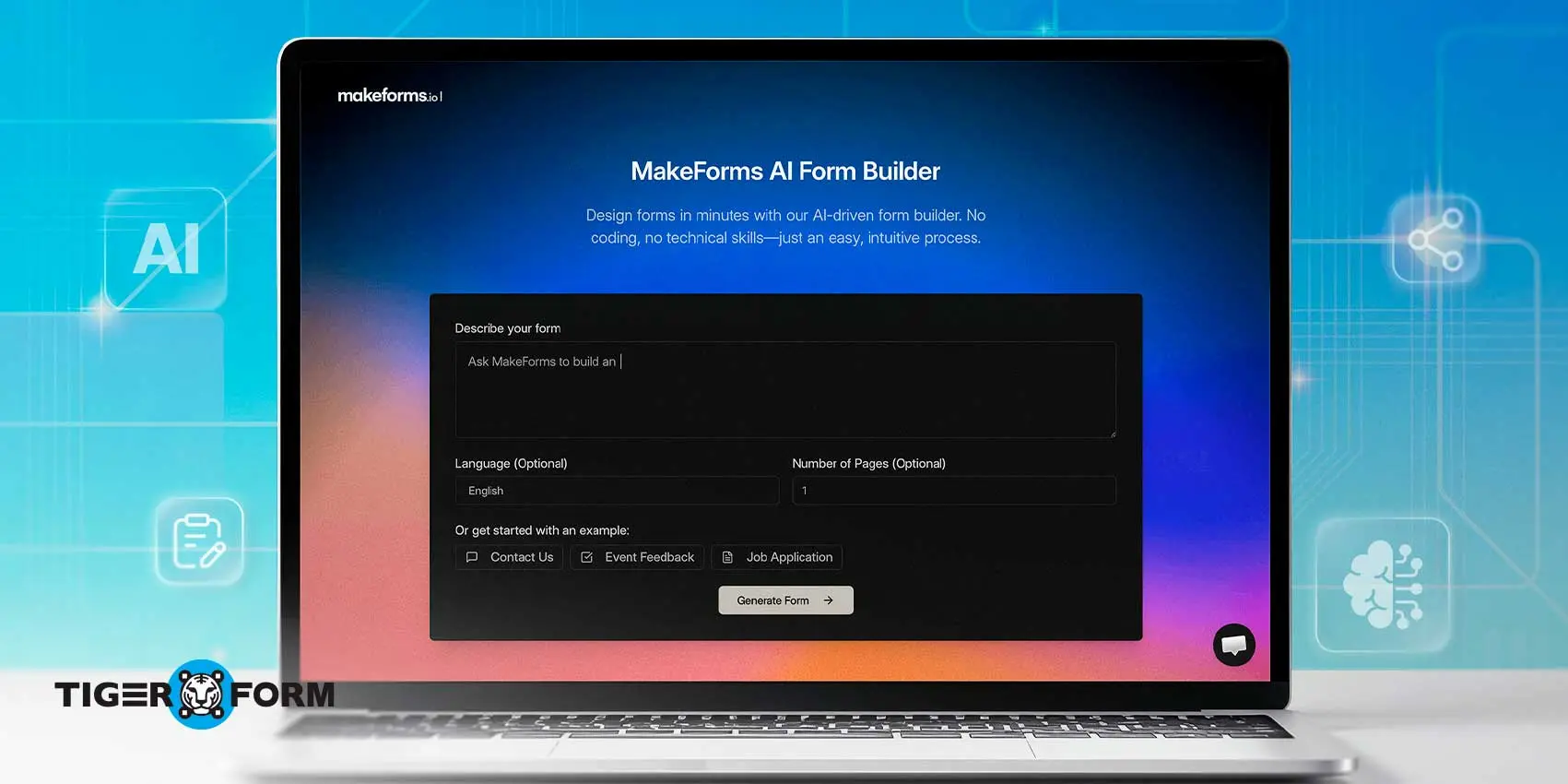
Free plan limitations: Offers only a free trial. Paid plans start around $79 monthly, billed.
Key AI features:
- AI multilingual form maker
- AI quiz and multi-step form maker
- PDF to Form
- Document to Form
- Enterprise-level compliance (HIPAA, GDPR, SOC 2 Type II)
MakeForms applies your brand rules and compliance requirements as the form is generated, so the output looks intentional from the first draft rather than requiring a rebuild afterward.
MakeForms is built for industries where there are risks that may happen if you mishandle a form field. And for healthcare organizations, build forms with HIPAA and GDPR compliance without manual setup, plus multilingual support across 25+ languages and country-specific data residency for regulated teams.
The trade-off: MakeForms is newer than most competitors on this list; its integration library and user community are still smaller.
6. Cognito Forms

Free plan limitations: 100 entries per month, with payments available
Key AI Features:
- Prompt-to-form generation
- Automatic workflow diagram creation
- Data lookups between connected forms
- Built-in compliance tooling
Cognito Forms generates a visual workflow diagram alongside every AI-built form, mapping out the approval steps, statuses, and roles behind it. A workflow, like a purchase request or leave approval, is visible and editable before a single field goes live.
Cognito Forms is built for structured forms that need approval steps. For example, an operations manager can ask the AI to create a multi-step purchase order form along with its workflow, then adjust either one just by typing instructions.
The platform also includes HIPAA, GDPR, and CCPA compliance by default, not as a paid upgrade.
The trade-off: the free plan’s 100-entry monthly cap is tighter than Fillout’s or Jotform’s free tiers, and the single-user limit on Free and Pro means small teams hit the seat limit quickly.
7. Involve.me

Free plan limitations: 2 active funnels with 50 submissions per month
Key AI Features:
- Adaptive follow-up questions
- Automatic response tagging and segmentation
- Abandonment tracking with fix recommendations
Involve.me’s AI adapts follow-up questions in real time based on how a respondent answers, and flags exactly where people abandon a funnel so you can fix the drop-off point.
Involve.me uses forms as marketing funnels, not just tools for collecting data. For a team dealing with events, building a lead-qualification quiz for a conference can use Involve.me AI to generate branching questions that segment attendees automatically as they respond, no manual tagging after the fact.
The trade-off: it’s built for interactive marketing content, so it is more of a tool than you need for a simple contact or intake form, and several advanced AI features sit behind a paid plan.
Why switch from basic forms to AI form tools?
Basic form tools like Google Forms handle simple data collection well, but they leave every step of setup, from field creation to routing responses, entirely manual. AI form tools remove most of that manual work.
- SMBs adopt them for a few specific reasons. Turning forms into automated workflows means a submitted lead can trigger a CRM update or follow-up email without anyone touching it.
- AI helps teams build a working form draft in minutes instead of hours or days. It also boosts engagement, since AI-made forms come from conversation and adaptivity, which keeps more users engaged compared to a plain, static form.
- Automation reduces manual handling. Teams see fewer duplicate entries and missed submissions.
According to McKinsey’s 2025 State of AI survey, 88% of organizations now use AI in at least one business function, and 80% cite efficiency as a key objective for their AI initiatives. For a team that builds registration forms, feedback surveys, and internal request forms regularly, even small time savings on each form add up across hundreds of forms a year.
FAQs
What is the best free AI form maker?
Fillout has the most usable free plan on this list, with unlimited forms and 1,000 responses per month at no cost. Cognito Forms and Involve.me offer free tiers too, but with tighter monthly entry caps.
Are AI form tools safe for collecting sensitive data?
Yes, provided you choose a tool built for it. MakeForms and Jotform’s Gold plan both offer HIPAA and GDPR compliance, which matters for healthcare, legal, or financial data collection. Standard free plans on other tools typically lack these safeguards.
Can AI form tools integrate with third-party tools for CRM, etc.?
Most AI form tools on this list integrate with common CRM, payment, and email platforms, though the depth varies. Fillout and Jotform offer the widest integration libraries, while TIGER FORM and Weavely.ai currently support a smaller but growing set of connections.
Do AI form makers work for surveys and quizzes?
Yes, Typeform and Involve.me are built specifically for conversational surveys and interactive quizzes, while TIGER FORM and Jotform also include quiz-mode features alongside standard form building.

Which AI form tool should you choose?
The right tool depends on what your forms actually need to do, not which tool has the longest feature list.
With the balance of AI generation, logic, and integrations, Fillout is a strong choice. And if you want a conversational, one-question-at-a-time format, try Typeform.
But do you need compliance requirements? If you handle healthcare, legal, or financial data, Cognito Forms, MakeForms, or Jotform’s HIPAA-compliant plans should be considered.
Decide how forms reach respondents. If a meaningful share of your traffic is in-person or offline, such as at an event, in a store, or on printed materials, TIGER FORM‘s built-in QR code removes an extra step that other tools require.
If your forms are approval-driven, and you want the workflow mapped out alongside the form, try Cognito Forms. For interactive lead-gen content, such as quizzes or funnels, choose Involve.me.
Every tool on this list offers either a free plan or a trial, so test the free tier before committing. No single platform wins across every category. The right choice depends on your workflow, your compliance needs, and how your team actually collects data.