
Based on advanced features, pricing, and friendly UI, the strongest Google Forms alternatives in 2026 are Jotform (best overall), Tally Forms (best free option), Zapier Forms (best for automation-first workflows), QuestionPro (best for market research), and TIGER FORM (best for field-to-office setups).
These ones are just the five of ten picks compared below on pricing, features, and how each stacks up against Google Forms. Each tool solves a different gap left by Google Forms, from templates and automation to QR code data collection.
Whether you need something free for a side project or a paid plan built for a growing team, there’s an alternative built specifically for that job.
Key takeaways
Comparing the best Google Forms alternatives
| Tool | Best For | Edge over Google Forms | Free to start? | Starting price(billed monthly) |
| Jotform | Overall alternative | • 10,000+ templates • Native payments • HIPAA option | ✅Yes (5 forms/100 submissions) | Bronze plan: $39/mo. |
| Tally Forms | Best free option | • Unlimited forms/ submissions • Free Stripe payments | ✅Yes(Unlimited, fair-use) | Pro plan: $29/mo. |
| Zapier Forms | Automation-first workflows | • Forms plus native automation to 9,000+ apps | ✅Yes (100 tasks/monthly) | Professional: $29.99/mo. |
| QuestionPro | Market research | • Conjoint analysis • MaxDiff • A/B testing • Panel access | ✅Yes(200 responses/survey) | Advanced: $99/mo (billed annually) |
| TIGER FORM | Field-to-office setups | • AI form generator • Native, dynamic QR codes • GPS tracking for submissions | ✅Yes(5 forms/100 submissions) | Starter: $16/mo. |
| Fillout | Teams/collaboration | • Unlimited seats, even on the free plan | ✅Yes (1000 responses/mo.) | Starter: $15/mo (billed annually) |
| Microsoft Forms | Auto-graded forms | • Purpose-built quiz grading with a student practice mode | ✅Yes- 200 responses/form | ~$6/mo (via Microsoft 365) |
| Cognito Forms | Advanced logic/workflows | • Calculations • Repeating section • Payments free | ✅Yes(100 entries/mo, 1 user) | Pro: $24/mo |
| Feathery | Custom form flows | • AI document data extraction • Full API/SDK control | ✅Yes (2 forms/100-500 submissions/ mo.) | Book a demo |
| SurveyMonkey | Research surveys | • Deep survey logic • Benchmarking • AI-assisted survey creation | ✅Yes (Per survey:10 questions/25 responses) | Advantage Annual: $46/ mo. (billed annually) |
Why look for alternatives to Google Forms
Google Forms is free and simpler, but if you need advanced features, you may want to consider other form tools. Here are the advanced features that Google Forms lacks:
- No built-in payments: You need a workaround (like Google Pay via Apps Script) or a separate checkout to charge for anything.
- Constricted branding elements: Just a header image and one accent color. Unlike the flexible customization of other advanced form tools, Google Forms has no custom domain, no white-labeling.
- Form submissions are added to your Drive storage: File uploads count against your personal or Workspace storage, not a separate allowance.
- Basic analytics only: Simple summaries and charts: no funnel view, drop-off tracking, or segment reporting.
- Basic conditional logic: A conditional question Google Form can only send users to different sections based on their answer, but there’s no true dynamic question logic like more advanced form tools offer.

10 best Google Forms alternatives worth trying
1. Jotform – Best overall alternative
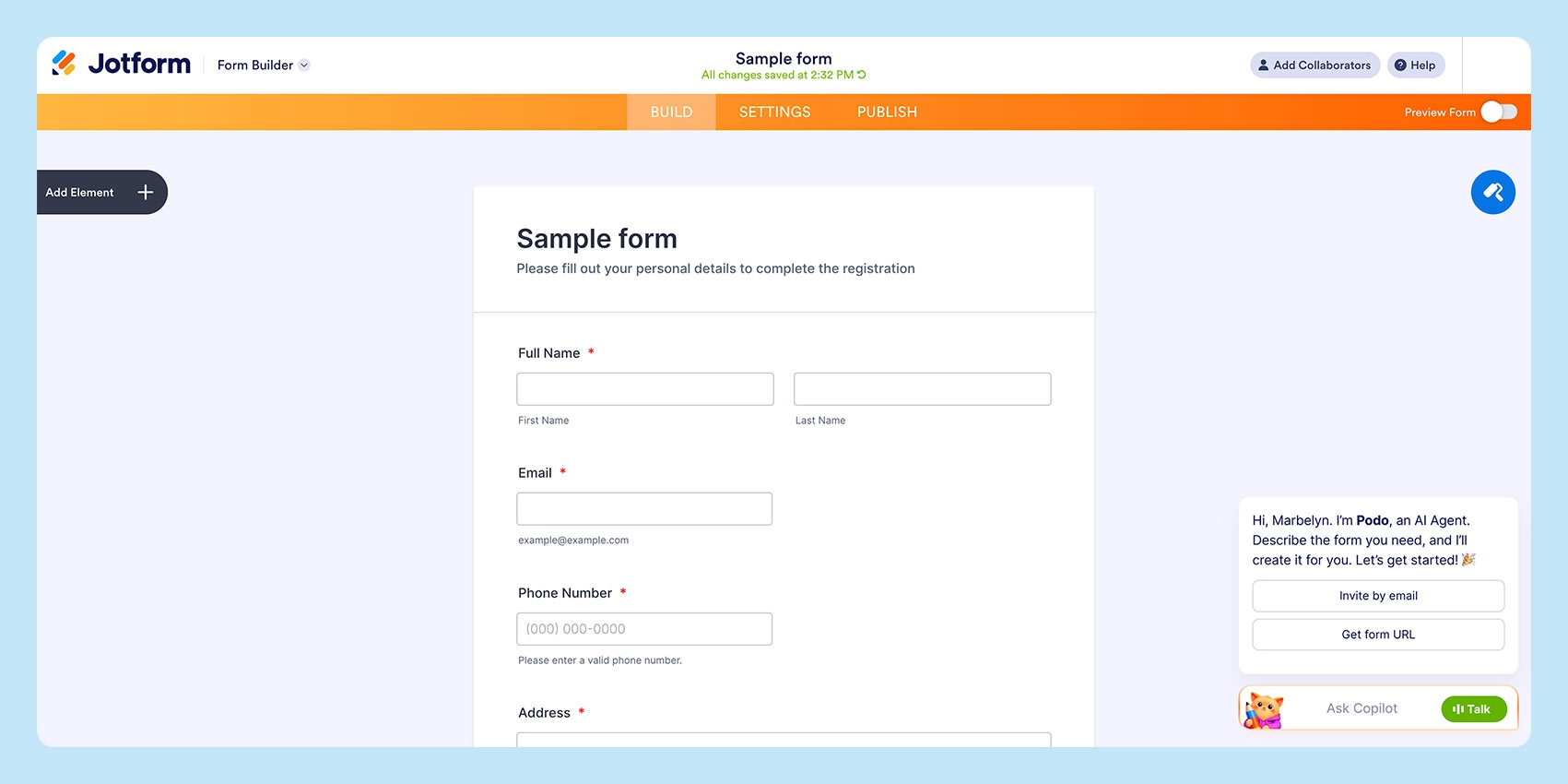
Jotform is an online form maker designed for teams that need effective forms for lead capture, event registration, and HIPAA-compliant patient intake, without hitting a feature ceiling.
Jotform’s template library and drag-and-drop builder are built to get a working form live quickly, and Jotform Tables adds lightweight spreadsheet management so responses don’t need to be exported elsewhere to be useful.
Although the free plan caps out at 5 forms and 100 monthly submissions, that’s worth budgeting after the testing stage.
Edge over Google Forms
- Native payment gateways: Stripe, PayPal, Square, and 30+ others
- 10,000+ templates for every industry and use case
- HIPAA-compliant plan tier
- Advance approval workflows and conditional logic
- Dedicated submission storage instead of sharing your Drive’s storage
- Built-in PDF and e-signature generation
- 150+ app integrations
- Spreadsheet-style Jotform Tables
2. Tally Forms – Best free option
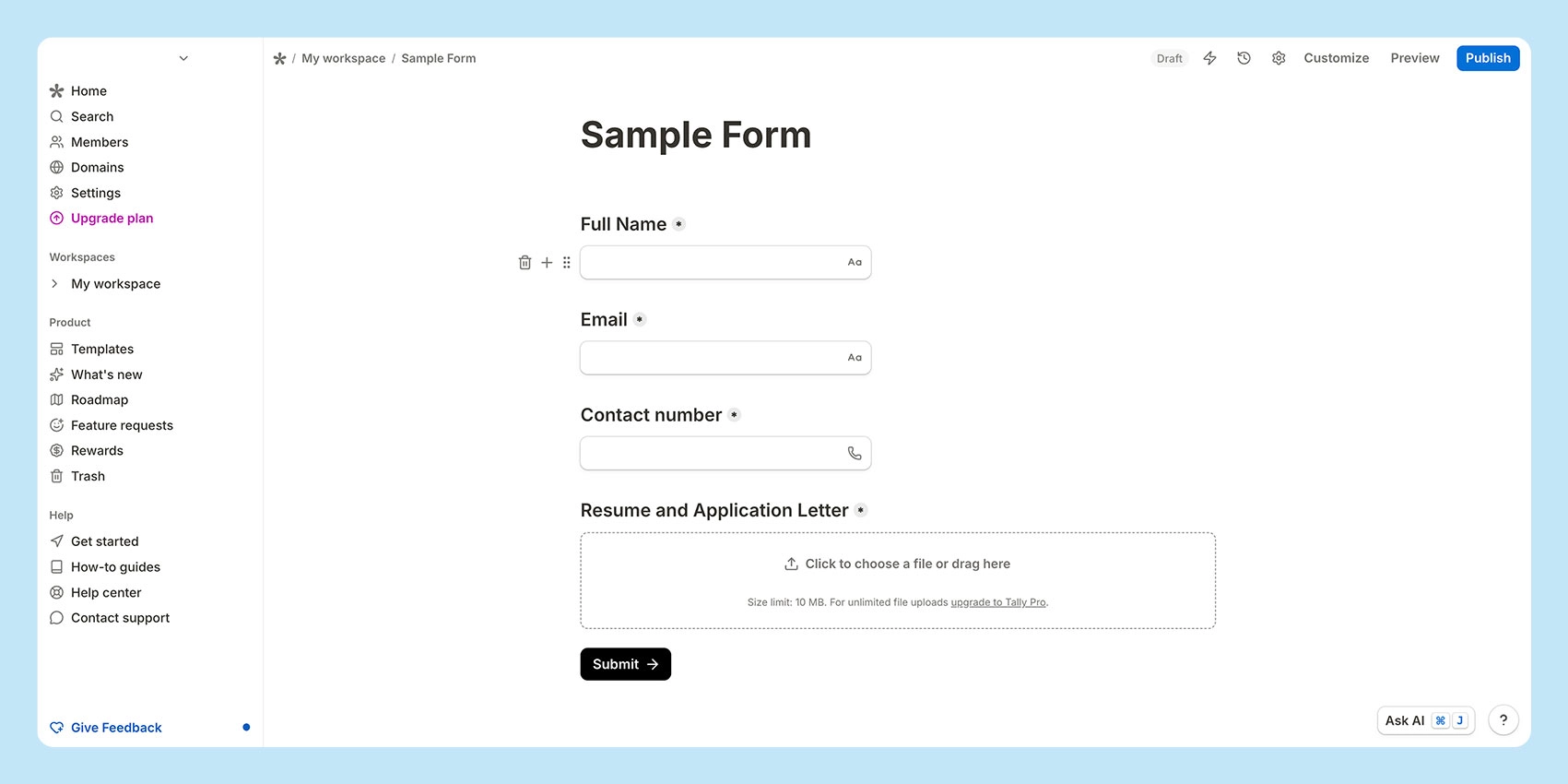
Tally is a notion-like tool built to provide a practical, genuinely free form maker; no caps or hidden paywalls on core form builder features like logic and payments.
Their editor uses the same “/” command pattern as Notion does, so most users build forms within minutes of signing up. Tally also natively supports Stripe as a payment workaround.
Forms are typed-only, and analytics stay basic even on paid plans. Pro mainly adds branding removal and a custom domain, which is worth it once a form goes client-facing instead of internal.
Edge over Google Forms
- Notion-style editor
- Unlimited and free online forms/submissions
- Strong conditional logic, calculations, and e-signatures
- Free native Stripe integration for payments
- Direct sync to Google Sheets, Airtable, and Notion
- Faster, block-based editing versus Google Forms’ more rigid layout
3. Zapier Forms – Best for automated workflows
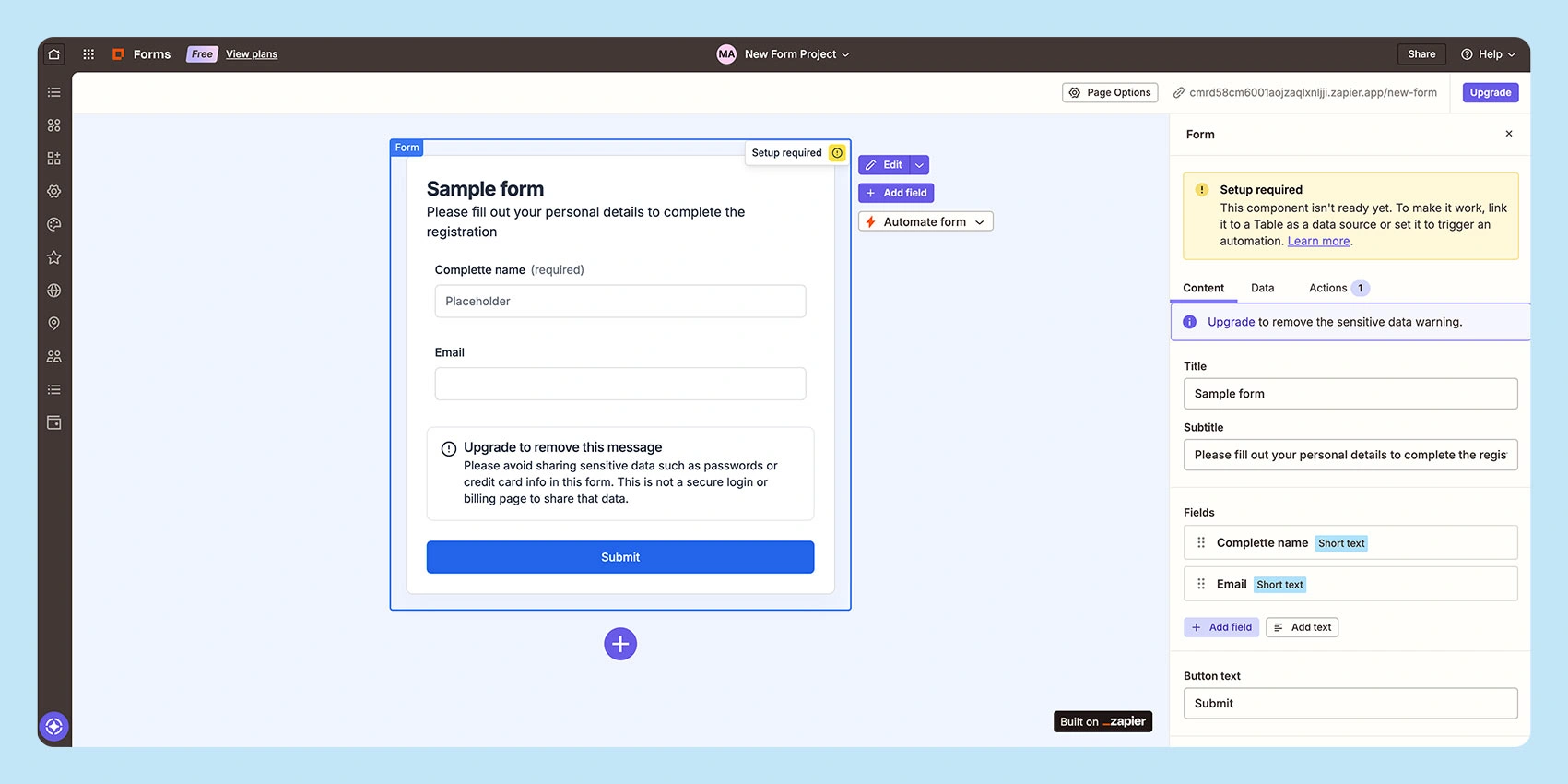
Zapier Forms is a tool from Zapier’s automation platform, built less for the form itself and more for what happens after someone submits it.
A form built here comes with native Zapier integration to its existing library of 9,000+ app connections, so a single submission can trigger a CRM update, a Slack alert, and a spreadsheet row without any separate setup.
One downside of Zapier is its task-based pricing; key features like multi-step workflows are behind a paywall.
Edge over Google Forms
- Native multi-step automates data to CRMs, Slack, spreadsheets, or email.
- Zapier Copilot
- Strong filters, paths, and conditional logic within the workflow
- 9,000+ app integrations
4. QuestionPro – Best for market research
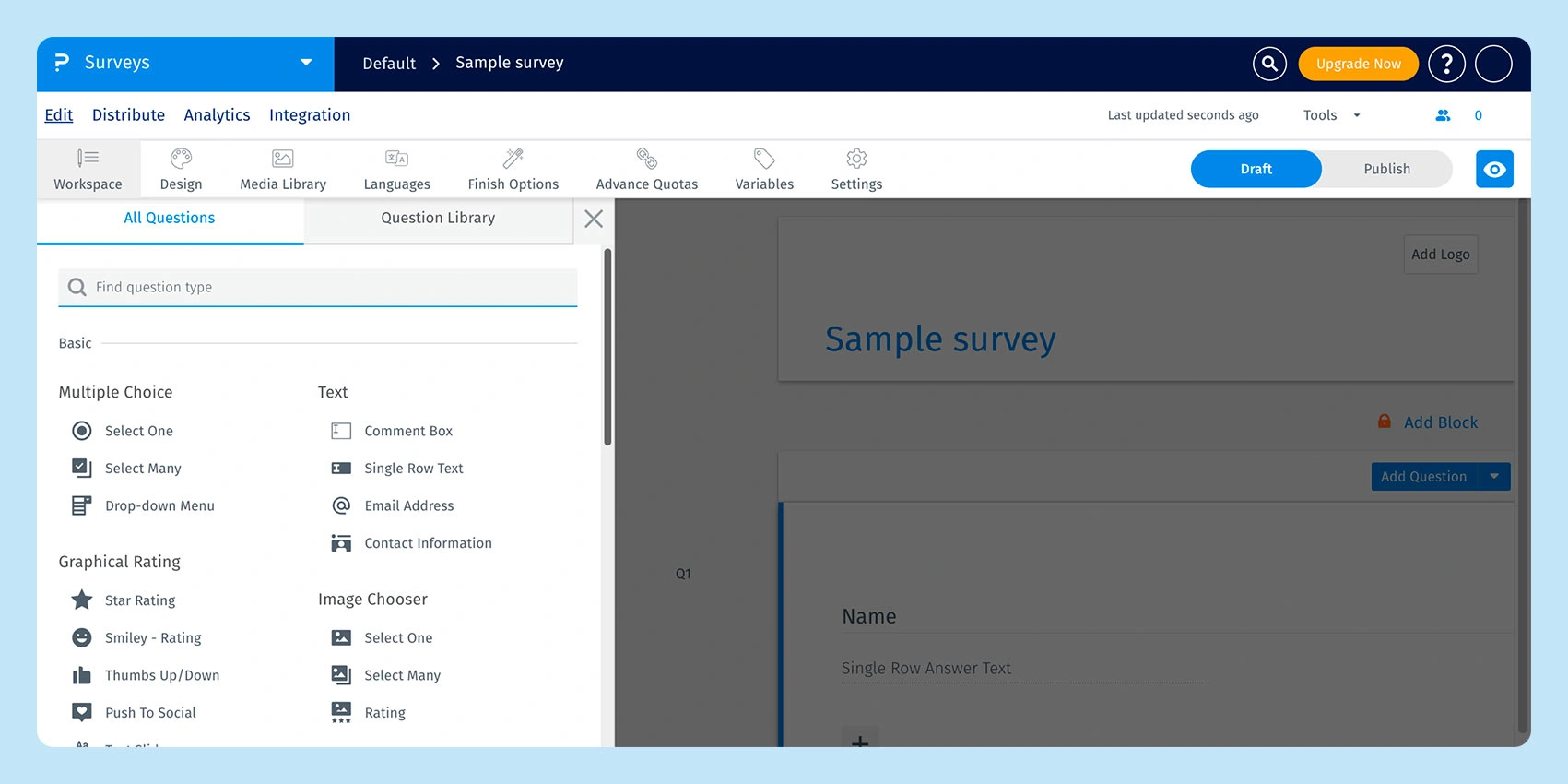
QuestionPro is a research-grade survey platform, closer to a market research toolkit than a general form maker. If you’ve outgrown a basic Google survey tool for anything beyond quick feedback, this is built for structured studies rather than quick polls.
Conjoint analysis, MaxDiff testing, and access to respondent panels put it in a different category from tools meant for RSVPs or lead forms.
The free plan limits responses per survey, and upgrading to paid or team plans is a real cost jump. It’s the right choice for research tooling but not for general-purpose form collection.
Edge over Google Forms
- 30–50+ question types (varies by plan)
- Advanced research tools: Conjoint analysis, MaxDiff, and A/B testing
- 350+ survey templates
- Offline survey collection (paid)
- Built-in research panels and audience-building tools
- Role-based access and account management (team plans)
5. TIGER FORM – Best for field-to-office setups
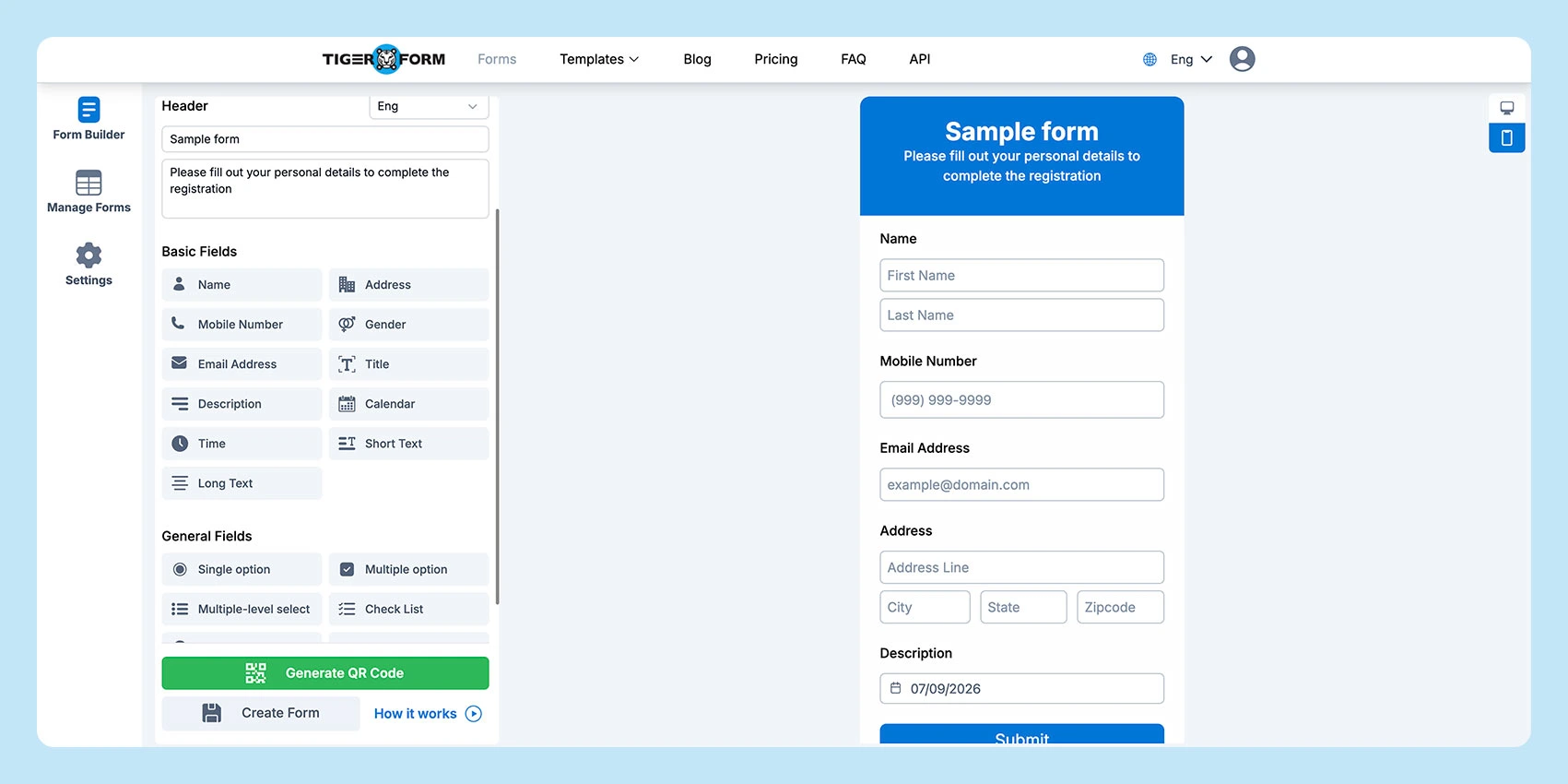
TIGER FORM is an online form tool built around one specific gap: getting data from a physical location into a digital system.
Every form generates a dynamic QR code automatically, which means a printed sign-up sheet, a job site checklist, or an event booth can route straight into the same form as an online link.
Unlike a static QR code, its destination can be updated after printing without reissuing the code. Beyond the QR layer, it functions as a standard form maker, with an AI form generator, a quiz mode with auto-grading, and multi-language support.
Paid tiers give you a fixed number of forms for the length of your plan. Once you hit that limit, you’ll need to upgrade to a plan that better fits your needs.
Edge over Google Forms
- Native, customizable, and dynamic QR codes
- AI form generator and quiz mode
- GDPR- and CCPA-compliant data handling
- Bulk QR code generation (Enterprise)
- Password protection and form-expiration controls
- Built-in ad-targeting capability for campaign-linked forms
- Tracks both form submissions and scans by device, location, and country
6. Fillout – Best for teams/collaboration
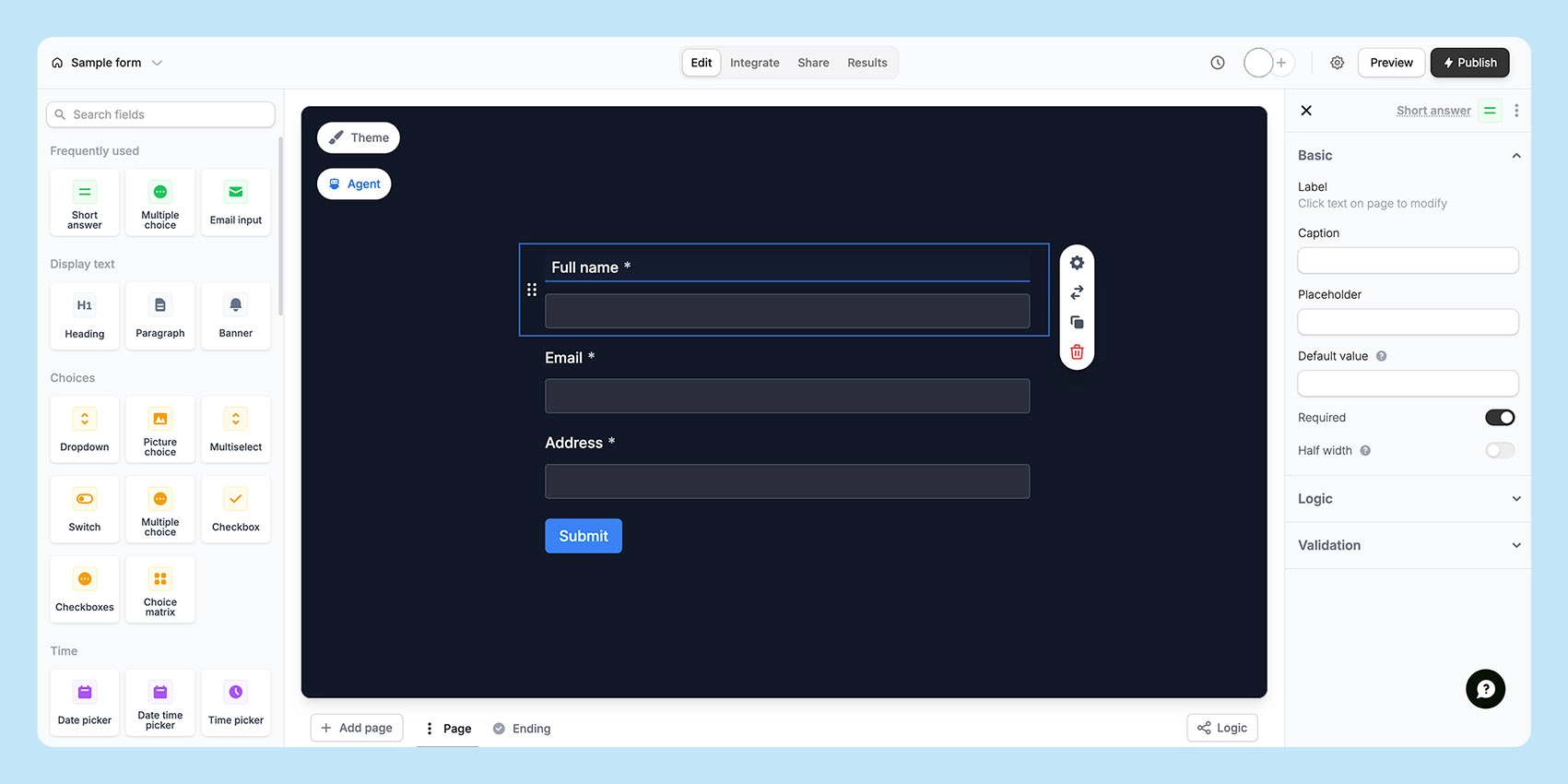
Fillout is built for teams to collaborate without paying per seat. Every plan, even the free one, includes unlimited team members; most tools charge extra for that.
It also offers structured field types and syncs directly with Airtable or Notion, not just a plain spreadsheet export.
The free plan includes 1,000 responses a month with unlimited forms, which is generous. Starter (about $15–19/month) doubles that to 2,000 responses, and Pro goes even higher, plus removes branding.
Edge over Google Forms
- Unlimited free seats on every plan (even on the free plan)
- 40+ field types, with 50+ referenced on higher tiers
- Native database sync to Airtable and Notion
- Built-in PDF generation and e-signature support
- Payment pages are included on all plans, even free ones
- Real team collaboration
- Native Airtable and Notion sync
- Login forms verify users and allow edits
7. Microsoft Forms – Best for auto-graded forms
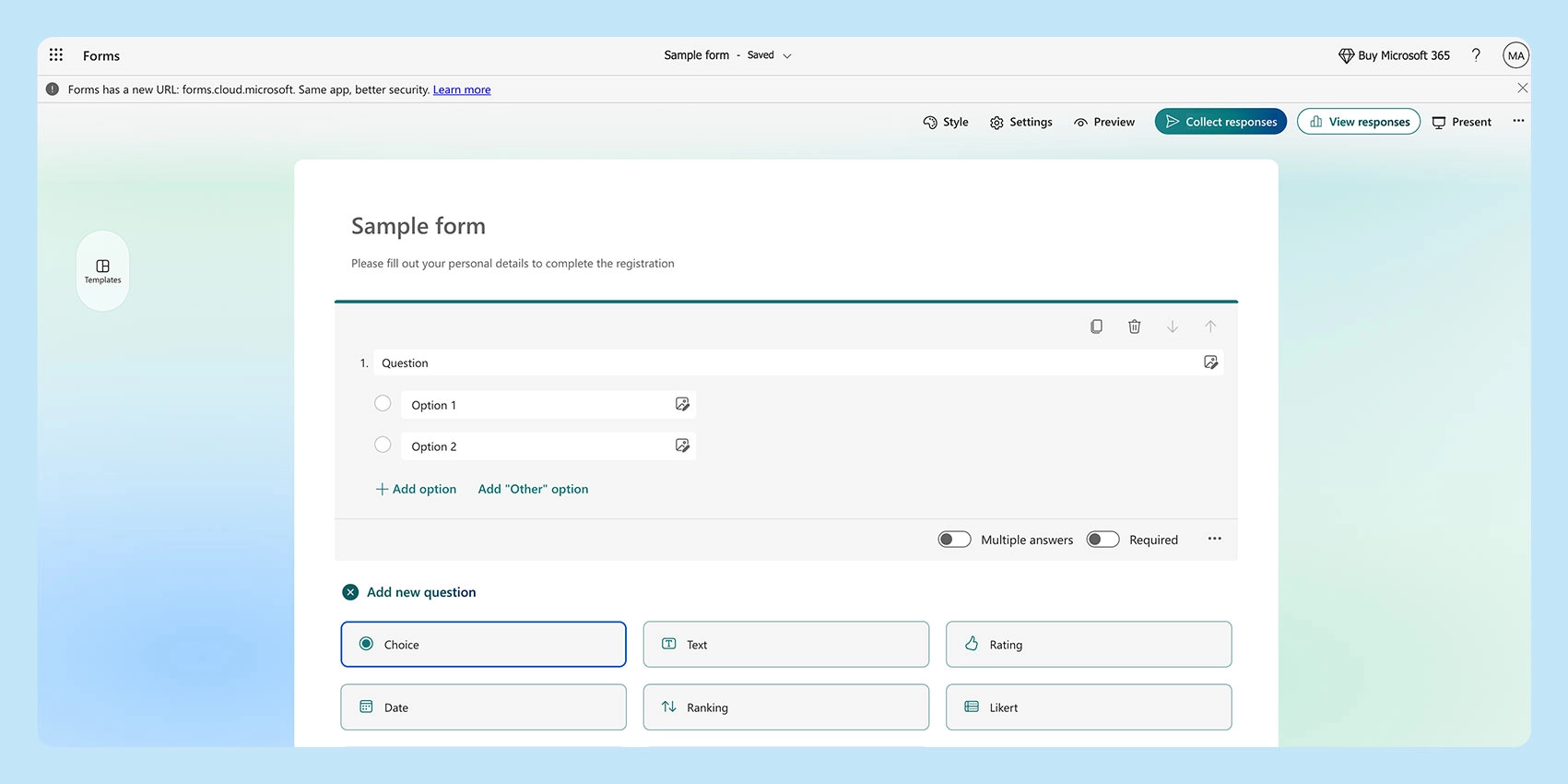
Microsoft Forms is the form and quiz tool built into Microsoft 365, and its strongest use case is education and training rather than general-purpose forms.
Auto-grading includes point values and a student practice mode, and every response syncs to Excel in real time. So, if you are a Microsoft user, this tool is the best option you can use.
MS Forms limits 200 submissions per form. Upgrading via Microsoft 365 (from ~$6/month) raises that to 2,000+, depending on tier.
Edge over Google Forms
- Auto-graded quizzes with point values and practice mode
- Live response sync to Excel
- Smart, strong conditional logic
- Deep integration with Teams, SharePoint, and Power Automate
- Familiar, low-learning-curve interface for Microsoft users
8. Cognito Forms – Best for advanced logic/workflows
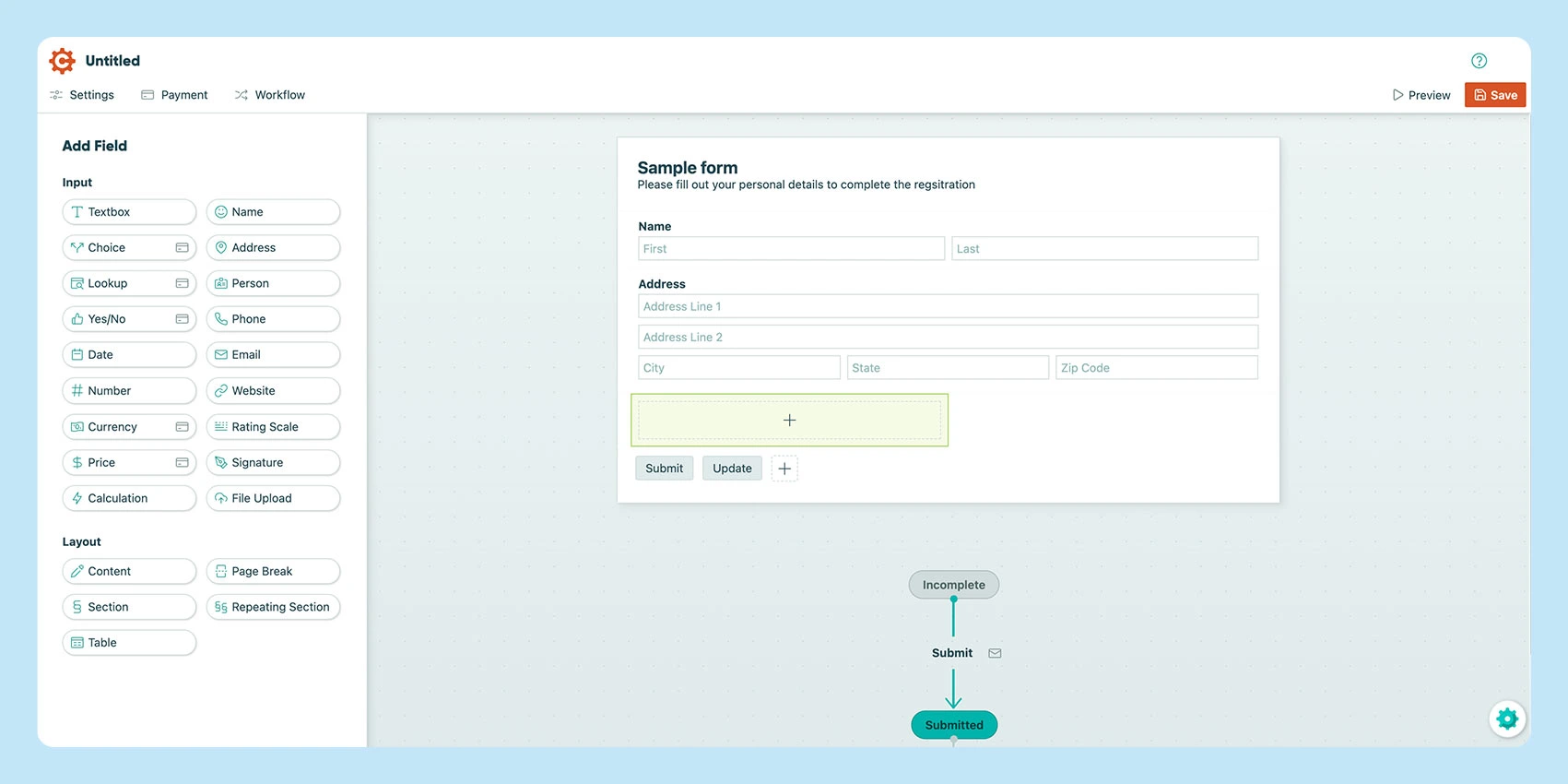
Cognito Forms is built for math and workflow automation. The go-to option when a form needs to calculate, not just collect answers.
Its formula engine handles per-line pricing, taxes, and conditional totals right in the form. Repeating sections make multi-line orders or multi-attendee registrations easy, something most form apps struggle with.
The free tier is generous enough that it even includes calculations and payments, which most competitors charge for. Pro starts at $15.99–19/month for 2 users. HIPAA compliance is Enterprise-only, so plan for that upgrade if you handle regulated data.
Edge over Google Forms
- Formula-driven calculations
- Repeating sections for multi-line entry
- Strong workflow automations
- Free conditional logic, calculations, and payments available
- Portal for respondents to revisit their submissions
9. Feathery – Best for custom form flows
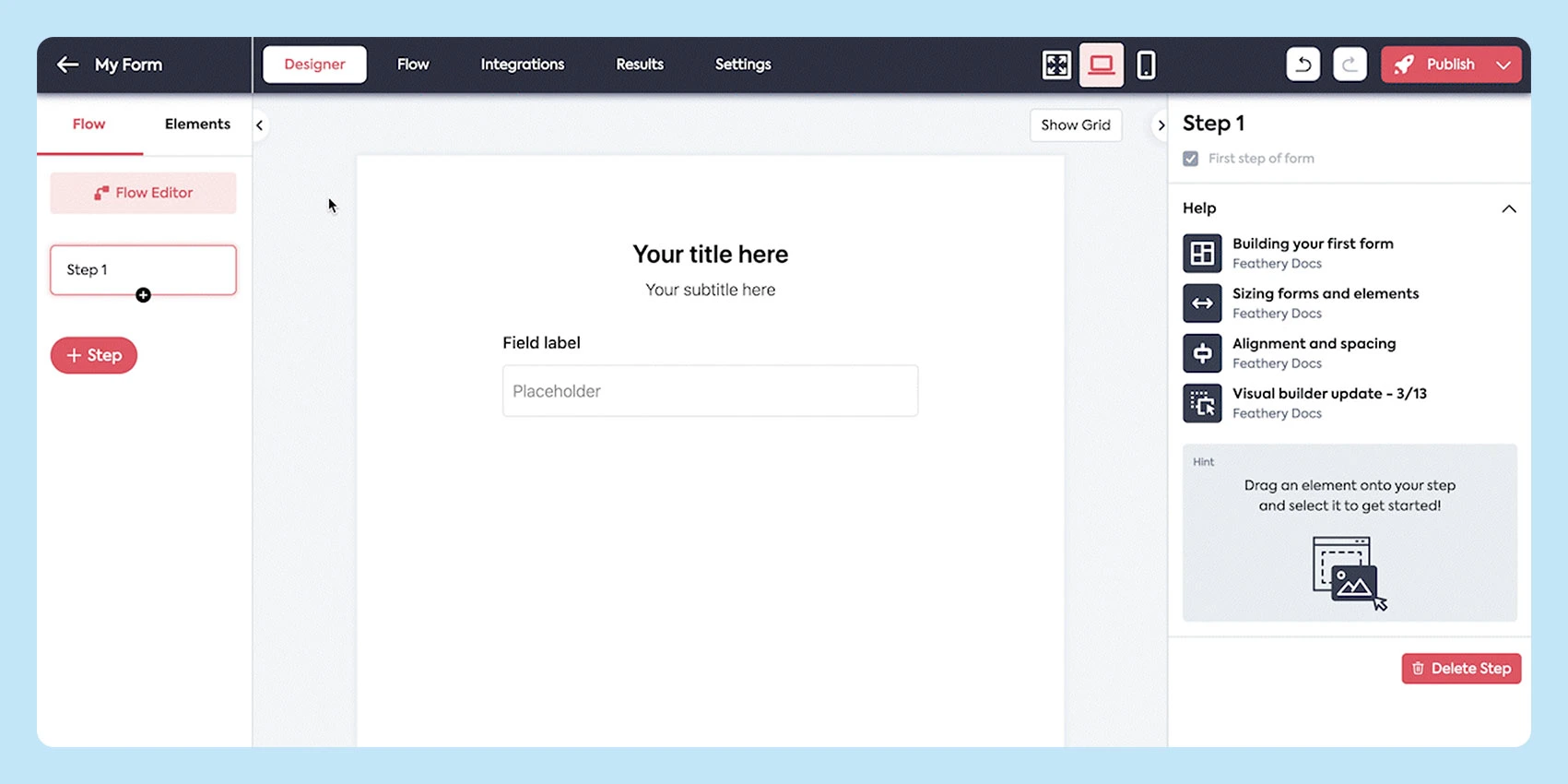
Feathery is a developer-oriented form and workflow builder aimed at teams building complex, branded flows (onboarding sequences, applications, intake processes) that a standard drag-and-drop builder can’t handle.
Its React/JavaScript SDK lets forms be embedded directly in a product rather than shared as a standalone link, and its AI document extraction pulls data directly from uploaded PDFs or files.
Paid plans start at $99/month, a real jump from most tools on this list. It makes sense specifically when a form is functioning as a workflow, not the right pick for a simple contact form or a quick survey.
Edge over Google Forms
- AI-powered data extraction from PDFs, emails, and uploads
- Visual multi-path logic maker
- Full React/JavaScript SDK
- 100+ integrations (+ CRMs and payment processors)
- Built-in user authentication via Firebase
10. SurveyMonkey – Best for research surveys
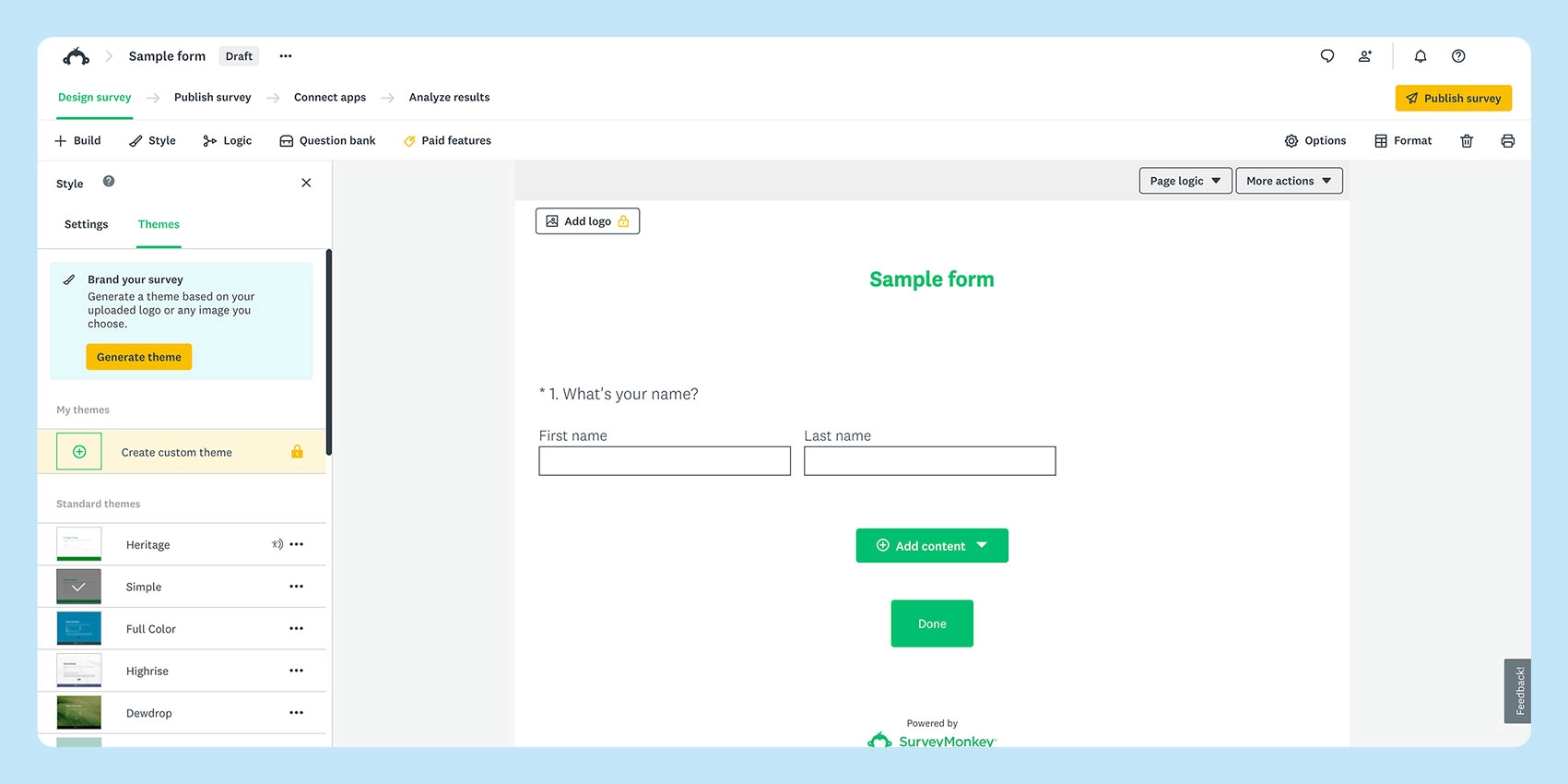
SurveyMonkey is one of the top survey platforms in the market, built for statistical rigor and polished reporting alongside standard form collection.
Its logic tools (branching, piping, quota-based randomization) go well past basic skip logic, and its benchmarking data lets a survey be compared against industry norms rather than read in isolation.
The free Basic plan limits you to 10 questions and 25 viewable responses per survey, making it suitable only for very light testing.
Edge over Google Forms
- Build surveys with an AI form generator
- Advanced logic: branching, piping, randomization, and A/B testing
- Benchmarking against industry data
- SPSS export for academic and statistical analysis (higher plans)
- Enterprise compliance options (HIPAA and GDPR)
How to switch from Google Forms to another form builder
- Export your existing responses
Download your current Google Forms data as a CSV or Sheets file so nothing gets lost in the move. - Rebuild your form in the new tool.
Most builders, including TIGER FORM, let you import a template or start from a blank form and replicate your fields in minutes. - Reconnect your integrations
Point your new form’s notifications, Sheets sync, or CRM connection to replace what Google Forms was handling. - Test before you publish
Submit a test response yourself to confirm notifications, redirects, and payment steps (if any) work as expected. - Update your distribution mode with QR code forms
If you use TIGER FORM, generate a QR code. You can swap long links with an embedded/printed QR version of your form in emails, social media posts, signage, or event standees; the link behind it can be updated later without reprinting anything.

Upgrade your workflows with better form makers
Google Forms is a fine starter tool, but its limits become apparent quickly once payments, branding, offline collection, or complex logic come into play.
The right alternative depends on what you’re solving for: automation, research rigor, or a bridge between physical and digital data collection.
Explore each form builder above to see how it fits your workflow, budget, and team. The right one will solve the exact gap Google Forms left open.
Your business is ready for better upgrades, use these form tools we shared!
FAQs
What is Google Forms?
Google Forms is Google’s free app under its Workspace for creating surveys, quizzes, and simple online forms. It syncs responses to Sheets automatically, and works well for basic data collection, but lacks native payments, deep branding, and advanced logic.
Can ChatGPT create Google Forms?
Not directly, ChatGPT can help write form questions, structure surveys, or draft copy, but it can’t build or publish a live Google Form on its own. You’d still need to manually create the form and add the generated content yourself.
In our list, is there a free app like Google Forms?
Yes, Tally Forms offers unlimited forms and submissions for free, with no caps on core features like logic and payments. Fillout and Cognito Forms also have generous free tiers that include features Google Forms doesn’t, like payments and calculations.
What are the best alternatives to Google Forms for students?
Microsoft Forms is the strongest pick for students, especially those already using Microsoft 365. It offers auto-graded quizzes, point values, a practice mode, and live sync to Excel — built specifically for education and training use cases. For simpler and user-friendly UI, Tally Forms also stands out.
What are the secure Google Forms substitutes?
Jotform and TIGER FORM both offer stronger security and compliance options than Google Forms. Jotform offers a HIPAA-compliant plan tier, while TIGER FORM provides GDPR and CCPA compliance, password protection, and form-expiration controls.