
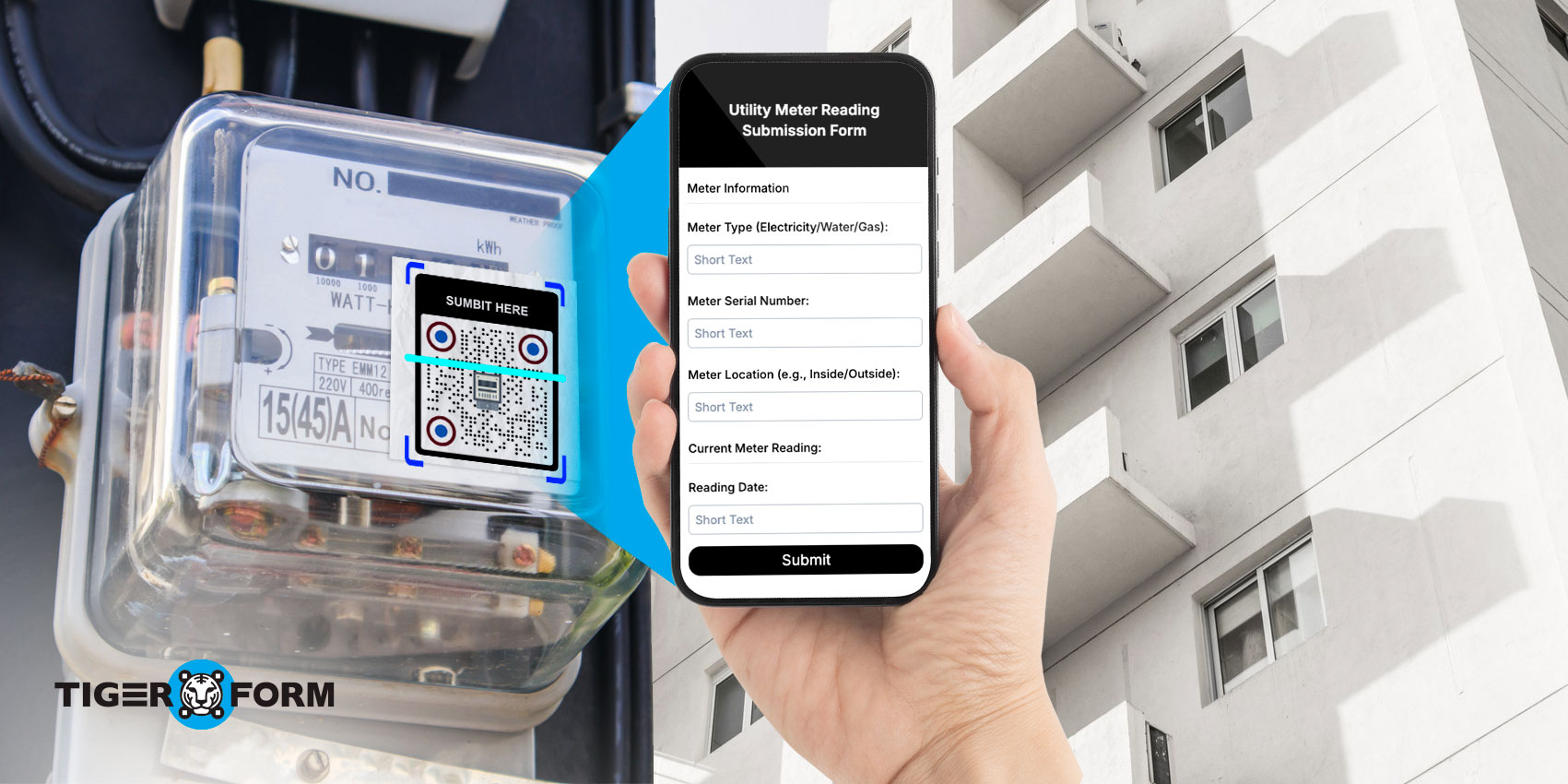
Electricity bills depend on accurate meter readings. However, many people still struggle with reading their meters, understanding the numbers displayed, or submitting readings on time.
A meter reading form for electricity makes this process much easier. It provides a structured way to record and submit electricity meter readings, reducing errors and helping utility companies collect accurate consumption data. Today, many providers are replacing paper-based methods with digital forms that customers can access and complete online.
In this guide, you’ll learn how to read a meter for electricity, understand the differences between digital and analog meters, and discover how an electricity meter reading form can simplify data collection and online submissions for both customers and utility companies.
What is an electricity meter reading?
Electricity meter reading is the process of checking and recording the amount of electricity used at a home, office, or commercial property. The reading shown on the meter helps utility companies measure energy consumption and calculate accurate bills.
Here are a few reasons why electricity meter readings are important:
- Ensure customers are billed accurately for the electricity they use.
- Help track monthly or daily energy consumption.
- Reduce the chances of estimated or incorrect bills.
- Allow utility providers to monitor usage patterns.
- Help customers identify unusually high electricity consumption.
- Support faster and more accurate billing processes.
Today, many utility companies use digital tools and electricity meter reading forms to collect readings online, making the submission process quicker and more convenient for customers.
How to read a meter for electricity (Step-by-Step)
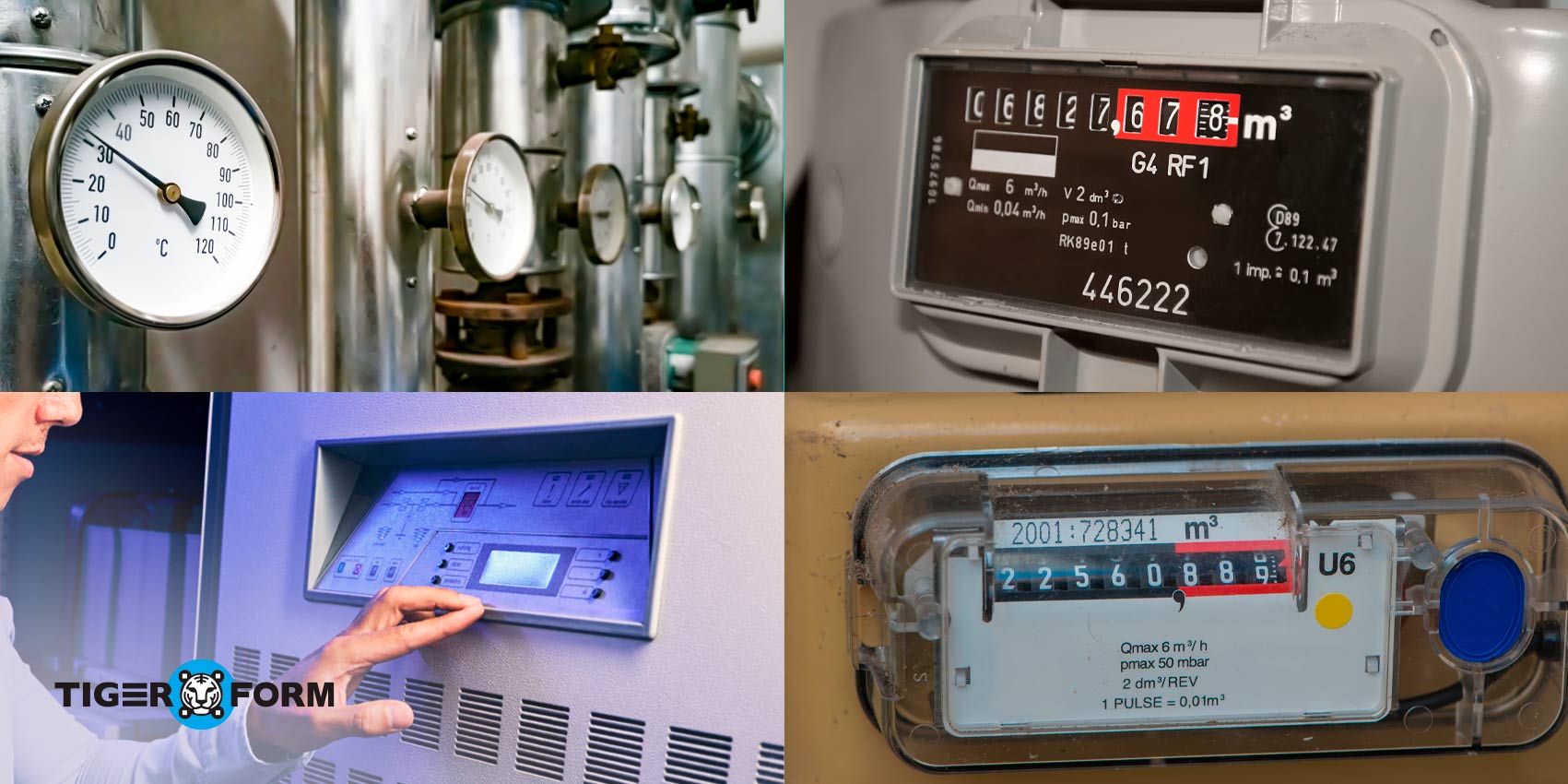
Reading an electricity meter is simple once you know where to find the reading. The process may vary slightly depending on the type of meter, but the goal is always to record the correct electricity usage shown on the display.
To read your meter:
- Locate your electricity meter.
- Identify whether it is a digital, smart, or analog meter.
- Record the numbers shown on the meter.
- Check the reading twice for accuracy.
- Submit the reading through your electricity meter reading form or utility portal.
Accurate readings help ensure correct billing and give you a better understanding of your electricity consumption.
Reading a digital electricity meter
Digital meters display electricity usage on a screen, making them easy to read.
To read a digital electricity meter:
- Look at the numbers displayed on the screen.
- Record the numbers from left to right.
- Ignore decimal places unless instructed otherwise by your utility provider.
- If the display changes automatically, wait until the kWh reading appears.
Example: If the screen shows 005432, the meter reading is 5,432 kWh.
Always record the reading exactly as it appears to avoid billing errors.
Reading an analog/dial meter
Analog meters use a series of dials instead of a digital display.
To read an analog meter:
- Read the dials from left to right.
- If a pointer is between two numbers, record the lower number.
- If the pointer is directly on a number, check the dial to the right before recording it.
- Write down each number in order to get the complete meter reading.
Because analog meters can be harder to read than digital meters, it is a good idea to double-check your reading before submitting it.
Common meter reading mistakes to avoid
Accurate meter readings are important for correct billing. Before submitting your reading, watch out for these common mistakes:
- Recording the wrong meter number.
- Entering digits in the wrong order.
- Missing a digit from the reading.
- Including decimal places when they are not required.
- Reading the wrong display screen on a digital meter.
- Selecting the higher number instead of the lower one on an analog meter.
- Submitting an estimated reading as an actual reading.
- Forgetting to double-check the reading before submission.
A quick review of your meter reading can help prevent billing errors, delays, and unnecessary disputes with your utility provider.
What is an electricity meter reading form?
An electricity meter reading form is a document used to collect and record electricity meter readings from customers, tenants, or field staff. It provides a structured way to submit meter data, helping utility providers track energy consumption and generate accurate bills.
A typical electricity meter reading form includes details such as:
- Customer name
- Account or customer ID
- Meter number
- Current meter reading
- Date of reading
- Photo upload (optional)
- Comments or notes
While traditional forms are often completed on paper, many utility companies now use digital electricity meter reading forms that can be submitted online. Many online form builders make it easy to create these forms, with customizable form templates that help organizations start collecting meter readings in minutes. The process is faster, reduces manual errors, and allows readings to be collected from anywhere.
Benefits of using a meter reading form for electricity
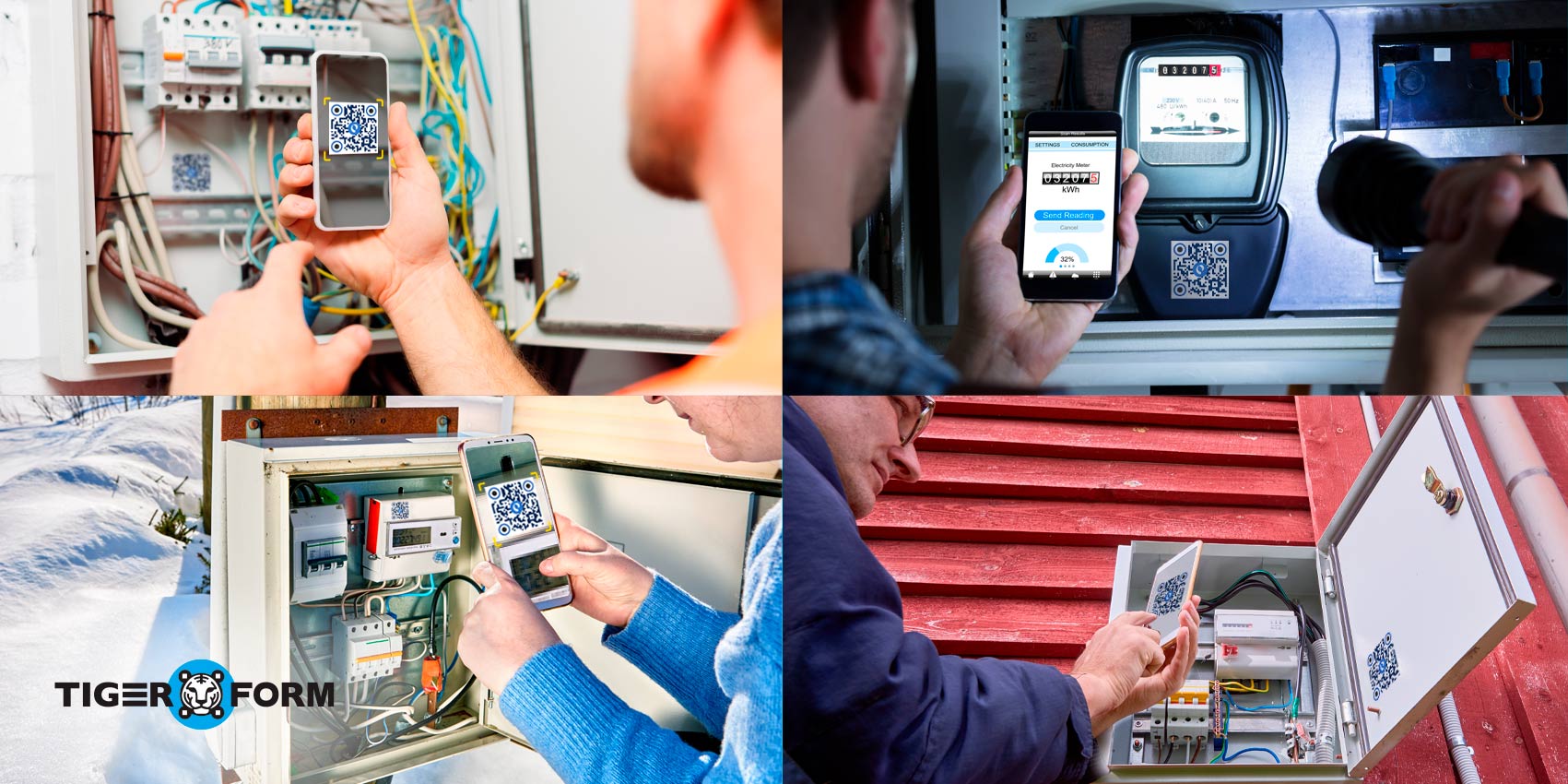
A digital meter reading form for electricity helps utility providers streamline data collection and improve billing accuracy. Using a form builder, organizations can create customized electricity meter reading forms that allow customers to submit readings online, upload meter photos, and provide additional details. This eliminates paperwork, reduces manual effort, and makes the submission process faster and more convenient for everyone involved.
1. Makes meter reading submission easier
Many utility companies now allow customers to submit meter readings online through web forms, customer portals, or mobile devices. This eliminates the need for paper forms and makes it easier to report readings from anywhere at any time.
2. Improves accuracy
Manual submissions often lead to missing digits, unreadable handwriting, or incorrect entries. An electricity meter reading form provides clear fields for entering data, reducing errors and helping ensure that readings are recorded correctly.
3. Faster billing process
When customers submit readings digitally, utility providers receive the information instantly. This helps speed up processing and billing while reducing the need for estimated bills based on previous usage.
4. Supports different meter types
Whether customers are performing a digital electricity meter reading or recording data from an analog meter, digital forms provide a consistent way to collect and store information. Users can even attach photos of their meter for additional verification.
5. Better record keeping
Digital submissions are automatically stored in a secure database, making it easy to access previous readings and compare usage over time. This is particularly useful when reviewing an electric meter reading to verify consumption patterns or resolve billing questions.
6. Greater convenience for customers
After learning how to read a meter for electricity, customers can quickly enter their readings into an online form and complete the process in minutes. There is no need to wait for a field technician or visit a utility office.
7. Smooth integration
Utility companies can easily integrate an electricity meter reading form with existing billing systems. Whenever customers submit their data, it is automatically transferred to the existing system, eliminating the need for manual data transfers that take a lot of time. As a result, customers don’t face any delays, and utility companies experience faster data processing and billing cycles.
8. Enhanced data security
Modern digital forms use secure systems to store and transmit information. Compared to paper records, digital submissions are easier to manage, protect, and retrieve when needed.
By making it easier to collect accurate electricity meter readings, digital forms help utility providers improve efficiency while giving customers a faster and more convenient way to report their energy usage.

How to create a QR code meter reading form with a form builder
Creating a QR code form is easier than ever with a form builder. Instead of collecting electricity meter readings through paper forms, phone calls, or manual visits, you can create a digital form that customers can access instantly by scanning a QR code. This allows users to submit meter readings online, upload supporting photos, and provide additional details from any device. Follow these simple steps to create a QR code form in minutes.
Step 1: Sign up or log in
Visit Form QR Code and create an account. If you already have one, simply log in to access the form builder dashboard.
Step 2: Create your meter reading form
Click Create Form and add the fields you need. You can customize the form to match your utility company’s requirements.
Step 3: Generate a QR code
Once your form is ready, click Generate QR Code. The platform will automatically create a QR code linked to your meter reading form.
Step 4: Customize the QR code
You can do the form design by adding your company logo, brand colors, or custom frames to make the QR code more recognizable and trustworthy for users.
Step 5: Test the form and QR code
Scan the QR code using a smartphone to ensure it opens the correct form and that all fields work as expected.
Step 6: Share the QR code
Print the QR code on utility bills, notices, flyers, or customer communications. You can also share it through email, SMS, or your website so customers can easily submit meter readings online.
Step 7: Collect and manage responses
As customers submit their electricity meter readings, responses are automatically stored in your dashboard. You can review submissions, export data, and use the information for billing and record-keeping.
Best practices for electricity meter submissions
Submitting accurate meter readings helps ensure correct billing and reduces the chances of disputes or delays. Whether you’re using a paper form or a digital electricity meter reading form, following a few best practices can improve accuracy and efficiency.
1. Submit readings on time
Try to submit your meter reading according to your utility provider’s schedule. Timely submissions help ensure your bill is based on actual usage rather than estimated consumption.
2. Double-check the reading
Before submitting, review the numbers carefully. A single incorrect digit can significantly affect your bill and create unnecessary corrections later.
3. Verify the meter number
Make sure the meter number on the form matches the meter you’re reading. This is especially important for properties with multiple meters.
4. Upload a meter photo
If your form allows photo uploads, include a clear image of the meter display. This provides additional verification and can help resolve questions about the submitted reading.
5. Use the correct units
Enter readings exactly as shown on the meter and follow any instructions provided by your utility company regarding decimals or additional digits.
6. Keep a record of submissions
Save a copy or confirmation of your submission whenever possible. Having a record can be helpful if you need to verify a reading later.
7. Use secure digital forms
When you submit meter readings online, use trusted platforms that protect customer information and securely store submitted data.

Simplify electricity meter reading submissions with digital forms
Accurate meter readings are essential for fair billing, better energy tracking, and efficient utility operations. By understanding how to read a meter for electricity and using a digital meter reading form for electricity, both customers and utility providers can reduce errors, save time, and streamline the submission process.
Modern form builders make it easy to create customized electricity meter reading forms that can be accessed through a QR code, allowing users to submit readings online from anywhere. This improves convenience, speeds up data collection, and helps ensure that every electricity meter reading is recorded accurately.
Ready to modernize your meter reading process? Create your QR code meter reading form with Form QR Code today and start collecting electricity meter readings faster and more efficiently.
FAQs
What is the purpose of a meter reading form?
It collects accurate electricity usage data from customers or field staff to generate correct bills and monitor consumption.
When should I read my meter?
Read on the scheduled date or immediately before/after a billing cycle. If possible, read monthly for accuracy.
What types of meters can this form handle?
It supports single-rate, time-of-use, smart meters, and analogue/dial meters. It includes fields for start/end readings, multipliers, and estimated readings.
How do I fill the meter number/ID field?
Enter the exact meter serial number as shown on the meter, including any letters or dashes. Double-check for accuracy.
What readings should I enter (start, end, or both)?
If your bill is based on consumption during a period, enter the preceding (start) and current (end) readings. If only one reading is required, enter the current reading and the prior reading will be pulled from the account.