
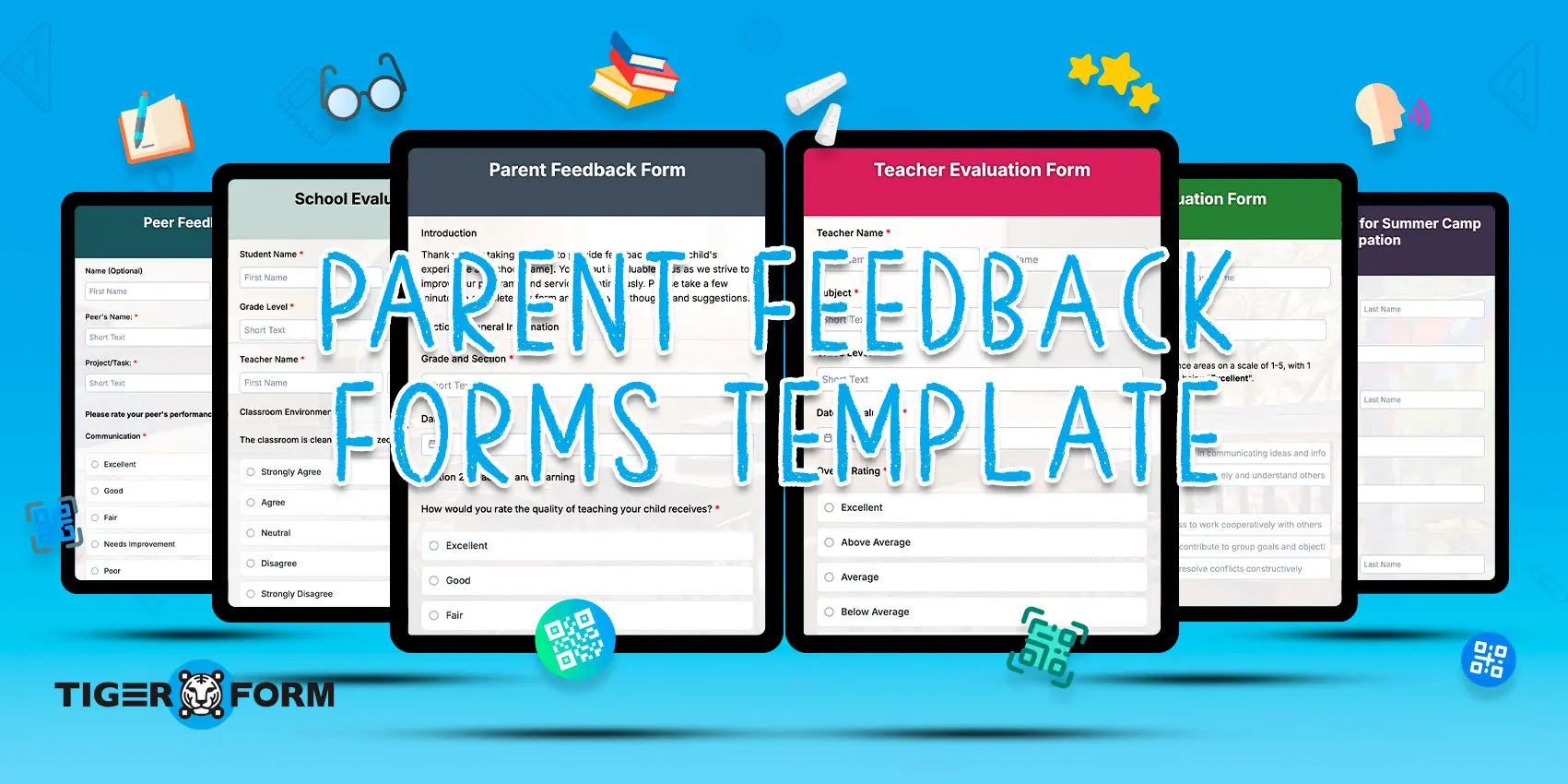
In a school’s ecosystem, parents play a major role in supporting student growth, communication, and overall learning experiences.
A parent feedback form helps schools collect valuable insights from parents about teaching quality, classroom support, school communication, and student well-being. This feedback helps schools identify improvement areas and strengthen parent-school collaboration.
In this guide, you will find five ready-to-use templates, including a general parent feedback survey, teacher evaluation form, school feedback form, event feedback form, and online learning feedback form, each designed for different school use cases and data collection needs.
You will also learn how to create a parent feedback form online. Sharing forms through QR codes can simplify response collection by allowing parents to access forms instantly from their mobile devices.
5 Templates to easily create a parent feedback form online
Building forms from nothing is time-consuming, but these five templates, including the TIGER FORM parent feedback template, will simplify things for you. They’re ready to use, editable, and shareable through QR codes or links. You can update the sections, rebrand the form, and have them published in minutes.
1. Parent feedback form
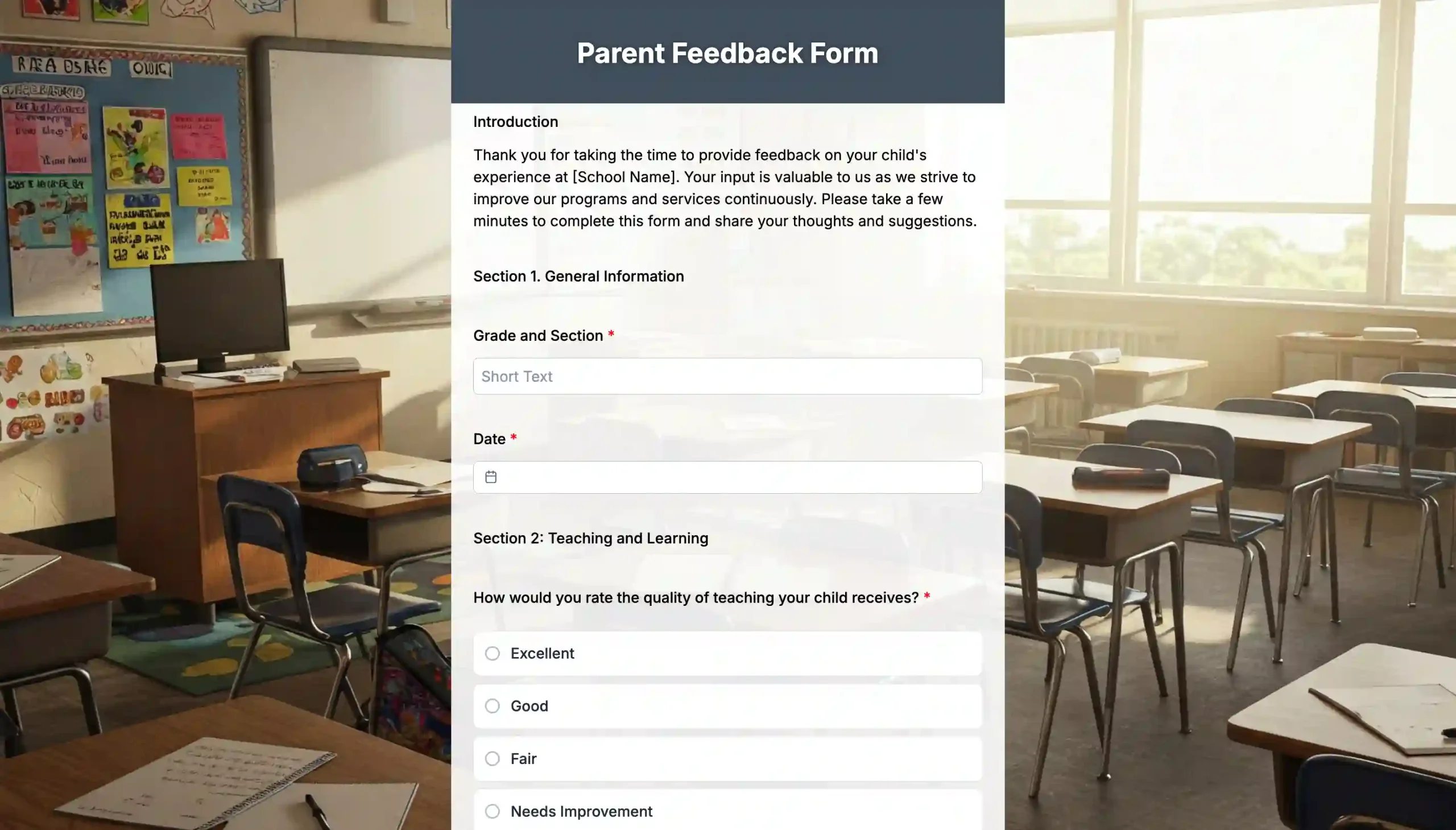
A parent feedback form is designed to collect general school-wide feedback from parents about teaching quality, communication, student support, and overall school experiences. It is best suited for school administrators, coordinators, and management teams that want to understand parent satisfaction across multiple grade levels.
The insights collected help schools identify communication gaps, improve parent engagement, and make better decisions that support students and families.
2. School evaluation form
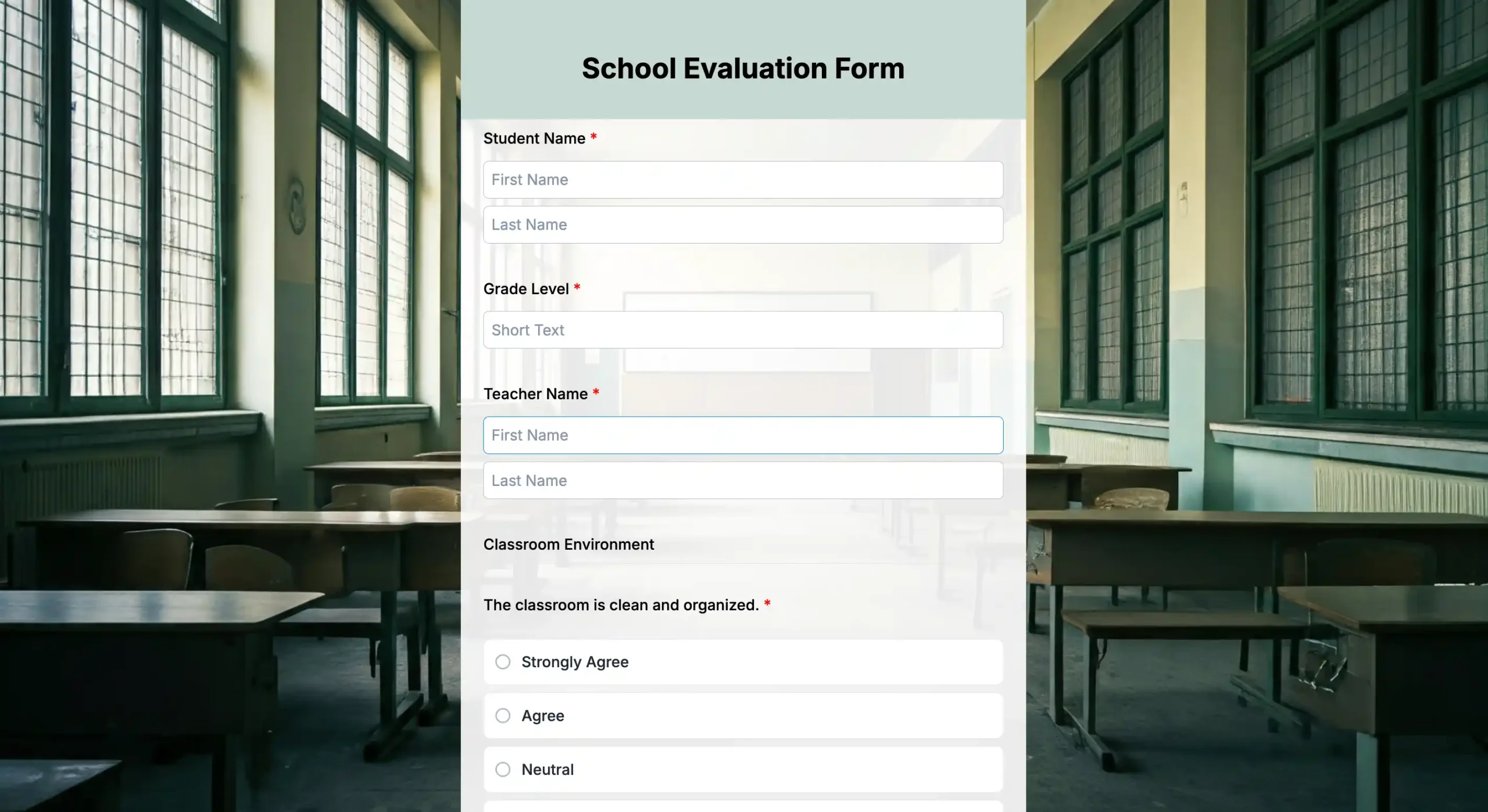
A school evaluation form is used to gather detailed feedback about the school’s overall performance, policies, learning environment, and administrative processes. This template is ideal for schools conducting annual reviews, long-term planning, or policy improvement initiatives. It helps administrators collect consistent and organized data that can support future planning, operational improvements, and school-wide decision-making.
3. Teacher evaluation form
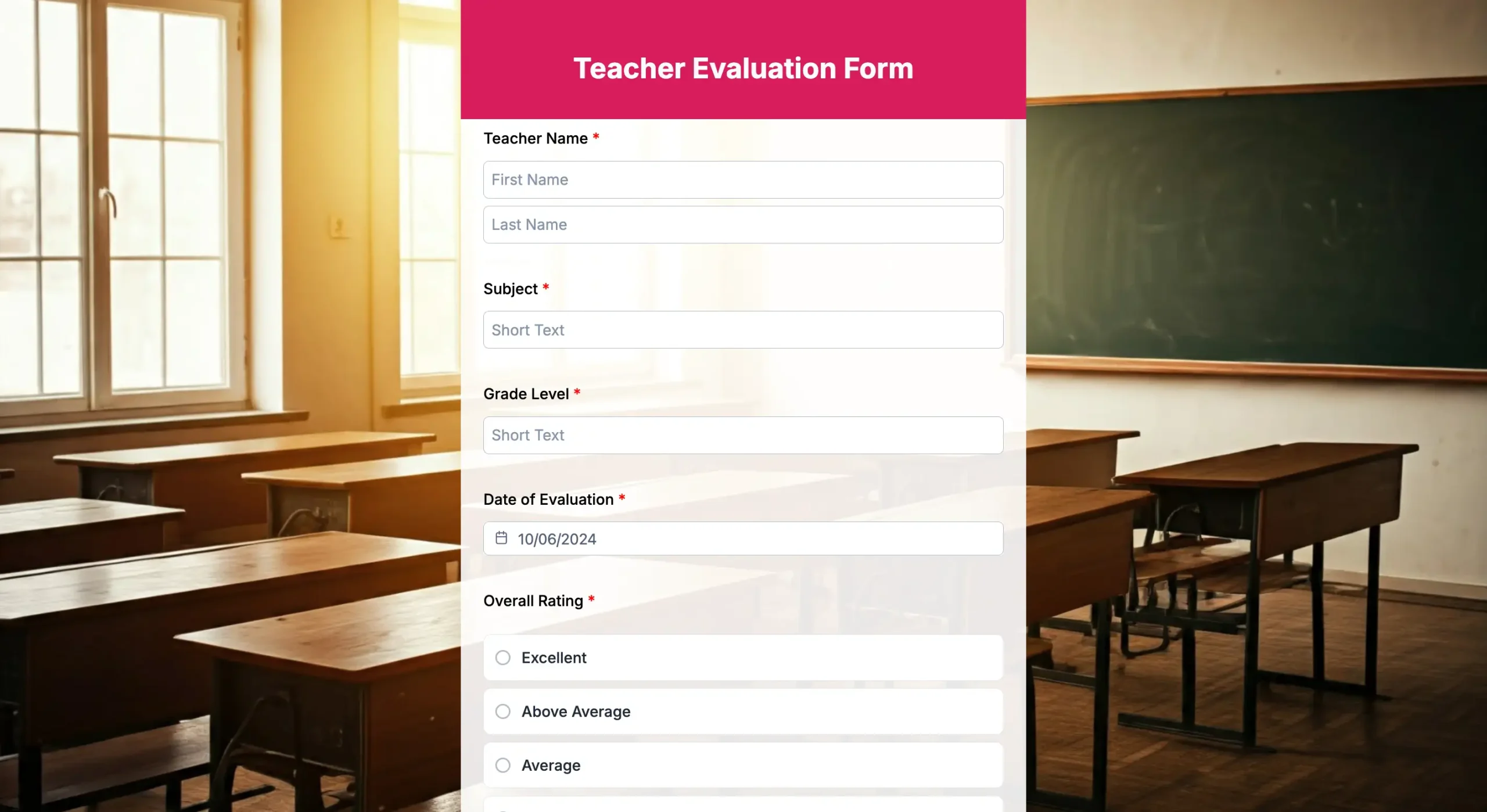
A teacher evaluation form helps parents share feedback about teaching methods, classroom communication, lesson clarity, and how teachers support students academically and emotionally. It is commonly used during parent-teacher meetings, performance reviews, or academic evaluation periods. The feedback collected helps schools identify teaching strengths, uncover improvement areas, and support better classroom experiences for students.
4. Peer feedback form
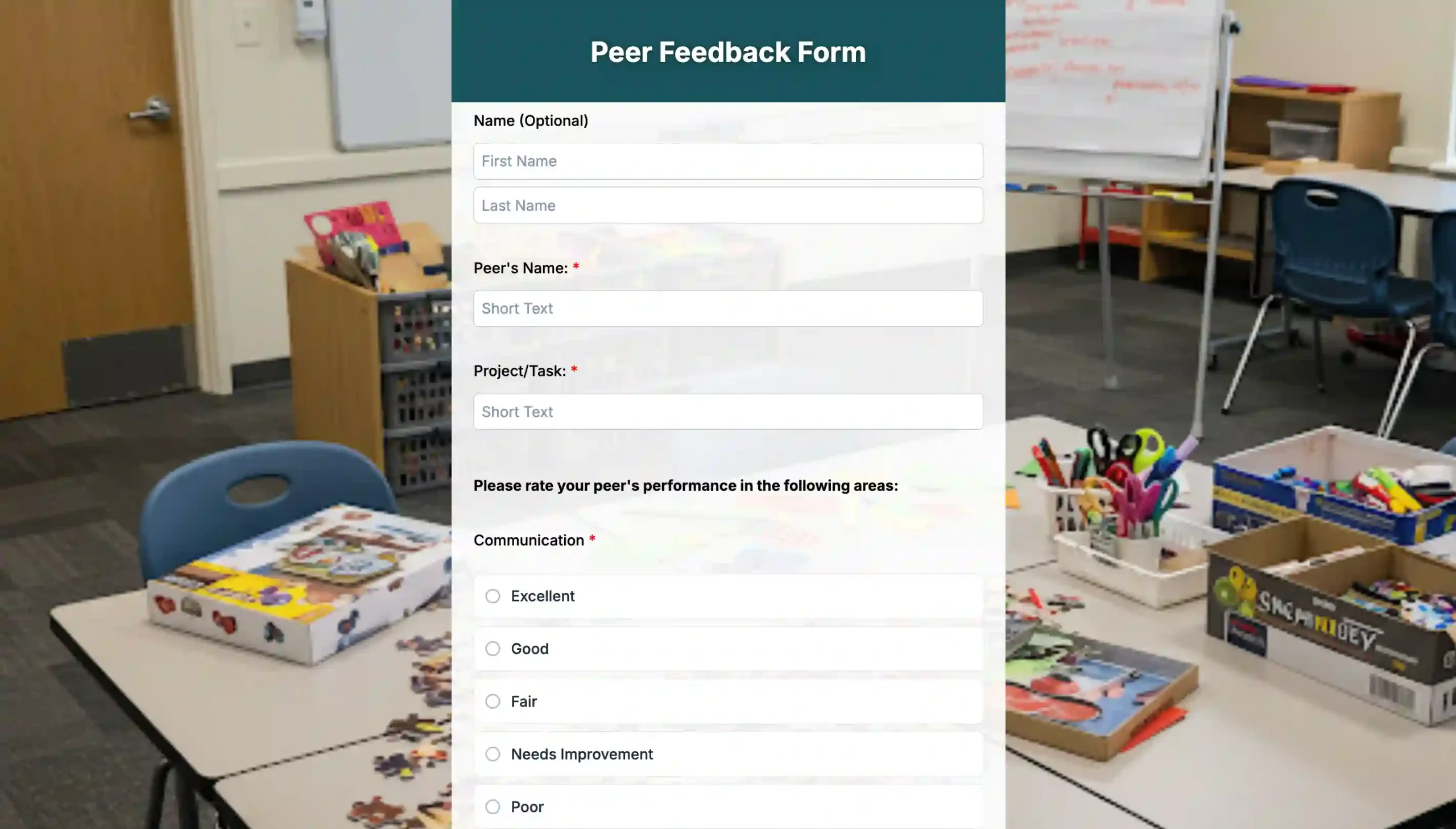
A peer feedback form is used to evaluate how students interact, collaborate, and contribute during classroom activities or group projects. This template is useful for teachers who want to understand student teamwork, participation, and behavioral dynamics both inside and outside the classroom. The collected responses help teachers assess collaboration skills, encourage fairness in group activities, and better understand student interaction patterns.
5. Course feedback form
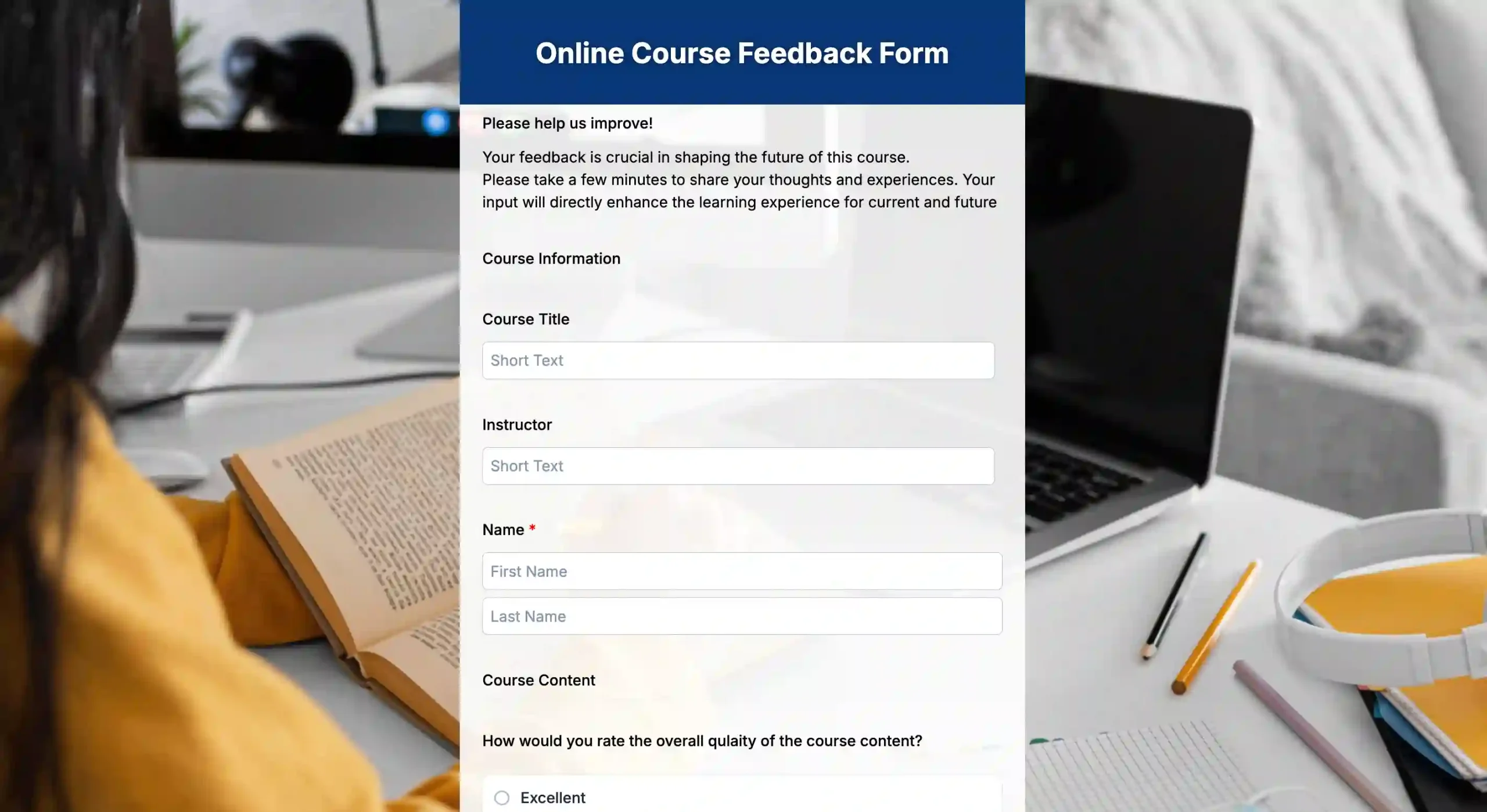
A course feedback form collects parents’ opinions about specific subjects, assignments, teaching approaches, and the effectiveness of academic programs. It is best suited for schools reviewing curriculum quality, subject performance, or classroom learning experiences. The feedback helps schools understand whether academic support, teaching methods, and course structures align with parent expectations and student learning needs.
Quick takeaway: Choosing the right feedback template
- Parent Feedback Form → Collects overall parent opinions about communication, teaching quality, and student support across the school.
- School Evaluation Form → Helps schools gather structured feedback for policy improvements, operational reviews, and long-term planning.
- Teacher Evaluation Form → Captures parent insights about classroom teaching, lesson delivery, and teacher-student interaction.
- Peer Feedback Form → Measures student collaboration, teamwork, participation, and group activity behavior.
- Course Feedback Form → Evaluates subject-specific learning experiences, academic support, and curriculum effectiveness.
Why are parent feedback questionnaires essential for learning hubs?
For a nurturing learning environment for children, the school and parents should work hand in hand, actively taking a role in every part of their learning milestones.
- Educators guide the child’s intellectual, social, and skill development.
- While parents, who share a special kind of bond with their child, support their emotional and behavioral growth.
A parent feedback form helps keep this communication clear and purposeful in supporting a child’s growth. Beyond being a tool for connection, it also serves several other functions:
- Understand how parents feel about their child’s learning experience.
- Reveals setbacks, such as learning and behavioral gaps.
- Give measurable data that schools can use to improve programs or manage funding.
- Build openness and unity by giving parents the chance to share their views and see their input valued.

A step-by-step guide to using these templates
We created these templates with simplicity in mind, making them as straightforward as possible for users new to form creation. But to guide you even further, here’s how you can make the most of these templates to create a parent feedback form online:
1. Choose a template
Visit the form templates above and select the one that best suits your goal.
2. Customize your questions if needed
A good survey design can make questions clear, organized, and easy for parents to answer. You can edit text, add conditional questions, rearrange sections, or include visual materials. You can even add your logo and use your color themes to match your school branding and improve recognition.
3. Preview and test
Finalize your form before publishing and preview it on both desktop and mobile devices to ensure it displays correctly. Verify that all fields function properly, especially conditional fields. Ask a few of your staff and send them the link for quick review.
4. Generate the QR code for your form
These templates are QR code forms made to be shared and easily accessible. Generate the QR code by clicking on the green button as seen in the image above. After generating the parent feedback form with a QR code, the builder allows you to customize it. You can adjust the colors, shapes, and frame so it matches your branding.
5. Collect and analyze responses
Once published and responses pour in, you can track submissions and the scan. View the answer charts on the builder’s dashboard for analysis.
6. Share insights
Share the survey results with parents to show them how their feedback led to real changes. Being open about the process builds trust and makes parents more likely to take part in future surveys.
Quick takeaway
- Pick the template that matches your feedback goal.
- Customize questions and branding for your school.
- Test the form before sharing it with parents.
- Use QR codes for faster mobile access.
- Review responses to identify improvement areas.
What makes a good parent feedback survey form?
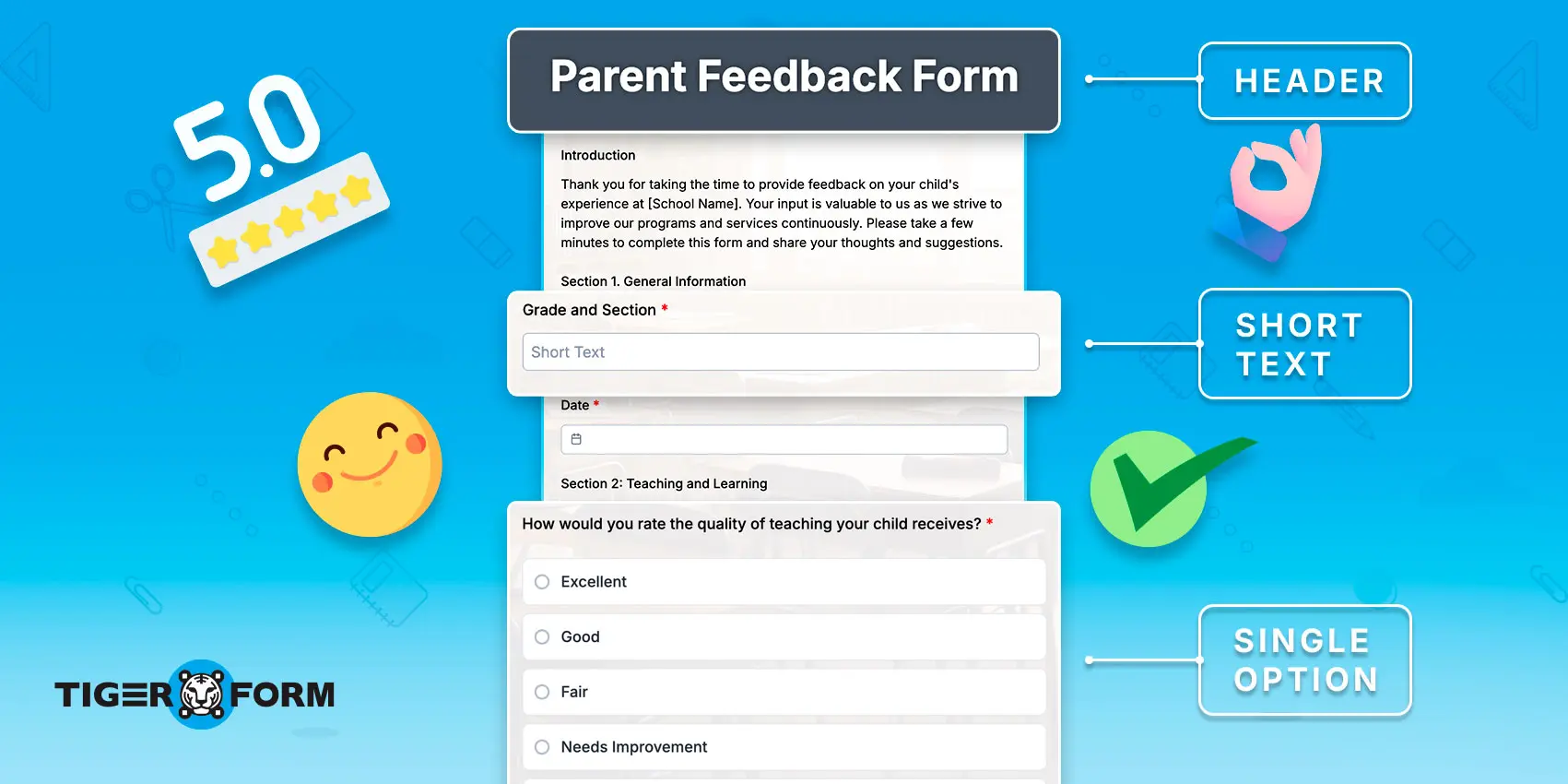
A feedback form is meant to collect opinions and comments from the audience. Now, if your forms are returned with honest, detailed, and helpful responses, then your form serves its purpose. To make your forms gather valuable parent insights, here are the ways you should consider:
1. Organized sections and layout
A well-structured form is easier for parents to complete and understand. Divide questions into clear sections such as Teacher Performance, Communication, Classroom Environment, or Student Support. This approach is especially important when designing a parent feedback form for teachers, as it helps ensure parents can navigate the questions easily without feeling overwhelmed.
2. Balanced and unbiased questions
Using only one type of question can make the form repetitive and less engaging. Include a mix of rating scales, multiple-choice questions, and open-ended responses to gather better insights. Keep the wording neutral and avoid questions that push parents toward a specific answer. Balanced questions encourage parents to share honest opinions and experiences.
3. Simple and clear language
Parents may come from different educational and language backgrounds, so the form should be easy for everyone to understand. Avoid technical terms or educational jargon that may confuse them. Use short, direct, and simple sentences that clearly explain what information is being asked.
4. Allow anonymous responses
Some parents may hesitate to share genuine feedback if they feel their identity will be revealed. Giving them the option to respond anonymously can make them feel more comfortable and secure. Adding an option to answer through an anonymous survey helps them feel safe to speak honestly.
5. Accessible and mobile-friendly format
Parents are often busy and may complete forms during short breaks or while traveling. Make the form easy to access through QR codes, direct links, or mobile-friendly layouts. For example, a school feedback form for parents works best when it is mobile-friendly, since most parents use their mobile phones to complete it. An accessible format increases the likelihood that parents will complete the feedback form without difficulty.
6. Use validation rules carefully
Validation rules help ensure important questions are answered before submission. However, making too many fields mandatory can frustrate parents and reduce completion rates. Keep only essential questions required while leaving less important ones optional. This creates a smoother and more user-friendly experience.
7. Include conditional questions
Not every question will apply to every parent or student situation. Conditional logic allows follow-up questions to appear only when needed based on previous answers. This keeps the form shorter, more relevant, and less overwhelming. It also helps schools collect more focused and meaningful feedback.
Why create parent feedback forms online with QR codes?

QR codes make parent feedback forms easier to access, faster to complete, and simpler for schools to manage. Instead of asking parents to type long links or search for forms manually, schools can let them open a QR code survey instantly with a quick scan. This reduces friction during the response process and can improve completion rates, especially for busy parents using mobile phones.
QR-based forms also help schools collect feedback in real time. Since most parents rely heavily on smartphones for communication and digital activities, QR forms provide a faster and more convenient way to gather responses during events, meetings, or regular school evaluations.
Another advantage is that QR codes help connect physical school materials with digital systems. Schools can place QR codes on printed notices, ID cards, event banners, classroom boards, or parent meeting documents while still collecting responses digitally in one centralized dashboard.
| Feature | Dynamic QR Codes | Static QR Codes |
| Editable after printing | Yes | No |
| Scan tracking | Yes | No |
| Best for | Ongoing feedback forms | One-time use |
| Reprint needed to update | No | Yes |
Among form builders strong in dynamic QR codes, TIGER FORM provides tools to customize forms to fit your school or organization’s style. With just one tool, feedback gathering becomes simple yet efficient.
Quick takeaway
- QR codes make parent feedback forms faster and easier to access on mobile devices.
- Dynamic QR codes help schools update forms without reprinting materials.
- QR-based forms simplify response tracking and centralized feedback collection.

Simplify your form setup with QR form templates
Creating parent feedback forms manually can take significant time, especially when schools need multiple forms for teachers, courses, events, or school-wide evaluations. Ready-made templates simplify that process by providing structured layouts, editable questions, mobile-friendly access, and organized response collection in one place.
QR sharing also acts as a practical bridge between printed school communication and digital feedback collection. Parents can quickly access forms through their mobile devices, while schools can manage responses centrally without relying on paper-based workflows.
Once responses are collected, schools can focus more on reviewing trends, identifying improvement areas, and making informed decisions based on parent insights.
FAQs
How do you write parent feedback?
Good parent feedback should be clear, respectful, and specific. Parents can mention positive experiences, communication quality, teaching methods, student support, and areas where they would like to see improvements.
What is an example of positive feedback from parents?
An example of positive parent feedback is: “The teachers communicate regularly, support students well, and create a positive learning environment where my child feels encouraged and confident.”
What should a parent feedback form for kindergarten include?
A kindergarten parent feedback form should include questions about teacher communication, classroom environment, child safety, learning activities, emotional support, and overall satisfaction with the child’s early learning experience.
What is a sample parent feedback comment for teachers?
A sample parent feedback comment for teachers is: “The teacher explains lessons clearly, supports students patiently, and maintains good communication with parents. My child feels comfortable and motivated to learn in class.”
How often should schools send out parent feedback forms?
Once every quarter works well for most schools. It gives enough time for new experiences to form and prevents survey fatigue. Schools can also send shorter feedback forms after major events or programs.
Should parent feedback forms be the same for all grade levels?
No, different grade levels face different challenges. Early childhood forms can focus on communication and behavioral progress. Higher grade levels can focus on subject load, teaching clarity, and student motivation.
What is the ideal number of questions for a parent feedback form?
Ten to fifteen questions keep forms focused without feeling too long. Anything longer makes parents feel pressured and reduces completion rates.
Can schools link the feedback form to student performance reports?
Only when necessary. Feedback forms should focus on the parents’ experience and observations, not on evaluating individual students. Keeping them separate avoids confusion.
How soon should schools act on parent feedback?
Within the same academic period. Parents respond more when they see changes quickly. Sharing follow-up actions builds trust and encourages future participation.