

Choosing the best form creator for your business isn’t just about picking a tool, it’s about finding one that fits your team’s size, workflows, security requirements, and budget. If you’re collecting leads, managing employee requests, processing registrations, or gathering customer feedback, the right platform should simplify data collection while integrating seamlessly with the tools your business already uses.
This guide is built specifically for business teams. If you’re looking for a general tool overview, we also have a full review of the top online form creators across all use cases.
To help you make the right decision, we compared the best form creators for businesses based on ease of use, templates, workflow automation, integrations, security, pricing, customer reviews, and scalability. Whether you’re a small business looking for an affordable solution or a growing organization that needs advanced automation, you’ll find an option that matches your needs.
Quick take: Top 5 form creators compared
| Tool | Best for | Best feature | Automation | Integrations | Templates | QR code forms | Starting price |
| TIGER FORM | Branding & QR code forms | Dynamic QR codes, AI form builder, up to 10,000 API integrations/month | Advanced | Extensive | Yes | Built in | $16/mo. |
| Google Forms | Free form creation | Google Workspace integration, basic conditional logic, 17 question types | Basic | Google Workspace | Yes | No built-in generator | Free |
| Microsoft Forms | Microsoft 365 users | Multilingual support and Microsoft 365 integration | Moderate | Microsoft 365 | Yes | No built-in generator | ~$6/month (Microsoft 365) |
| Tally | Privacy-focused teams | Document-style forms, hidden fields, conditional logic, calculations | Moderate | Good | Yes | Yes | $29/mo. |
| Fillout | AI-powered data collection | AI automated form filling, real-time data syncing, custom rules | Advanced | Extensive | Yes | Yes | $19/mo |
Key features to evaluate in a form creator
So, what’s the best platform for businesses looking to build custom forms? With so many platforms in the market, finding the right one can feel tiresome. But the real key lies in knowing what features matter most for your business.
The right tool should streamline collaboration, automate tasks, integrate with your tools, and scale as your business grows.
Here is a breakdown of the essential features to look for in an online form maker, helping you make a confident, future-proof choice:
1. Form management
Efficient form management is crucial for businesses that handle multiple forms across multiple departments. An online form maker should offer centralized dashboards that allow users to organize, categorize, and access forms seamlessly.
This will reduce time spent searching for specific forms and enhance overall productivity. A McKinsey report indicates that employees spend an average of 1.8 hours daily, or 9.3 hours per week, searching for and gathering information.
2. Collaboration workspaces
In a collaborative work environment, it’s essential that multiple users can access and manage forms with customized permissions. This ensures that team members have appropriate access levels, facilitating efficient teamwork and maintaining data security.
3. Integration with business application

Integrating a form-building tool with existing business tools like Google Workspace, CRMs, or Slack streamlines workflows. Such integrations enable real-time notifications of form submissions directly within these platforms, enhancing responsiveness and reducing the need to switch between applications.
Popular platforms like TIGER FORM make this even easier with the Zapier integration feature, a platform that connects with over 8,000+ popular apps.
You connect your software with popular email, messaging, and data management tools, such as Gmail, Slack, Google Sheets, and more, thus increasing usability and adoption.
4. Workflow automation
Data from Cflow Apps shows 80% of businesses are prioritizing automation, and 50% plan to remove all recurring processes by 2025.
Automating workflows saves time and reduces errors. Features like automated approvals, data collection, and notifications free up time for more critical tasks, ensuring that processes are efficient and consistent.
5. AI-powered form generation
AI form generation saves time and reduces the risks of manual error. Instead of manually creating each field, describe the form you need.
The AI creates the form with suggested fields and layouts. This cuts work hours, ensures nothing is missed, and lets teams focus on other tasks.
Over time, it also speeds up the process of making new forms or updates. If you worry about control, that is fine. You can still adjust the form after the AI generates it.

6. Data analytics and reporting
Understanding form performance is key to making informed decisions. Built-in analytics tools that show submission rates, response times, and completion rates allow businesses to gain insights into user behavior and optimize their forms accordingly.
7. Custom branding and templates

Maintaining brand consistency across all forms is vital. The ability to fully customize forms by adding logos, color schemes, and custom form templates is much needed.
It ensures that all forms align with the organization’s branding, presenting a professional image to clients and stakeholders.
8. Scalability and pricing
As organizations grow, their form-building needs evolve. It’s important to choose a solution that scales with the business, offering flexible plans and advanced features to accommodate growing demand.
9. Security and compliance
A Cisco 2024 Consumer Privacy Survey shows that 75% of consumers will never share their personal information, including buying from an organization they do not trust. So, how can you make your customers trust your business?
Show your certifications and trust badges. Your platform should offer encryption, secure data storage, and compliance with regulations such as the General Data Protection Regulation (GDPR) and the Health Insurance Portability and Accountability Act (HIPAA), depending on the industry.
Top 5 form makers for your business
Finding the right form creator can transform how your business collects and manages information. A reliable, flexible form maker can save hours of manual work, boost engagement, and even drive more revenue. To help you make the best decision, here are the top 5 form makers for businesses of all sizes.
1. TIGER FORM
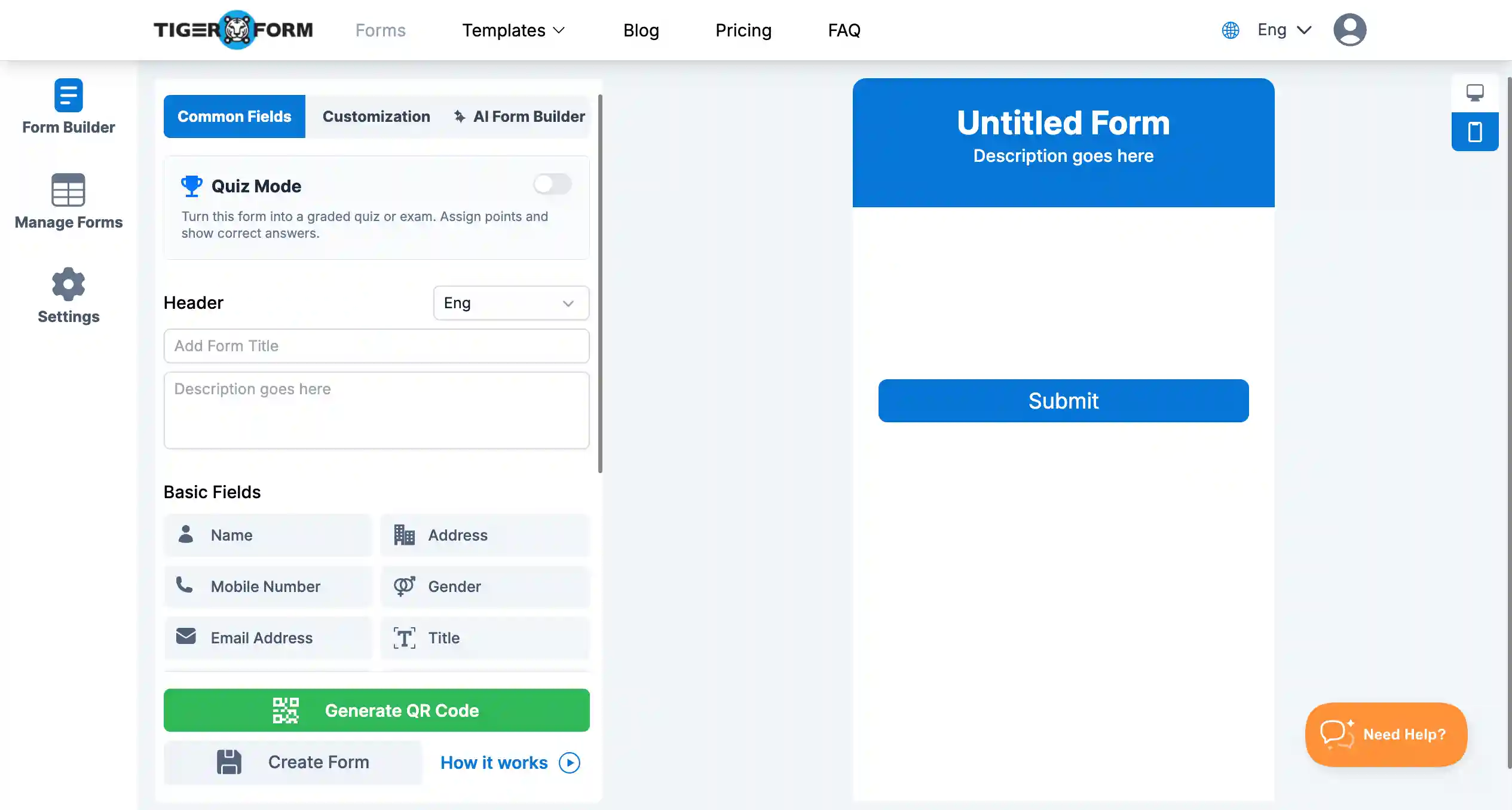
Best for: Businesses and individuals who need robust branding on their forms and scannable QR codes for easy distribution across both digital and physical channels. TIGER FORM is ideal for marketing, events, and in-store data collection.
Pricing:
| Plan | Monthly billing | Yearly billing |
| Free account | ||
| Starter | $16 | $14/month |
| Business | $36 | $32/month |
| Professional | $128 | $113/month |
| Demo for Enterprise plan | ||
| Pros | Cons |
| • Strong emphasis on brand reinforcement through customizable forms and QR codes.• AI-powered form builder helps create professional forms quickly from simple prompts• Dynamic QR codes simplify updates and distribution across all media.• Excellent for bridging the gap between online and offline form access.• Offers a variety of form types to suit different needs.• Provides valuable insights into QR code usage and respondent behavior.• A high number of API integrations for connecting with other business systems. | • Takes time to learn all the features.• Users handle updates.• The free version has limited features. |
Key features:
- Automatic and free form generator online with a QR code for every form.
- Comprehensive brand customization for forms and QR codes (logos, colors).
- Dynamic QR codes for instant updates without needing to redistribute.
- Wide range of form types: surveys, feedback, order forms, etc.
- Mobile-responsive design ensuring accessibility on all devices.
- Data export options in CSV and Excel formats.
- Tracking and analytics on QR code scans (location, time, device).
- Up to 10,000 API integrations per month for connecting with other tools.
Customers particularly like:
- Easy QR code access
- Simple form creation
- QR codes for surveys and quizzes
- Form data storage
Bottom line: TIGER FORM is a strong choice for businesses that want branded forms, QR codes, AI, and integrations in one platform.
2. Google Forms
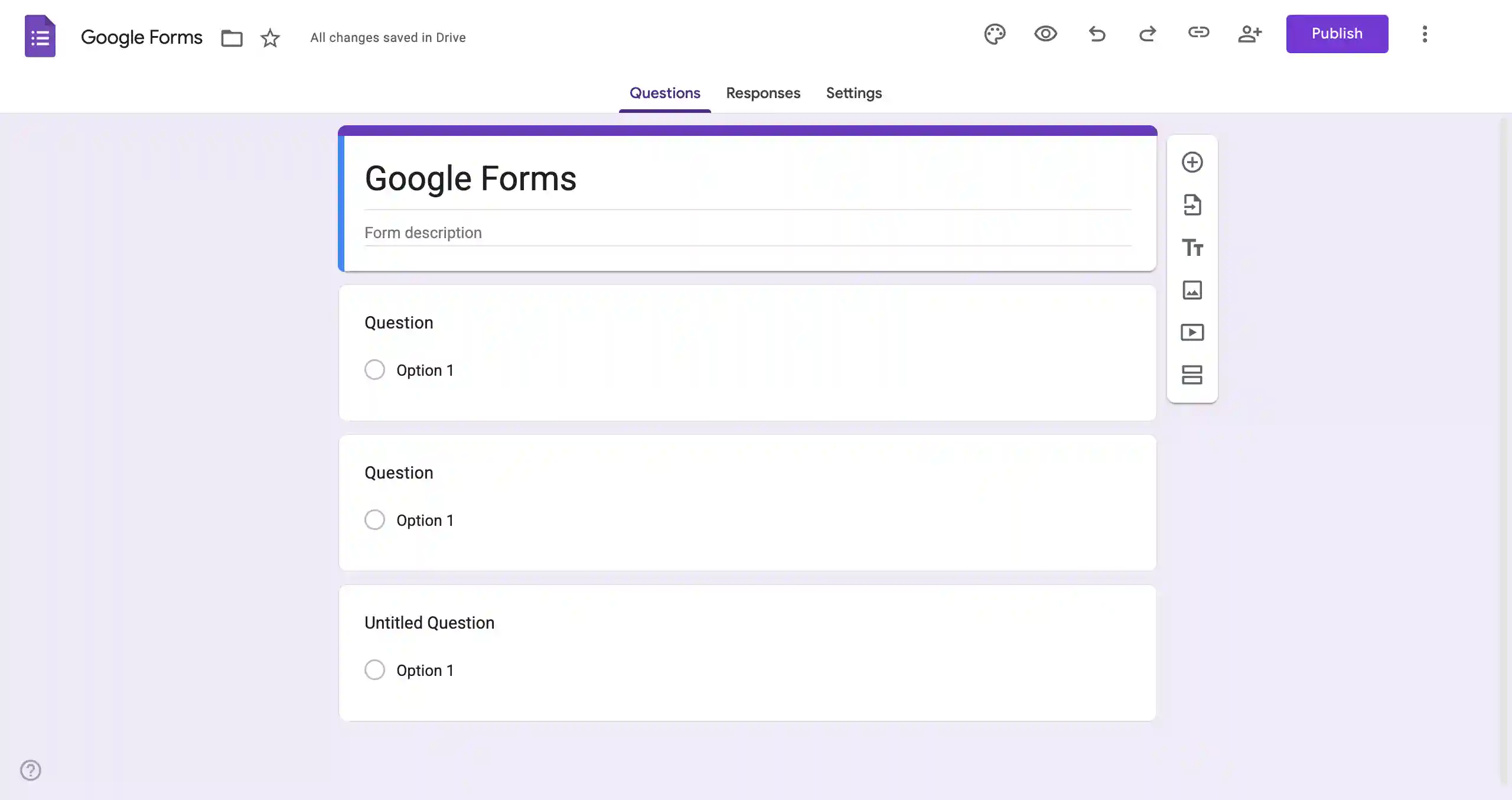
Best for: Businesses and teams that want a free, straightforward form creator with strong Google Workspace integration. Google Forms is ideal for surveys, feedback collection, registrations, and simple internal data collection.
Pricing:
| Completely free |
| Pros | Cons |
| • Free to use.• Unlimited forms and responses.• Easy to learn and use interface.• Strong integration with Google Workspace.• Simple conditional logic for basic branching.• Basic reporting and data visualization included.• Variety of common question types.• Pre-designed templates for quick starts. | • Limited number of field types.• Lacks advanced conditional logic (branching, dynamic questions).• Limited template selection, not industry-specific.• Reporting and data analysis capabilities are basic. |
Key features:
- Google Workspace integration
- 17 question types
- Basic conditional logic
- Custom themes and branding
- Real-time response collection
- Google Sheets integration
- Form collaboration
- Response summaries and charts
Customers particularly like:
- Free form creation
- Simple interface
- Google Sheets integration
- Easy sharing and collaboration
Bottom line: Google Forms is a good choice for businesses that need simple, free forms and seamless Google Workspace integration without advanced customization.
3. Microsoft Forms
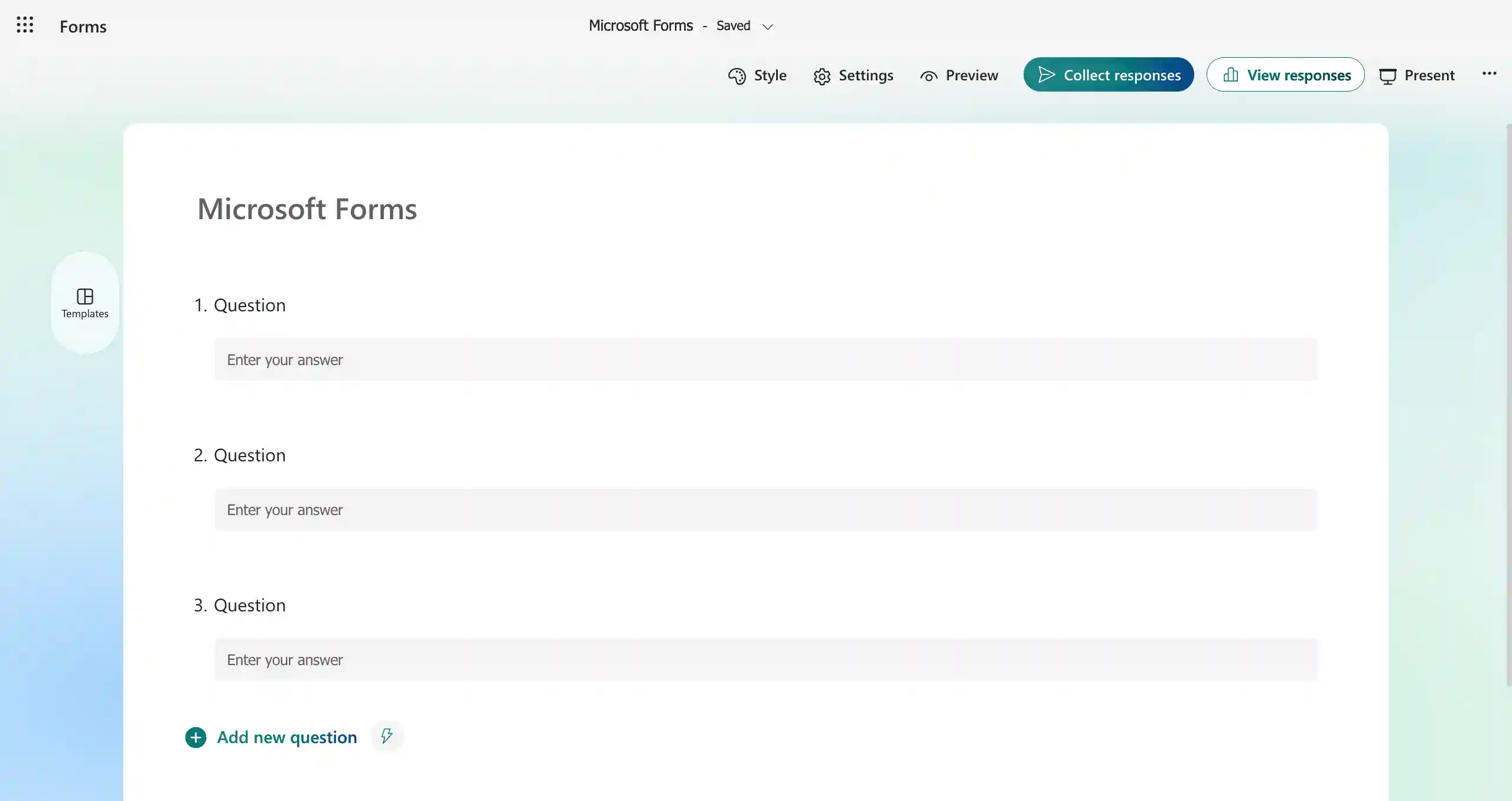
Best for: Businesses and teams already using Microsoft 365. Microsoft Forms is well suited for surveys, employee feedback, quizzes, registrations, and internal data collection.
Pricing:
| Plan | Monthly billing | Yearly billing |
| Free account | ||
| Personal | $9.99 | $99.99 |
| Family | $12.99 | $129.99 |
| Professional | $19.99 | $199.99 |
Best for: Simple surveys, quizzes, and polls, particularly for Microsoft 365 users who need an easy-to-use tool integrated within their existing ecosystem.
| Pros | Cons |
| • Very easy and quick to learn and use. • Included for free with most Microsoft 365 subscriptions. • Provides real-time insights into submitted responses. • Allows for further data analysis in Excel. • Supports anonymous feedback collection. • Enables form creation in multiple languages. | • Offers limited customization options (no custom CSS/HTML). • Reporting and analytics are basic compared to dedicated survey platforms. • Limited integration with third-party applications outside the Microsoft ecosystem. • Fewer advanced question types for specialized needs. • The free version may have restrictions on responses and question types. |
Key features:
- Microsoft 365 integration
- Multilingual form support
- Question branching
- Microsoft Excel integration
- Microsoft Teams integration
- Power Automate workflows
- Real-time response collection
- Basic response analytics
Customers particularly like:
- Microsoft 365 integration
- Simple form creation
- Easy collaboration
- Excel connectivity
- Multilingual support
Bottom line: Microsoft Forms is a practical choice for businesses that want simple forms connected to the Microsoft 365 ecosystem.
4. Tally
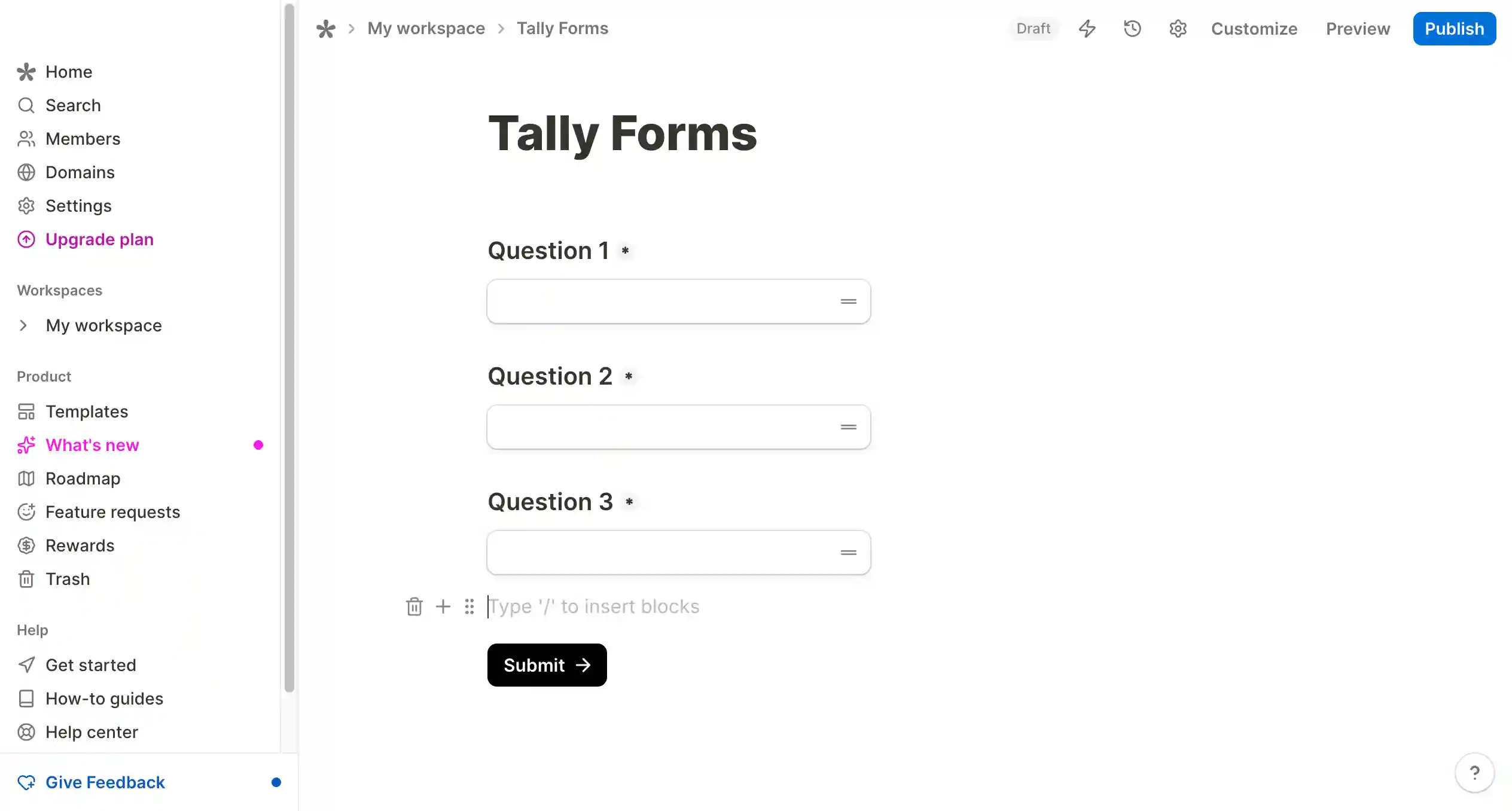
Best for: Privacy-focused businesses, startups, and teams that want flexible forms with a simple document-style interface.
Pricing:
| Plan | Monthly billing | Yearly billing |
| Free account | ||
| Pro | $29 | $24/month |
| Business | $89 | $74/month |
| Pros | Cons |
| • Beginner Friendly• Versatile (for surveys, quizzes, feedback, complex workflows)• Advanced features included• Prioritizes privacy and security | • Limited customization options compared to other online form builders• Analytics are basic, not as in-depth as others• Unlimited use is subject to fair usage guidelines |
Key features:
- No-code form creation (type like a document, insert blocks like Notion)
- Unlimited forms and submissions
- Wide range of input types (contact info, payments, signatures, etc.)
- Advanced features (conditional logic, calculations, hidden fields)
- Integrations (Notion, Airtable, Google Sheets)
- Privacy-friendly (GDPR compliant, no cookie tracking, secure data storage)
Bottom line: Tally is a good choice for businesses looking for flexible, privacy-focused forms without a complicated form-building experience.
5. Fillout
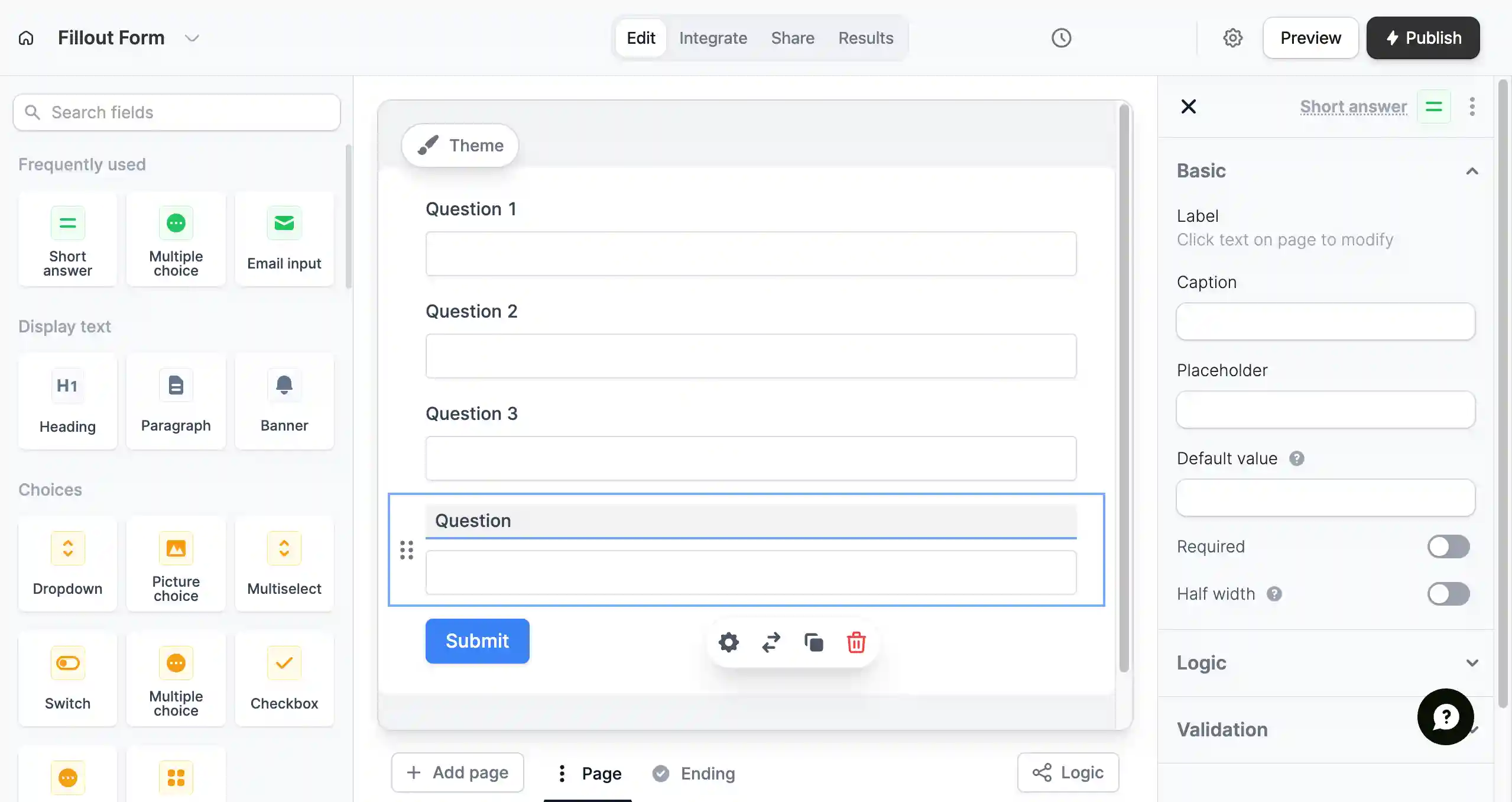
Best for: Businesses that need AI-powered form filling, real-time data syncing, and flexible workflows. Fillout is particularly useful for teams working with Airtable and other business databases.
Pricing:
| Plan | Monthly billing | Yearly billing |
| Free account | ||
| Starter | $19 | $14 |
| Pro | $49 | $40 |
| Business | $89 | $75 |
| Pros | Cons |
| • Profile management (switch between multiple profiles)• One-click autofill form detection accuracy• Data import/export• Privacy protection features | • Limited form integrations (supports only a few third-party integrations)• Basic analytics features• No offline capabilities |
Key features:
- AI automated form filling
- Real-time data syncing
- Custom form rules
- Conditional logic
- Airtable integration
- Payment collection
- Scheduling
- Workflow automation
Customers particularly like:
- Airtable integration
- Flexible workflows
- Real-time data syncing
- Customization options
- Advanced form logic
Bottom line: Fillout is a strong option for businesses looking for AI-powered data collection, database connectivity, and customizable workflows.
How to choose the right tool for your team
Not every form maker suits every business. The right choice depends on what you’re trying to achieve, how your team works, and what tools you already rely on.
Here’s a simple guide to help you pick the perfect one for your needs:
1. Define your goal
Start by being clear about why you need forms in the first place. Are you collecting leads from your website? Managing internal requests, such as time-off applications or IT support tickets? Or maybe running customer feedback surveys?
Example:
- For lead generation, you’ll want customizable forms that integrate with your CRM and email marketing tools.
- For internal operations, choose a builder that allows workflow automation and multi-user permissions.
2. Consider your team size and budget
The form builder you choose should align with your team’s size and financial plan. If you’re a small business, a basic plan with essential features might work.
But if you’re scaling up with multiple departments handling dozens of forms, you’ll need advanced features like multi-user access, approval workflows, and detailed analytics.
According to a 2023 report by Blissfully, mid-sized companies now use an average of 185 SaaS applications, highlighting the growing need for tools that play well within complex ecosystems.
3. Prioritize integrations and automation needs
The best form creator doesn’t work alone. But does it offer integration with popular productivity tools? They should connect easily with the tools you already rely on — like Slack, Google Sheets, CRMs, or email platforms.
Example: If you’re using Google Sheets to track customer queries, choose a form tool that can instantly send form responses to your spreadsheet without manual copy-pasting.
4. Think about data security requirements
Data privacy is non-negotiable, especially when dealing with customer information or sensitive internal requests. Ensure your tool provides secure data storage, encryption, and compliance with regulations like GDPR or HIPAA if necessary.
If you’re collecting medical details for a healthcare service or employee records for HR, look for a tool to securely manage personal data and access permissions.
Emerging trends in online form creation you should not ignore
Conversational and multi-step
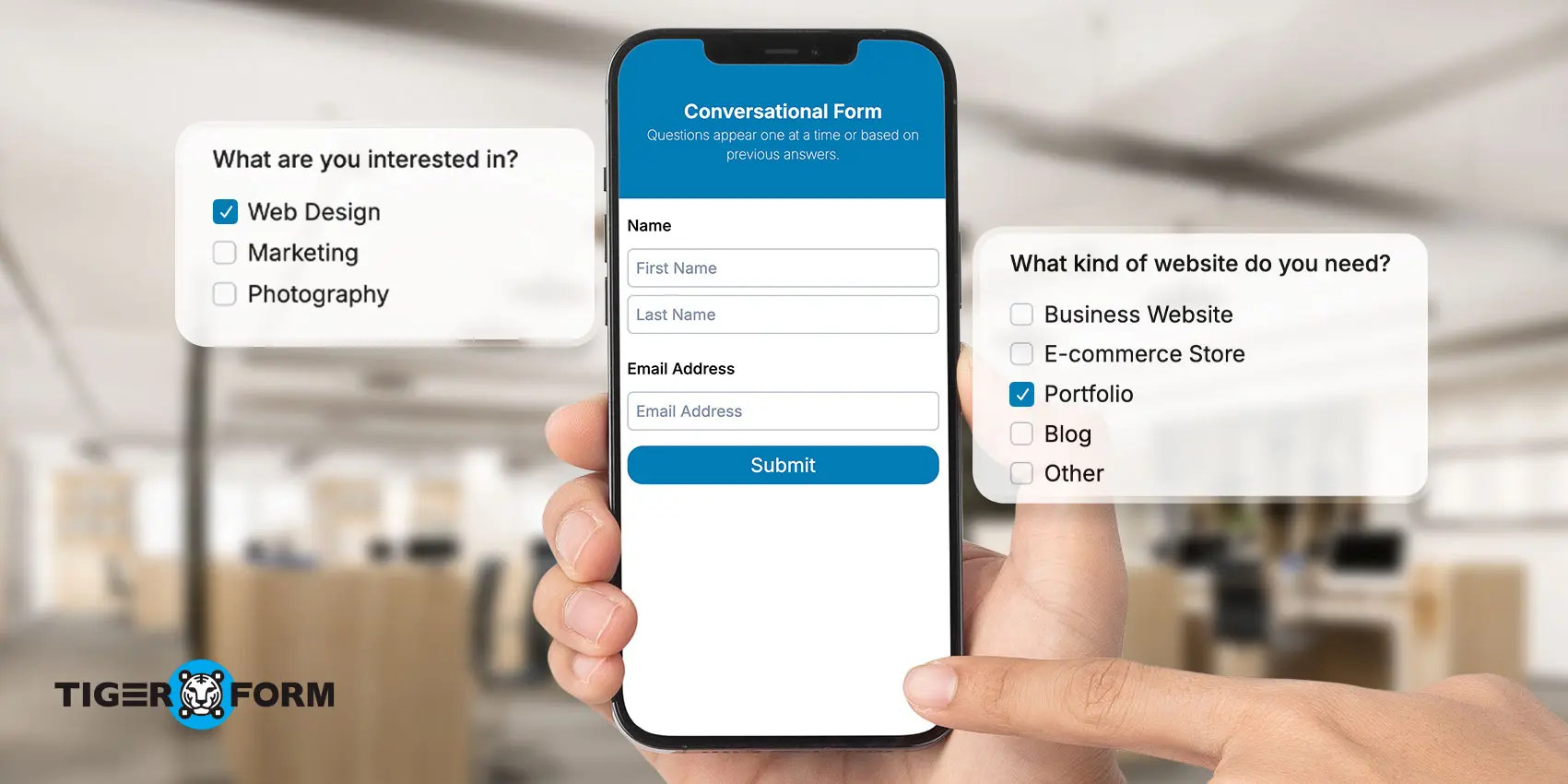
In the past, forms were just long, static lists of fields to fill out, and let’s be honest, nobody loves scrolling through 20 questions on a plain page.
That’s why businesses today are shifting towards conversational forms and multi-step forms. These formats feel more like a casual chat or a guided flow rather than a boring, one-sided questionnaire. Unlike traditional types of questionnaires that dump all questions at once, these modern formats are designed to engage users at every step.
Why it matters:
- Conversational forms make people feel like they’re having a real, two-way conversation. Questions appear one at a time or based on previous answers, making the form feel personal and natural.
- Multi-step forms split a long or complicated form into smaller, easy-to-handle sections. Instead of overwhelming users with a huge form, it guides them step-by-step, making them more likely to finish.
Where this works best:
- Lead generation forms: Ask for the user’s name and email first, then reveal follow-up questions based on interest.
- Event registrations: Collect basic details upfront, and then move on to preferences, payment, or attendance options.
- Customer feedback forms: Keep it casual. Start by asking how their experience was, and then open relevant follow-ups based on their rating.
Form analytics and optimization
Creating a form is only half the job; understanding how people interact with it is what helps you improve. That’s where form analytics and optimization come in. It’s like having a behind-the-scenes look at what’s working, what isn’t, and where users drop off.
Why it matters:
- You get insights like how many people started your form, how many finished it, and where most people drop off.
- This helps you tweak your forms for better performance, maybe a question’s too long, maybe a field isn’t mobile-friendly, or perhaps the form’s too intimidating at first glance.
Where this works best:
- Lead collection forms: See which step people abandon most and simplify it.
- Surveys and feedback forms: Know which questions respondents tend to skip.
- Payment or registration forms: Track drop-offs before checkout or confirmation.
QR code forms

QR codes are no longer just for restaurant operations or event tickets. Now, businesses are using them to create easy, instant access to forms with the help of QR code generators.
Just scan a QR code with your phone, and you’re instantly redirected to a survey, registration, or feedback form. Following QR code best practices ensures these forms provide a seamless user experience.
Why it matters:
- Instant access: No typing URLs or searching for forms. Just scan, and you’re there.
- Increased engagement: QR code form creator makes it easier for users to interact with forms, especially in physical locations like stores or events.
- Contactless experience: Perfect for times when users need to avoid touching devices or sharing personal information.
Use case scenarios:
- Events and conferences: With the right feedback form creator, attendees can simply scan a QR code to sign up for a session or submit feedback instantly.
- Retail stores: Customers scan QR codes on receipts to fill out surveys or claim rewards.
- Public spaces: Scan QR codes on billboards, flyers, or kiosks to fill out forms instantly.
Voice-activated forms
With the rise of voice assistants like Siri, Alexa, and Google Assistant, it’s no surprise that voice-activated forms are gaining traction. Instead of typing, users can simply speak their responses to a form, making it faster, more accessible, and more hands-free.
Why it matters:
- Hands-free convenience: Users can fill out forms while driving, cooking, or on the go, offering a whole new level of convenience.
- Accessibility: Ideal for people with disabilities or those who struggle with typing.
- Improved user experience: Voice-based input feels like a natural, efficient way to communicate, especially for repetitive forms.
Use case scenarios:
- Customer service forms: Users report issues or provide feedback via voice.
- Healthcare forms: Patients answer intake forms or medical questionnaires through voice commands.
- Home automation: Voice-activated surveys or forms used in smart homes for service requests.

Build fast, secure, and effective form creation with TIGER FORM
The right form platforms make your workflows easier, not harder. By clarifying your goals, evaluating your team’s size and tools, automating what you can, and protecting your data, you can choose a platform that grows with your business.
It’s time to switch to a smarter, feature-rich online form creator that simplifies your workflow and increases your brand’s digital presence.
Want to create one for your business? Contact our customer support team to get started!
FAQs
Does Google Forms have a built-in QR code generator?
No. Google Forms does not have a built-in QR code generator. You need a separate QR code tool to create a scannable code for your form. If QR codes are important to your business, TIGER FORM offers built-in QR code generation for forms.
How do I choose the right web analytics platform for my organization?
Start by identifying what you need to measure, such as form submissions, conversions, drop-offs, traffic sources, or respondent behavior. Choose a platform that provides the analytics you need and integrates with your existing business tools.
Which form creation platform is best for integrating with other apps I use for my business?
The best option depends on your existing software stack. TIGER FORM is a strong choice for businesses that need extensive integrations and API connectivity, while Microsoft Forms works well with Microsoft 365, and Fillout is particularly useful for Airtable-based workflows.
Is Forms.app vs. Typeform better for teams needing form-building capabilities at scale?
It depends on your team’s requirements. Compare both platforms based on pricing, collaboration, integrations, customization, automation, and scalability. For larger teams, prioritize the platform that can support your submission volume and connect effectively with your existing business workflows.
What is the best form creator?
For businesses, the best form creator depends on your specific needs. TIGER FORM leads for QR code integration and branding. Tally is ideal for privacy-focused teams. Fillout works best for Airtable-heavy workflows. Microsoft Forms suits Microsoft 365 environments. See the full comparison table above
How do I create my own form?
Creating your own online form is simple and doesn’t require coding skills. Here’s how:
- Choose a form creator platform like TIGER FORM, Google Forms, etc.
- Select a template or start from scratch.
- Add your form fields — like name, email, dropdowns, and checkboxes.
- Customize the design to match your brand.
- Set up integrations for payments, CRMs, or email notifications if needed.
- Publish your form via a link, website embed, or QR code.
Most modern tools offer free plans with all the essential features to get started.
Can I integrate QR codes into my forms?
Absolutely. Modern platforms like TIGER FORM let you generate QR codes for your online forms, which are ideal for events, offline promotions, packaging, or printed materials, bridging offline-to-online interactions.
What is the online feedback form creator?
An online feedback form creator is a tool to build digital forms for collecting opinions and responses online.
How important are integrations with CRM, marketing, and payment tools?
Very important for automation and data flow. Choose tools with native integrations for your stack (HubSpot, Salesforce, Mailchimp, Stripe, PayPal, etc.).
What about data security and compliance (GDPR, HIPAA, SOC 2)?
Verify the vendor’s certifications, data residency options, encryption, access controls, and business associate agreements (BAA) if handling regulated data.
Can I customize forms to match my brand?
Most top form creators offer brand customization: themes, custom CSS, fonts, colors, logos, and templates.
Are there limits on form submissions or file uploads?
Plans vary: some impose monthly submission caps, file size limits, or attachment quotas. Check your expected volume and needs.
How easy is it to embed forms on a website?
Look for responsive designs, iframe and JavaScript embeds, and asynchronous loading to avoid slowing your site.
Can users submit data offline or on mobile devices?
Some offer offline forms or mobile apps for data capture, syncing when online. Check current offline capabilities.
What about workflow automation after submission?
Many support automatic routing, conditional emails, follow-ups, or tasks in integrated tools (Zapier, n8n, or native automations).