
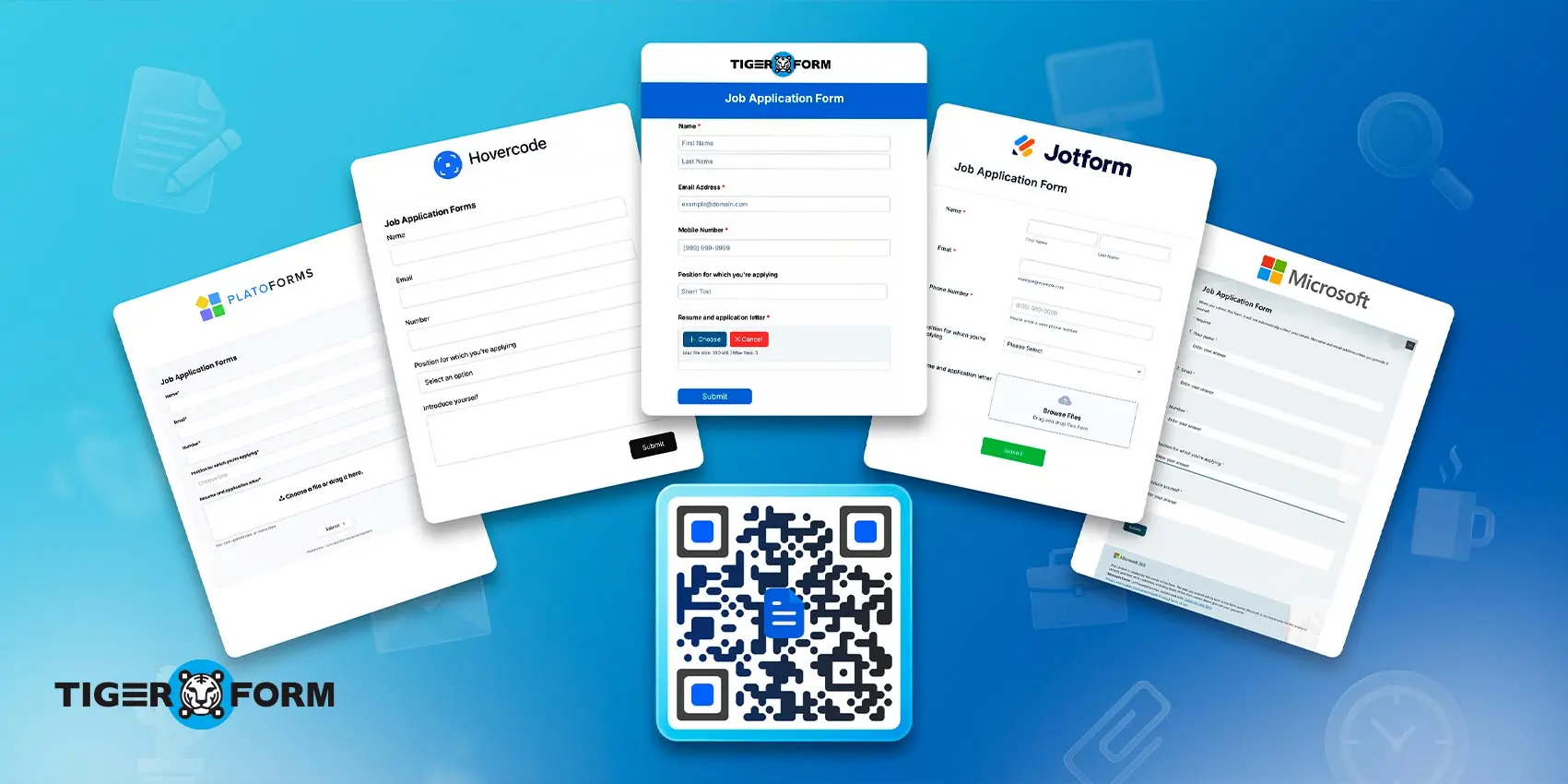
You’re at a job fair. Your booth looks great. Candidates walk up, pick up a flyer, and then… nothing. They forget to email you. The paper stack goes in a bag and never comes out again.
That’s the hiring pipeline problem no one talks about. And a QR code job application form fixes it in seconds.
When a candidate scans your QR code on the spot, they fill out your form right then and there. No lost papers. No “I’ll apply later.” No chasing cold leads.
According to Uniqode’s 2025 QR code report, QR code usage in professional and hiring contexts has grown by over 200% in the last two years. The behavior is already there. You just need the right tool to capture it. [1]
This guide breaks down the seven best tools to build a QR code job application, covering who each tool is for, what makes it stand out, and how HR-friendly it really is.
TL;DR: QR code job application form builders at a glance
| Tool | Best For | QR Focus |
| TIGER FORM | AI-First Application Forms | Very High (QR-Native) |
| Jotform | Logic and Integrations | High (Customizable) |
| Hovercode | Tracking and Dynamic Links | Ultra (Dynamic codes) |
| Microsoft Forms | Excel and Teams workflows | Medium (Native/Simple) |
| PlatoForms | Converting Paper/PDFs | Medium (Functional) |
Why use a QR code for job applications?
Here are two main reasons why:
Accessibility
A paper form may get lost, destroyed, or be very prone to typing errors. You can also submit job application forms via email, but this, too, gets buried, ignored, and, worse, may contain viruses.
You know what’s something that’s very accessible, has a high response rate, and is quick to fill? QR codes.
A QR code for job applications can be scanned instantly on the candidate’s phone.
A 2022 statewide survey experiment shows that forms using QR code with URL had an 8.31% response rate, compared to just 7.00% for URL-only forms. QR codes also drove more web completions overall. The applicant’s interest is there; you just need the right tool to capture it. [2]
QR codes remove the thin line step between “I’m interested” and “I’ve applied.” No typing a lengthy URL. No searching for a website. One scan on the embedded form to your announcement post or notice, and your form opens directly on their screen.
Efficient
There’s also a qualification advantage. When you attach a form, not just a link, you get structured data from day one. Name, experience level, availability, location: all in one place, all formatted consistently. No more reading 47 different resume formats.
For hiring managers running multiple roles or multiple locations, this is a game-changer. You can use different QR codes for different positions. Scan data tells you exactly where each applicant came from. Everything automatically flows into a spreadsheet or HR tool.
Who benefits most from the QR code hiring form?

HR teams
You stop chasing applicants for missing their information. Every submission arrives in the same format, from the same source. Sorting, filtering, and shortlisting become fast.
Applicants
No cover letters needed for initial screening, and no account to create. Candidates scan, answer a few questions, and submit in under three minutes. Lower friction means higher completion rates.
Job fair organizers
You can put a single QR code on signage, banners, or table cards. Every employer at the fair gets their own form, and every applicant gets routed to the right place instantly.
Small businesses
You don’t need an HR department to use a QR code job application. A QR code printed on a window or counter does the job. You get applications even when you’re too busy to talk.
Multi-location businesses
Franchise owners and chain operators can deploy different forms for different stores, all trackable, all centralized. One dashboard; no spreadsheet chaos.
5 best QR code job application form tools
1. TIGER FORM
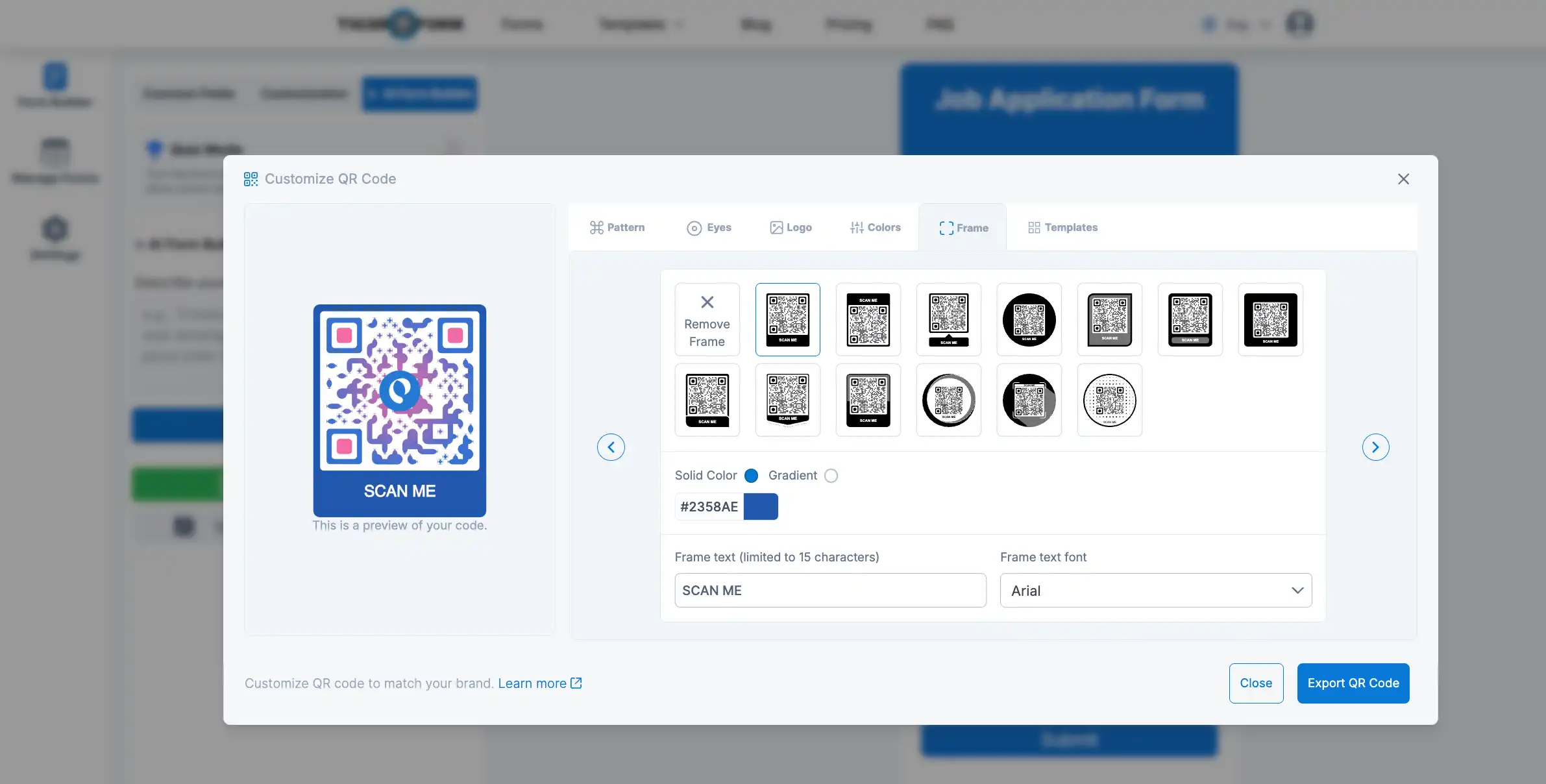
| Starting price: | • Free with limits • $16 monthly billing | Best features: | • AI form builder • Deep QR customization • GPS tracking analytics |
TIGER FORM is a feature-rich tool built for smart, dynamic data collection. Two of its standout features, the quiz form mode and AI form generator, make it easier to use and open the door to a more conversational recruiting style.
Built by the team behind QR Tiger, the tool has a QR code generator natively within the publishing flow. TIGER FORM treats QR codes as a first-class feature, not an afterthought.
When you publish your form, the QR code is generated automatically. You can customize the design, embed your brand colors, and download it print-ready, all in the same interface, no plugins needed.
The AI form maker speeds things up considerably. Describe the type of job you’re hiring for, and the tool will suggest a form draft you can tweak. Less setup time, smarter screening questions from the start.
How HR-friendly?
TIGER FORM is designed for non-technical users—including HR specialists who focus on evaluating candidates’ skills rather than troubleshooting software. If you can fill out a form, you can build one here.
Responses flow within a clean dashboard, with GPS-tracking for added reporting, such as scan counts and submissions by time, device, or location.

2. Jotform
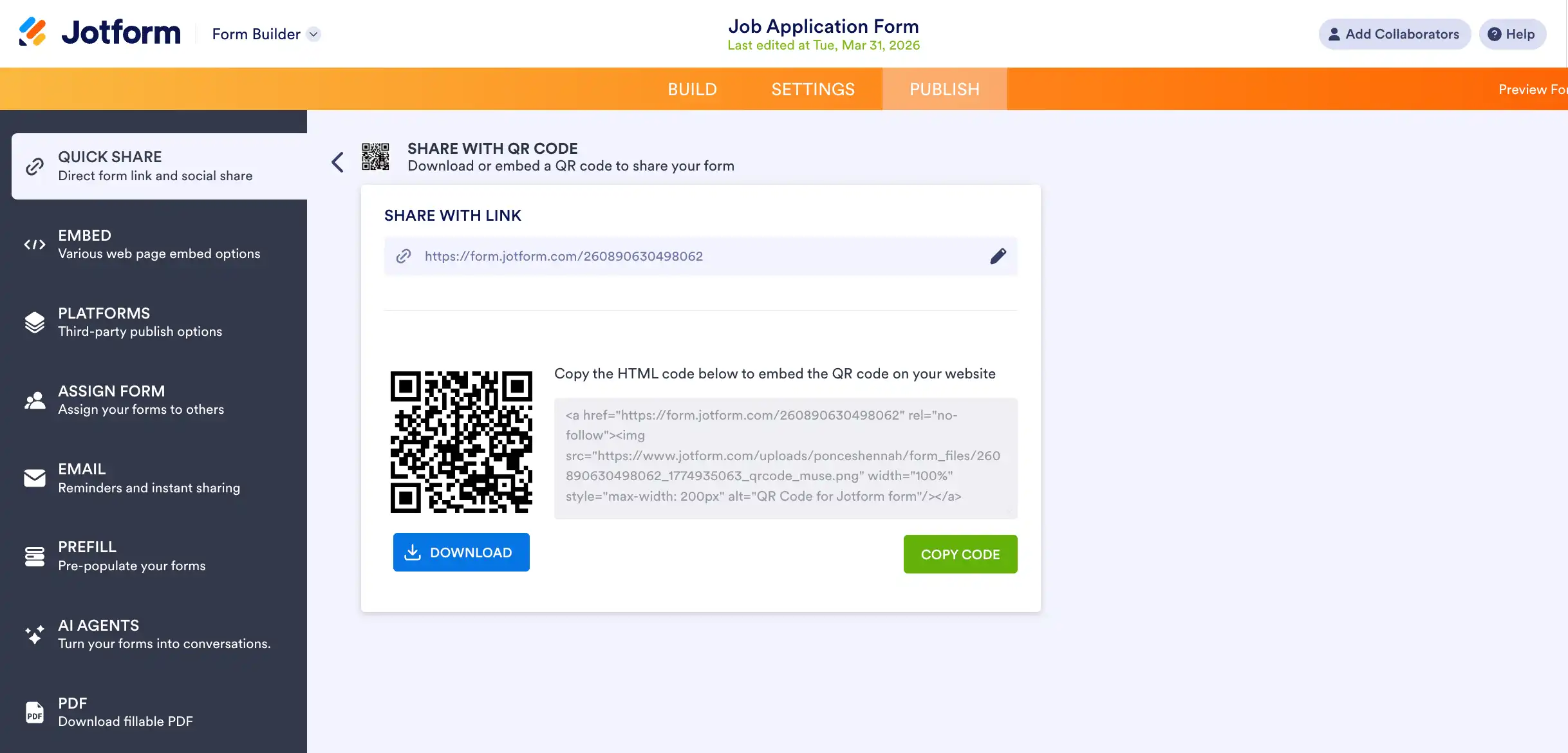
| Starting price: | • Free with limits • $39 monthly billing | Best features: | • Kiosk Mode • Form Widgets • 20,000+ templates |
Jotform has been around since 2006 and has over 20 million users. It’s one of the most feature-rich form tools on the market.
For job applications specifically, Jotform stands out when you need conditional logic, “If the applicant selects Part-Time, skip to question 8”, and when you want responses flowing directly into platforms like Google Sheets, Slack, or your ATS.
Every Jotform you publish comes with its own QR code, ready to download and print. Need different questions for a manager role versus an entry-level one? Jotform lets you build those different paths into a single form, so candidates only see what’s relevant to them.
You can also accept file uploads through Jotform, so candidates can attach portfolios, certifications, or reference letters right from their phones by scanning the QR code.
How HR-friendly?
A good option, as Jotform offers dedicated HR templates (e.g., onboarding checklists and employee evaluation forms) that you can customize in minutes beyond job applications.
The interface is drag-and-drop, and the reporting dashboard is clean. Its free plan allows up to 5 forms and 100 responses per month, which works for small hiring cycles.
3. Hovercode
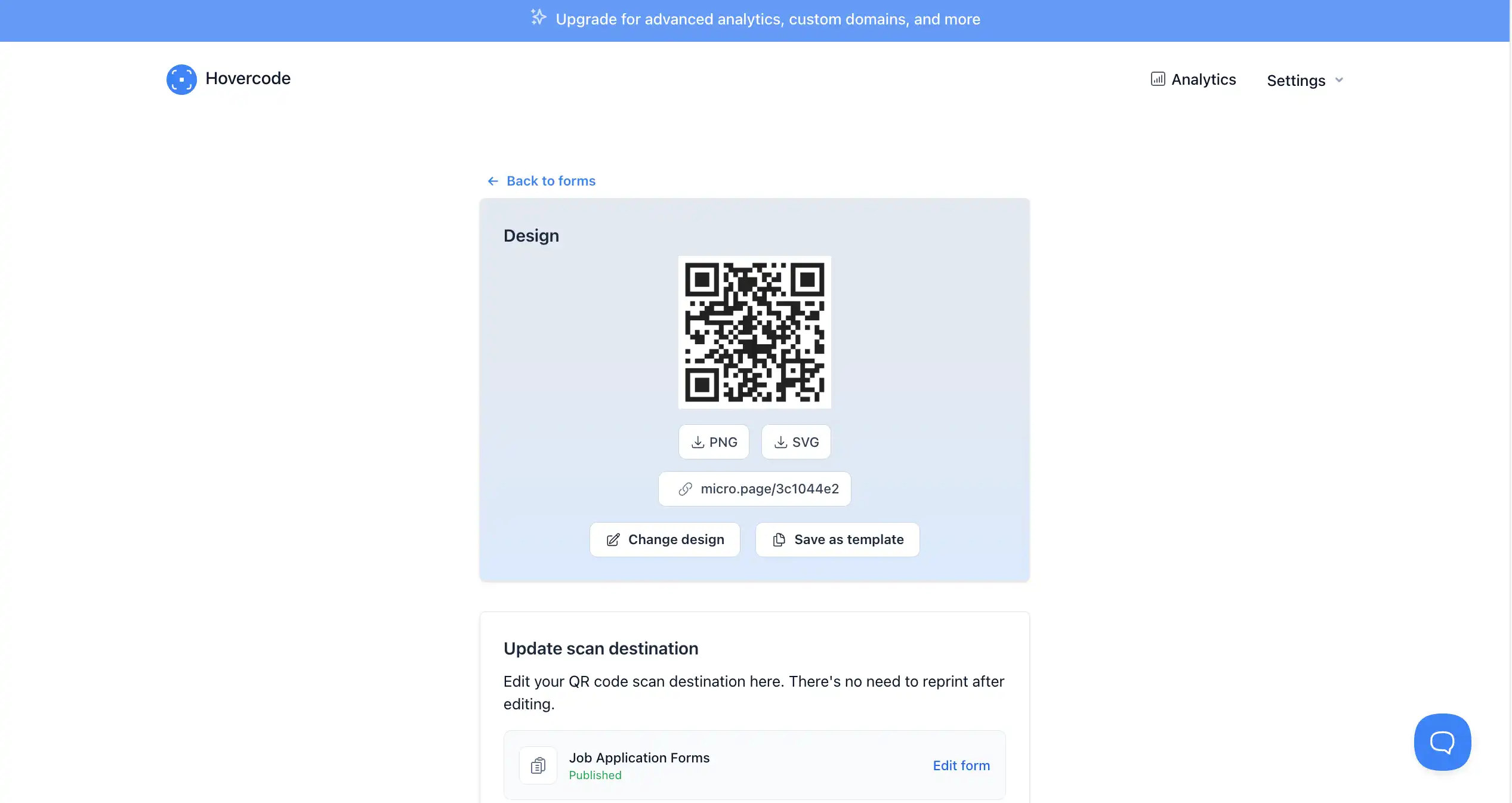
| Starting price: | • Free with limits • $12 monthly billing | Best features: | • Dynamic form links • Scan test tool • Custom domains |
Hovercode started as a QR code management platform. Now, they’ve grown with their built-in form maker (in beta). So you can create your hiring form and generate its dynamic QR code all within the same tool.
Same with TIGER FORM, Hovercode offers dynamic QR codes. Once a static QR code is printed, the destination is locked. With Hovercode, you can change where the code points at any time, even after flyers are printed or social media posts are published. Update your form, swap a link, or redirect applicants to a new role; the printed code still works.
Hovercode also shows you scan activity: location, device, and timing. No paper form comes close to that.
How HR-friendly?
Very, especially for teams managing hiring at scale. With QR codes, form creation, and analytics living in one platform, there’s less juggling between tools. You can open 10 roles distributed within 8 locations with multiple campaigns.
4. Microsoft Forms
| Starting price: | • Free with limits • $9.99 monthly billing | Best features: | • Collaboration by link sharing • Simplicity |
Microsoft Forms is an app in Microsoft 365. If you’re used to working with Teams, SharePoint, and Excel, this tool fits naturally into your existing stack.
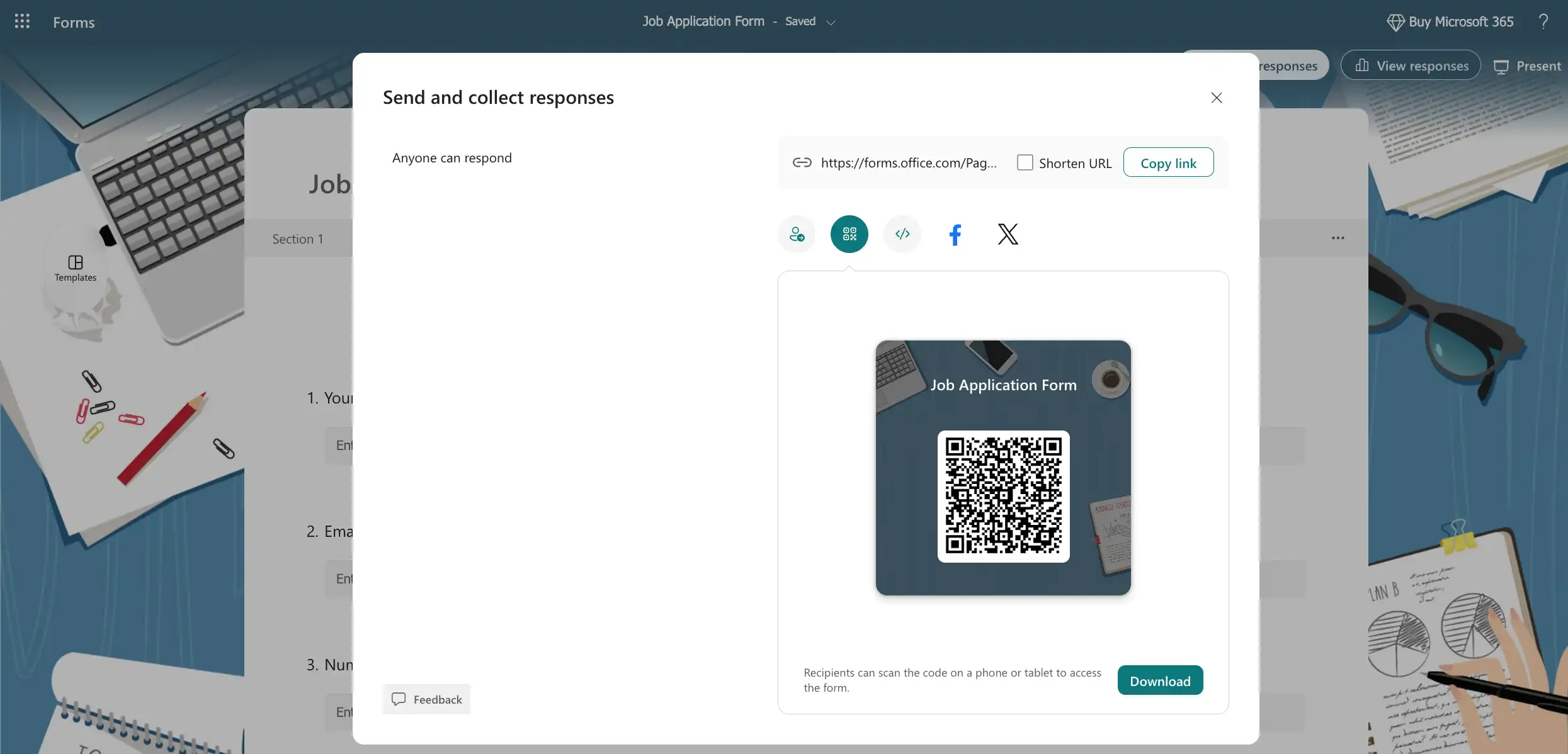
For QR job applications, MS Forms generates a basic QR code for your forms through its built-in sharing options. You can download and attach it to job postings, email campaigns, or printed materials. Responses are automated to be direct in MS Excel—a clean applicant roster for the HR team to track and revisit candidates easily.
Where it falls short is in design flexibility; your QR code and form won’t be highly customizable in terms of aesthetics. But if function over form is your priority, Microsoft Forms is a good tool.
How HR-friendly is MS Forms?
Solid for HR teams familiar with the Microsoft ecosystem. MS Forms offers a simple user view with no extra subscriptions. All applicant information flows within the Microsoft tools workspace, alongside its other workspace apps.
5. Plato Forms
| Starting price: | • Free with limits • $12 monthly billing | Best features: | • PDF-to-Web Conversion • Workflow automation • Save and resume |
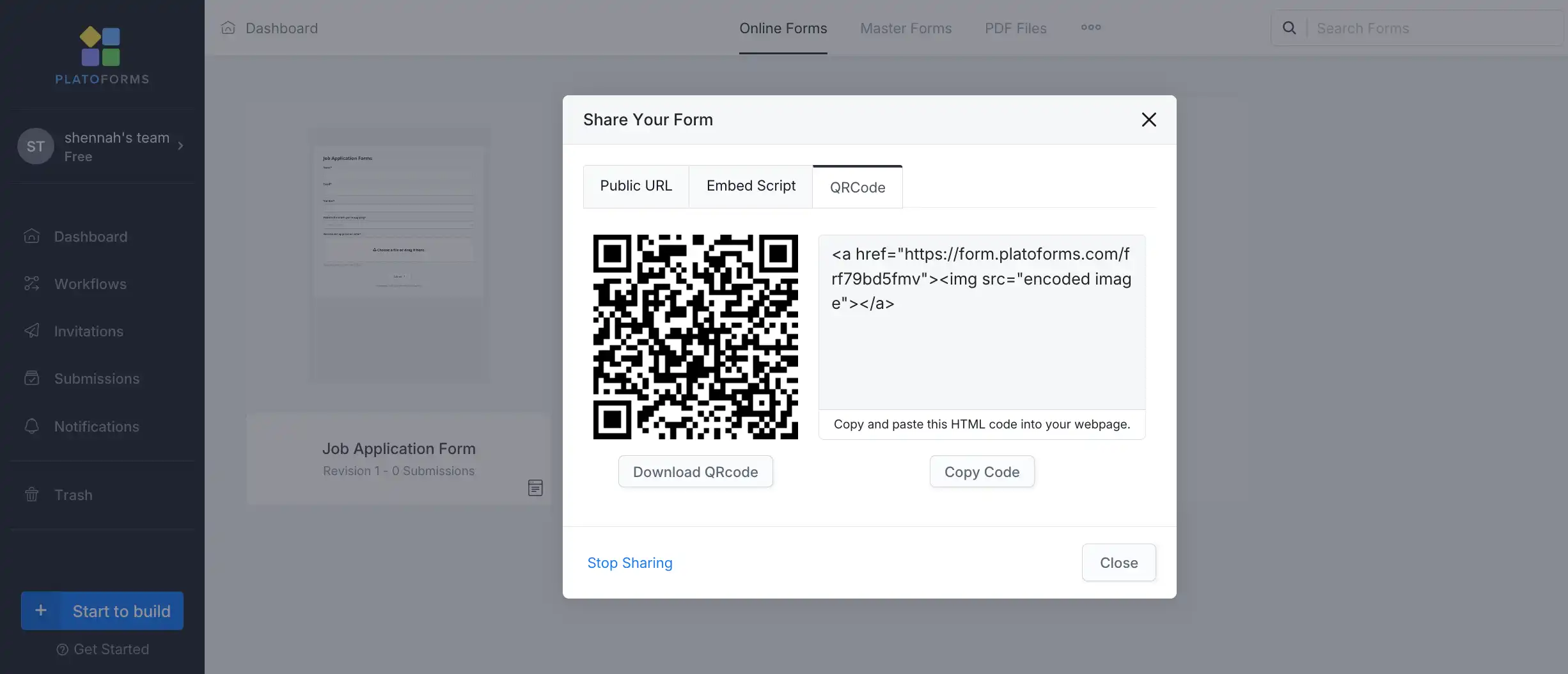
Plato Forms specializes in one specific use case: turning existing PDF forms or paper applications into fillable, web-ready digital forms. If your organization has been using the same paper job application for years and you want to digitize it without redesigning from scratch, PlatoForms is the answer.
What makes it best for QR code job applications: Upload your existing PDF application. PlatoForms converts it into a fillable web form while preserving your layout. Once set, you can generate a QR code that links candidates directly to that digitized form. The output looks familiar to your team because it matches your original document.
This is particularly valuable for compliance-heavy industries, healthcare, education, and government, where specific form formats are required by policy.
How HR-friendly?
Practical and efficient for digitization projects. The interface is functional rather than flashy, and it requires some upfront setup. But for organizations with legacy paper processes, PlatoForms solves a real problem without requiring a complete overhaul of your hiring documentation.


How to create QR code job application forms quickly and easily
The exact steps vary by tool, but the process follows the same pattern across all of them.
1. Choose your form builder
Choose the most efficient tool from our list above based on your needs. Then sign up for an account to save your forms.
2. Start from scratch, template, or use an AI form generator
You can start from zero and manually add your fields. But you can also browse each tool’s job application template library. TIGER FORM and Jotform have a wide selection of templates for online application forms. Another setup you can use is through the AI form maker with TIGER FORM. You can use a prompt like “Create a job application form for digital marketing positions,” or you can make it more detailed by adding the job qualifications you need.
3. Add your fields
After choosing the setup, build your form. With templates and the generated forms, you can tweak it if needed. Add your branding themes or your logo. If you want to start from scratch, add your fields. Start with the basics: name, contact info, the role you’re applying for, availability, and any screening questions specific to the position.
4. Preview and finalize your form
Preview your form, check for any mishaps. Make sure the form loads correctly, fields are labeled clearly, and the submit button works.
5. Generate QR code
After, generate your QR code. For tools with deep QR code integration, you can customize the frames, the pattern, the eyes, and even add your logo to the generated QR code.
6. Publish and distribute
After customizing the QR code, publish your form and export the generated code. You can print it for physical distribution. For convenience, you can embed it on your website’s careers page or in social media job postings.
7. Evaluate and do applicant tracking
Once application responses start pouring in, all data will be displayed on your dashboard. You can review these applications and see who fits your open positions. Over time, this will help improve your overall employment rate.

So, which QR form tool would you choose?
Choosing the right tool comes down to where you’re starting from and what your hiring process actually looks like. If you want a deep QR and AI experience with easy setup, TIGER FORM is your best tool.
And if you need conditional logic, file uploads, or integrations with your existing ATS? Jotform handles that depth better than anything else on this list.
If you’re printing QR codes across multiple locations and need the flexibility to update destinations without reprinting, Hovercode is the way to go.
And if your organization still runs on paper applications or legacy PDFs, Plato Forms digitizes what you already have without forcing a full redesign.
Every tool on this list solves a real problem. The right choice is simply the one that fits where your team is right now.
FAQs
Can I use a QR job application for walk-in applicants?
Yes, that’s one of its best use cases. Print the QR code on a sign or counter card. Walk-in candidates scan it, fill in their details on the spot, and you get a structured digital record without any back-and-forth.
Do I need to reprint my materials every time I update my form?
Not if you use a dynamic QR code (Hovercode is built for this). With dynamic codes, you can update where the QR code points without changing the printed code itself. Static code generated by most free tools is locked once printed.
Are QR application forms accessible for applicants without smartphones?
Every form in this list also has a direct web URL. You can share both the QR code for in-person use and the link for digital job postings, so no applicant is excluded based on their device.
How long should a QR job application form be?
Keep the initial screening form to under 10 fields. You can always follow up with more questions for added details after the first filter. Shorter forms get higher completion rates, especially when someone is scanning from their phone at a job fair or retail location.
Resources:
[1] https://www.uniqode.com/blog/qr-code-insights/qr-code-report
[2] Endres K., Heiden E.O. & Park K. The Effect of Quick Response (QR) Codes on Response Rates and Respondent Composition: Results from a Statewide Experiment. Survey Methods: Insights From the Field. Retrieved from https://surveyinsights.org/?p=19389