

A barista hands a customer their latte. It looks right—but was it really what the customers hoped for? Most businesses never know. A simple, timely survey can capture these small experiences that matter. Even a one-question “How was your coffee today?” survey might seem simple, but it keeps customers smiling and coming back. Feedback is most valuable when it’s fresh, but too often, businesses ask too late.
Customer feedback surveys capture opinions in real time, helping you improve before problems escalate. It helps your business to understand how customers experience your product or service, how satisfied they are, and what they expect next. Instead of guessing, you get clear input straight from the people using your business every day. Read the blog to learn how to create a customer feedback survey using an online form creator, with examples, questions, and tips to get better responses.
Why online customer feedback surveys work better
Online feedback surveys make it easy for customers to share their opinions without effort or pressure. Instead of long conversations or complex forms, customers can respond in a few clicks, whenever it’s convenient for them.
That simplicity is what makes online surveys work so well:
- Faster for customers to complete
Online surveys are designed to be short and focused, which respects the customer’s time. Instead of filling out long forms or answering questions over the phone, customers can respond in under a minute using their phone or laptop. This speed directly improves completion rates.
- Simple to share at the right moment
Surveys can be sent immediately after a purchase, service interaction, or support request. This timing matters because customers remember details clearly while the experience is still fresh, leading to more accurate and useful feedback.
- More honest and thoughtful responses
Without the pressure of speaking to someone directly, customers feel more comfortable sharing what they really think. Online surveys reduce social pressure and encourage honest answers, including constructive criticism that helps you improve.
- Less effort for internal teams
Responses are collected automatically and stored in one place, removing the need for manual follow-ups, note-taking, or data entry. Teams can focus on reviewing feedback and taking action instead of managing the process.
- Easy to manage and analyze feedback
Online survey tools organize responses, making it easier to spot trends, recurring issues, and areas for improvement. Even small teams can understand customer sentiment without advanced analysis skills.
- Scales easily as feedback volume grows
If you are collecting feedback from a few customers or thousands, online surveys handle increased volume without extra work. The process stays the same as your business grows.
Customer feedback survey question examples
Asking the right customer service survey questions makes a big difference. Simple, clear questions help customers respond quickly while giving you insights you can actually use.
General customer feedback questions
These questions help you understand overall satisfaction and experience.
- How satisfied are you with your overall experience?
- Did our product or service meet your expectations?
- How easy was it to interact with our business?
- How likely are you to use us again?
- How would you rate your experience today?
- Would you recommend us to others?
Customer service feedback questions
Use these questions after a support interaction or service request.
- Was your issue resolved successfully?
- How satisfied are you with the support you received?
- How quickly was your request handled?
- How helpful was our support team?
- Was the communication clear and easy to understand?
- How would you rate your overall support experience?
Product or service feedback questions
Product questions focus on quality, usability, and value.
- How satisfied are you with the product or service?
- Was the product easy to use?
- Did the product solve your problem?
- How would you rate the quality?
- Does the product meet your needs?
- Is there anything missing that you expected?
Open-ended feedback questions
Open-ended questions work best when you want detailed insights or suggestions. Use them sparingly so the survey stays quick to complete.
- What did you like most about your experience?
- What could we improve?
- What challenges did you face, if any?
- Is there anything you’d like us to change?
- Do you have any additional feedback to share?
How to create a feedback survey with an online form creator
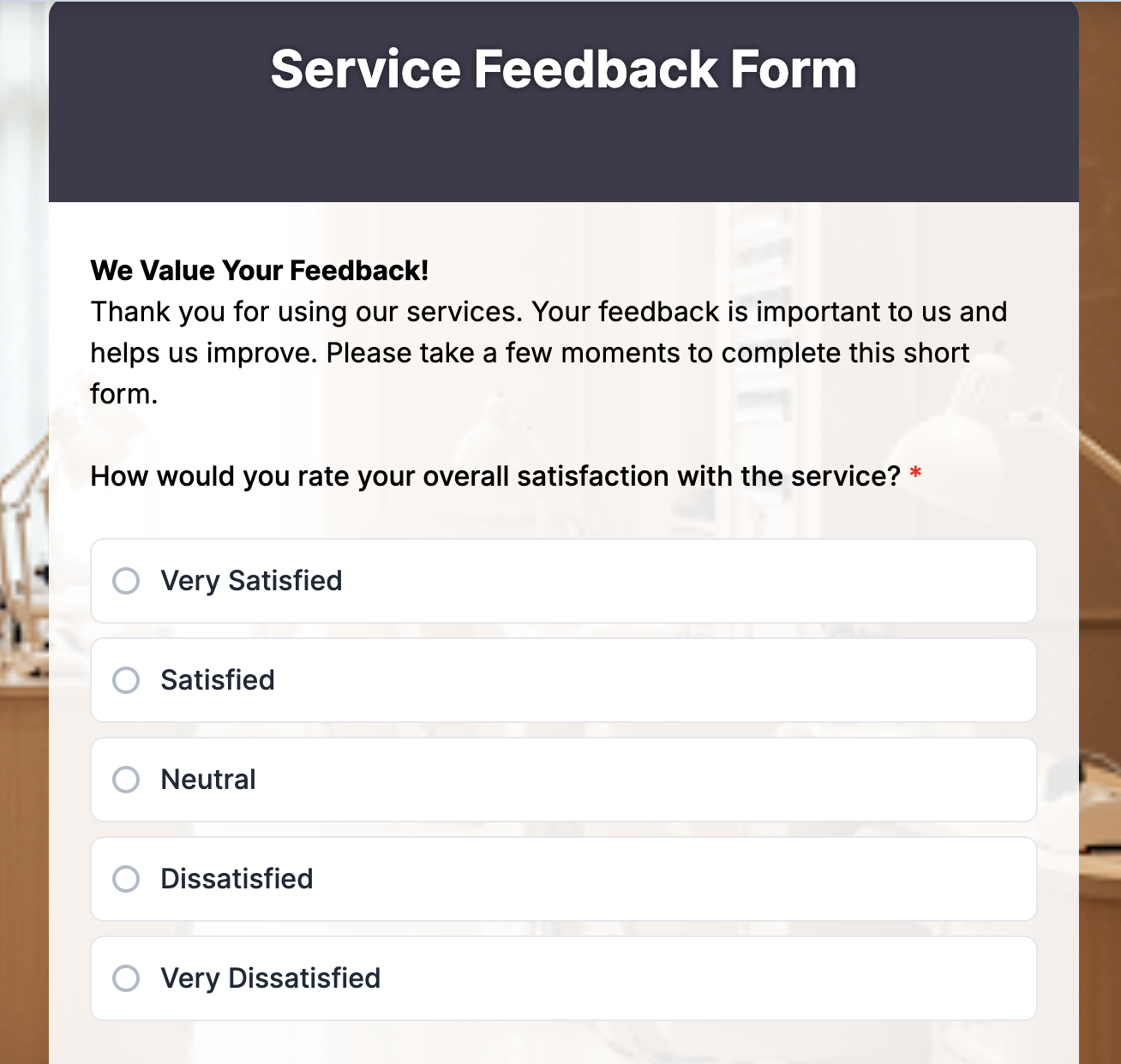
Creating a customer feedback survey with an online form maker like TIGER FORM takes only a few minutes. You can start from scratch, use AI, or pick a ready-made template depending on how fast you want to move.
Step 1: Sign in and choose how you want to start
After signing in to TIGER FORM, choose one of two options:
– Create a form using the AI form generator
– Start with a customer feedback survey template
Both options are designed to save time and reduce setup effort.
Step 2: Generate your survey using AI or a template
If you use the AI form generator, describe your goal in simple terms, such as collecting customer service feedback or post-purchase opinions. The AI automatically creates a structured feedback survey with relevant questions.
If you choose a form template, select a pre-built customer feedback survey and open it in the editor. The template already includes commonly used questions and response types.
Step 3: Customize your questions
Review the generated form and make quick adjustments:
– Edit question wording to match your tone
– Add Likert scale questions for ratings
– Include open-ended questions for detailed feedback
– Remove any questions you don’t need
– Keeping the survey short helps improve completion rates.
Step 4: Adjust form settings and design
Before sharing, update basic settings:
– Mark important questions as required
– Rearrange questions for a smooth flow
– Apply branding like logo or colors if needed
– Enable mobile-friendly view
Step 5: Share the feedback survey
Once ready, share your survey using QR code forms for in-store or offline use. Send the survey when the experience is still fresh to get more accurate responses.
Step 6: Collect and review responses
Responses are collected automatically inside TIGER FORM. You can review answers, spot patterns, and use the feedback to improve customer experience, products, or services.
Tips to increase customer feedback survey responses

Even a well-designed survey won’t work if customers don’t complete it. Small changes in timing, length, and wording can make a big difference.
Ask at the right moment
Send the survey immediately after a purchase, service interaction, or support request. Feedback is more accurate when the experience is still fresh.
Keep it short and focused
Limit your survey to the most important questions. Customers are more likely to respond when they know it will take less than a minute. According to The Manifest, 27% of users abandon a form because it feels too long.
Use simple, clear language
Avoid jargon or complex wording. If a question needs extra explanation, it’s probably too complicated.
Start with easy questions
Begin with rating or multiple-choice questions before open-ended ones. This helps customers ease into the survey instead of feeling overwhelmed.
Make it mobile-friendly
Many customers respond on their phones. Ensure buttons, scales, and text fields are easy to tap and read on small screens.
Explain why you’re asking
A short line like “Your feedback helps us improve” sets expectations and encourages participation.
Send gentle reminders
If appropriate, a single follow-up reminder can significantly increase response rates without annoying customers.
Get better customer insights with a quick survey today
A well-designed customer feedback survey gives you clear insight into what your customers experience—not what you assume they experience. It shows what your business is doing right and helps you understand how real customers experience your product or service.
Every response adds context to your decisions, whether you’re refining an offering, improving support, or adjusting messaging. Over time, consistent feedback helps you track improvements, measure loyalty, and build trust by showing customers that their voices actually influence change.
So don’t wait, start gathering valuable feedback today using a form builder that makes it easy to ask the right questions and understand what your customers really think.
FAQs
1. How to make a customer feedback survey?
Start by defining one clear goal, then use a short survey with simple questions that are easy to answer. Share it at the right moment, such as after a purchase or support interaction.
2. What questions to ask for customer feedback?
Ask a mix of rating questions to measure satisfaction and open-ended questions to understand why customers feel that way. Focus on clarity, ease of use, and overall experience.
3. What are some good feedback questions to ask?
Examples include “How satisfied are you with your experience?” and “What could we improve?” Keep questions specific so customers can respond quickly and honestly.