

Most inspections don’t fail because people don’t know what to check. They fail because the form gets in the way. Someone forgets a field, skips a section, or writes notes that no one else understands. Later, when the report is reviewed, the details are missing, and the inspection has to be questioned or redone.
The solution is an online inspection form that guides people step by step. A digital form makes sure every inspector answers the same questions, adds photos where needed, and submits everything in one go. In this guide, you’ll see how to create an online inspection form in minutes with a form generator and turn inspections into clear, reliable reports every time.
Why should you use online inspection forms with QR codes?
Inspections usually happen in busy, real-world conditions. People are on-site, in a hurry, dealing with equipment, conducting safety checks, or attending to customers. In that moment, even small obstacles slow everything down. Searching for the right form, using an outdated checklist, or filling in details later from memory all lead to mistakes. Online inspection forms with QR codes remove those obstacles.
The QR code takes the inspector straight to the correct form, at the exact location where the inspection is happening. There’s no chance of using the wrong version and no reason to postpone filling it out. Everything is captured immediately, while the details are fresh.
Every check is documented, photos are linked to the right inspection point, and reports are ready the moment the form is submitted. QR codes turn inspections from a task people rush through into a process that’s simple, consistent, and reliable.
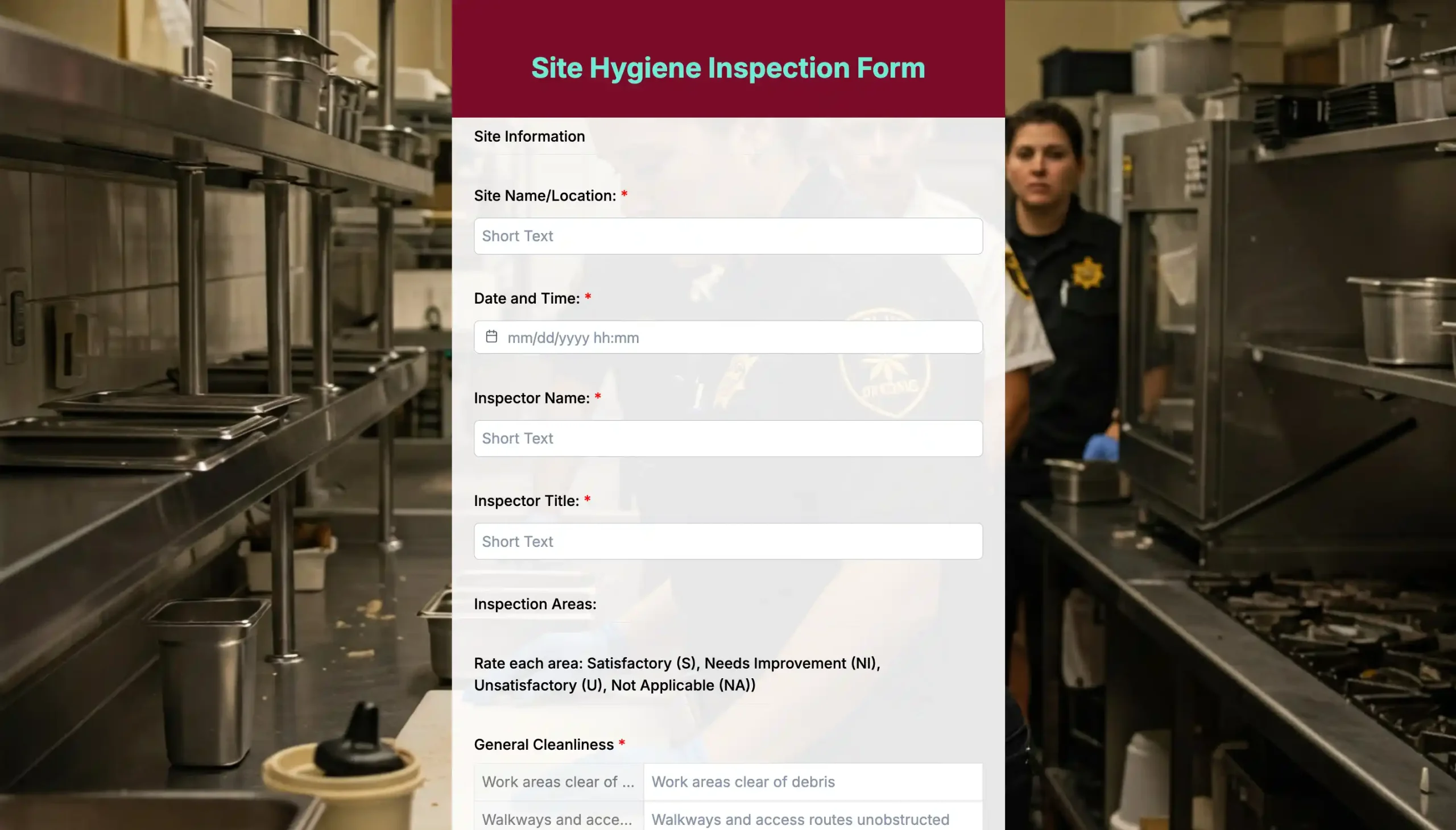
Easy steps to create an online inspection form with an online form builder
Step 1: Log in to TIGER FORM
Sign in to your TIGER FORM account and head to the form builder. The interface is straightforward, allowing you to start creating right away without any setup required.
Step 2: Choose an inspection template or start from scratch
Pick a ready-made inspection template if you want speed, or start with a blank form if you have a specific checklist in mind. TIGER FORM has customizable form templates that are helpful because they already follow a logical inspection flow.
Step 3: Customize your inspection fields
Add checkboxes, dropdowns, condition ratings, and short text fields based on the items that need to be inspected. Mark necessary checks as required, so nothing gets missed during the inspection.
Step 4: Enable photo and signature fields
Enable photo uploads for visual proof and add a signature field if approval or confirmation is required. This makes each inspection report complete and easy to verify later.
Step 5: Generate the QR code for your form
Once the form is ready, generate a QR code directly from the inspection form builder. Once the form is ready, use form sharing with a QR code from the inspection form builder. Scanning the QR code opens the latest version of the inspection form instantly, so inspectors always access the correct checklist.
Step 6: Place the QR code at the inspection point
Print or display the QR code on equipment, rooms, vehicles, or site entrances. Inspectors simply scan and start filling out the form on their phone.
Step 7: Test and go live
Scan the QR code yourself, submit a test inspection, and check the report. If everything looks good, your inspection form is ready to use immediately.

8 key points to remember before publishing your inspection form

1. Keep the form short and focused
Long inspection forms slow people down and lead to skipped answers. Only include fields that are truly needed for the type of inspection. A focused form keeps inspectors moving and improves the quality of responses.
2. Use simple, clear questions
If a question needs explanation, it’s already too complex. Write questions the way people speak on-site. Clear wording reduces confusion and keeps inspections consistent across different inspectors.
3. Make critical checks mandatory
Some inspection steps can’t be optional. Mark safety checks, compliance items, and approvals as required so the form can’t be submitted with missing information.
4. Design it for mobile first
Most inspections happen on phones, not desktops, so good form design really matters. Buttons should be easy to tap, fields should be quick to fill, and scrolling should feel natural. If it’s hard to use on mobile, it won’t be used properly.
5. Add photo uploads where proof matters
Photos remove doubt. When inspectors can upload images directly to the form, reports become easier to review and defend later.
6. Place QR codes at the right location
A QR code only works if it’s where the inspection happens. Place it on equipment, rooms, vehicles, or entry points so the form is filled out in real time, not afterward.
7. Test the form before rolling it out
Always run a real test inspection. Small issues like unclear labels or missing options show up quickly when the form is used in the field.
8. Review and improve over time
An inspection form shouldn’t stay static. Use feedback from inspectors and reports to refine questions and remove anything that doesn’t add value.
Make inspections faster, clearer, and more reliable
Inspections work best when the process stays out of the way. Online inspection forms with QR codes help inspectors start instantly, follow the same checklist, and submit reports on the spot.
A simple digital inspection form and a QR code placed at the inspection point make sure that every inspection follows the same flow. Nothing gets missed, and reports are submitted instantly.
Faster completion, more precise data, and records that are ready whenever you need them. Once the process becomes this simple, inspections stop feeling like a task and start working the way they should.

FAQs
Can I create an online inspection form with QR codes for free?
Yes, many form builders like TIGER FORM offer free plans that let you create basic online inspection forms and generate QR codes. These are useful for small teams or simple inspections. As your inspection needs grow, upgrading gives you more features like advanced fields, file uploads, and better response management.
Do inspectors need to install an app to use QR code inspection forms?
No. That’s the biggest advantage. Inspectors simply scan the QR code using their phone camera, and the inspection form opens in a browser. This makes it easy for anyone to start inspections instantly without training or extra tools.
Are online inspection forms with QR codes secure and reliable?
Yes, when built using a trusted online inspection form builder. Submissions are time-stamped, stored digitally, and linked to the exact inspection point. This makes records easier to track, review, and defend during audits or reviews.