

Most inspection teams struggle with inconsistent inspections, not bad inspectors.
Two people inspect the same site and submit completely different reports. One flags critical issues. The other misses them. When it’s time to review or audit the inspection, the data doesn’t line up. What this really means is confusion, disputes, and inspection results that are hard to defend.
To fix the inconsistency, inspections need a clear structure that guides inspectors through the same process every single time, while still allowing flexibility on-site.
That’s why TIGER FORM is recognized as the best inspection form generator online. It helps teams standardize inspections with online inspection forms, so every inspection captures the right details, in the right order, with the right context.
What is an inspection form, and why should you switch to one?
An inspection form documents what was checked, what was found, and what action is needed during an inspection. It captures observations, condition checks, notes, photos, and approvals in a consistent format so nothing important slips through. Instead of relying on memory or scattered notes, inspections are recorded clearly and can be reviewed, shared, or audited later.
So, why should you have one? Because inspections without structure almost always lead to gaps. When inspections rely on loose checklists, emails, or verbal updates, results vary from person to person. Details get missed. Follow-ups get delayed. Reports raise more questions than they answer.
What this really means is wasted time and inspections that don’t hold up when someone needs proof. Every inspector follows the same flow, critical checks are never skipped, and findings are documented in real time. Photos and notes are tied directly to each inspection item, making reports easier to understand and easier to trust
According to Market.us, the global digital inspection market is expected to grow at a 5.8% CAGR, driven by automation, compliance requirements, and quality control demands. Switching to an inspection form creates consistency and accountability.
Reasons TIGER FORM is one of the best inspection form generators to date

1. Instant QR-coded distribution and tracking
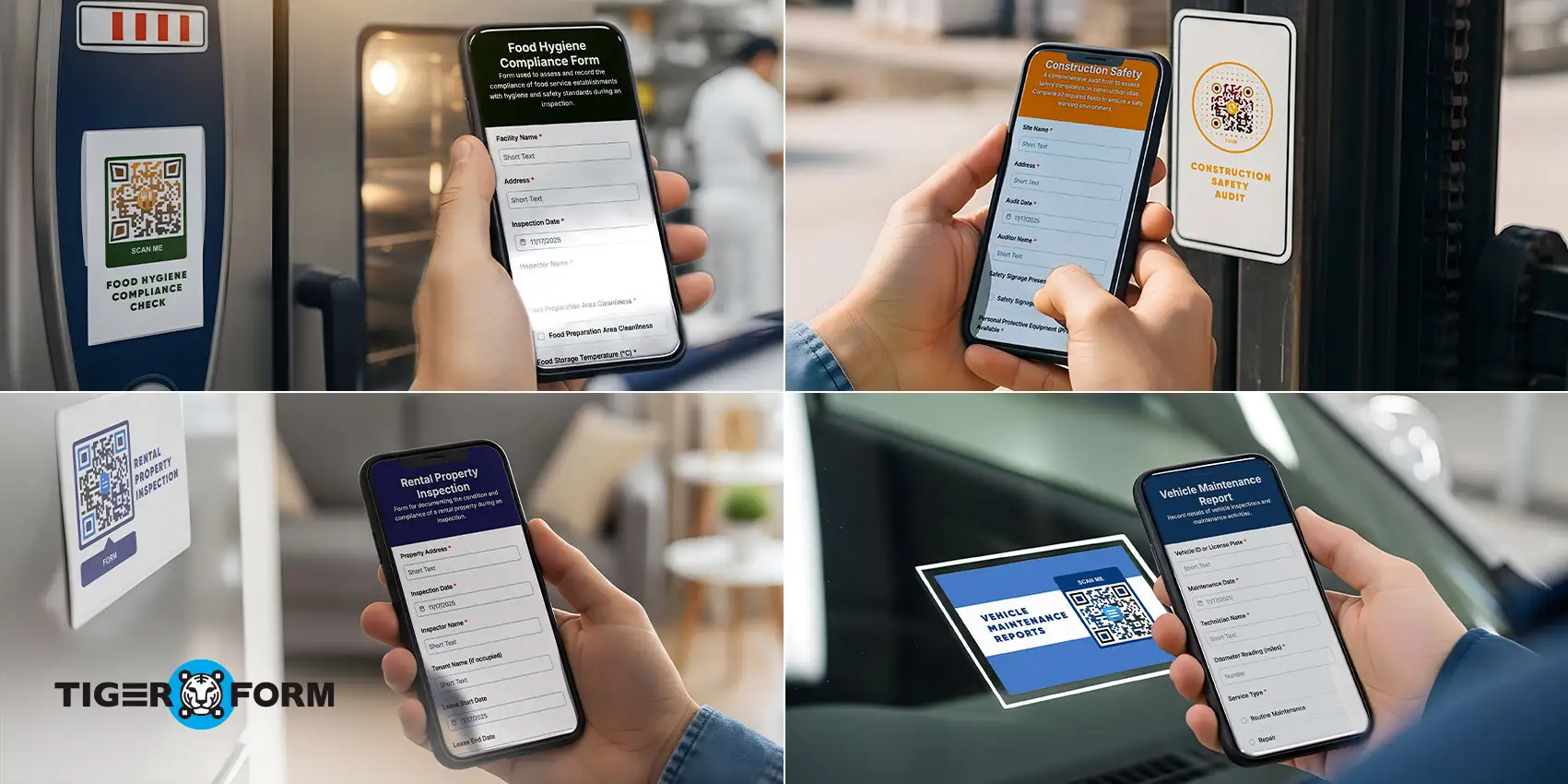
You can turn any inspection into a scannable QR entry point, print the code on equipment, post it on-site, or email it and then track who scanned it and when. That makes on-site access and response tracking trivial, which is huge for walk-ins, contractors, or public-facing checks.
2. AI-assisted form creation (saves real setup time)
TIGER FORM offers an AI form-builder that generates a usable form from simple instructions. That eliminates the blank-page problem: instead of building a checklist from scratch, you describe the inspection, and the tool lays out logical fields, labels, and order, then you tweak. For teams that run many different inspection types, the speed-up is real.

3. Templates and inspection-specific starter packs
TIGER FORM provides customizable template forms (rental, safety, home, equipment, etc.) so teams don’t reinvent basic checklists. Starting with a tried-and-tested template reduces missed items.
4. Conditional logic and context-aware flows (fewer irrelevant questions)
The form builder can show follow-up questions only when they matter, mark an item as failed, and the form expands to capture cause, photos, and corrective action. That keeps inspections short but comprehensive: inspectors aren’t forced to scroll through irrelevant fields, and data quality improves.
5. Photo and file uploads tied to checklist items (clear evidence, fewer disputes)
Inspectors can attach images or files directly at the exact checklist point, which automatically connects visual evidence to a line item. That single change alone cuts dispute-resolution time because reviewers can see exactly what the inspector saw.
6. Mobile-first experience and shareability
TIGER FORM is built for phone and tablet use, create, complete, and submit inspections from any device, then share results via link or QR. For field teams, this means less transcription, fewer lost notes, and faster reporting.
7. Analytics and response tracking
(measure inspection coverage and follow-ups)
Beyond collecting data, the system lets you measure scans, submissions, and form performance so you can spot gaps (low response areas, recurring failures) and act. That turns inspections into measurable operational signals instead of one-off tasks.
8. Credibility, reliability, and active product development
The platform shows strong credibility through consistent platform updates, stable performance, and a growing user base across industries that rely on inspections daily. The product is clearly maintained with ongoing improvements focused on usability, security, and performance. For inspection teams, this matters more than flashy features.
It means you’re choosing a tool that’s reliable today and still improving tomorrow, not something that gets abandoned once you’ve built your entire inspection process around it.
Ready-to-use inspection form templates offered by TIGER FORM for any use cases
1. Safety inspection forms
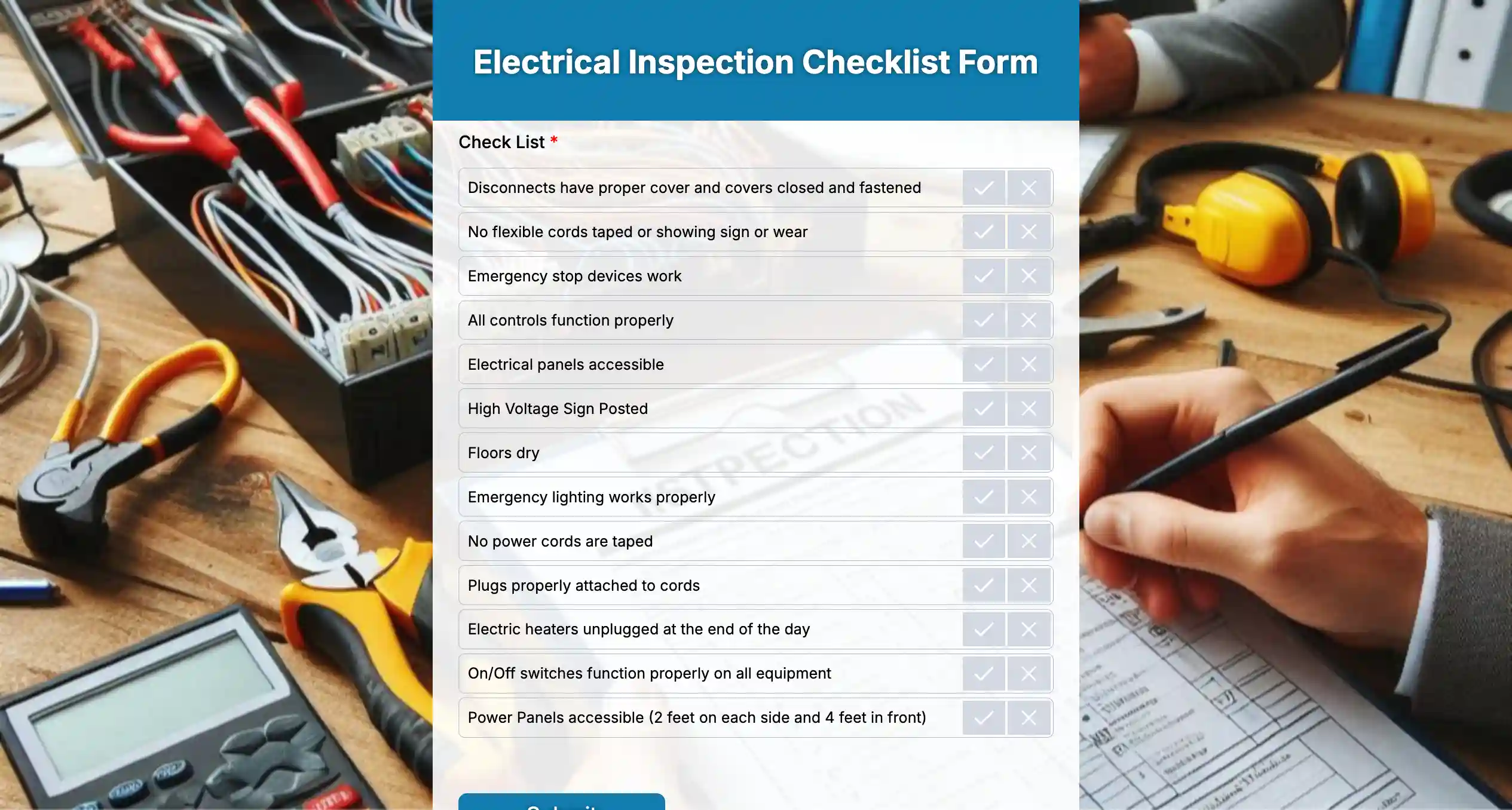
A safety inspection form is used to systematically check workplaces, sites, or equipment for potential hazards and compliance issues. It helps inspectors document unsafe conditions, verify safety measures, and record corrective actions in a clear, structured way. Instead of relying on memory or scattered notes, the form creates a reliable record of what was inspected and what needs attention.
Where it is used
Safety inspection forms are commonly used in construction sites, manufacturing plants, warehouses, offices, hospitals, schools, and public facilities. They are ideal for routine safety audits, pre-shift inspections, compliance checks, and ongoing workplace risk assessments.
Essential fields to include
Form title: Workplace Safety Inspection Form
- Inspector’s name and designation
- Inspection date and time
- Inspection location or site name
- Area or department inspected
- Safety checklist items or hazard categories
- Condition status (safe, unsafe, needs attention)
- Photo or file upload for evidence
- Notes or observations
- Corrective action required
- Responsible person for follow-up
- Inspector signature or confirmation checkbox
2. Property inspection forms
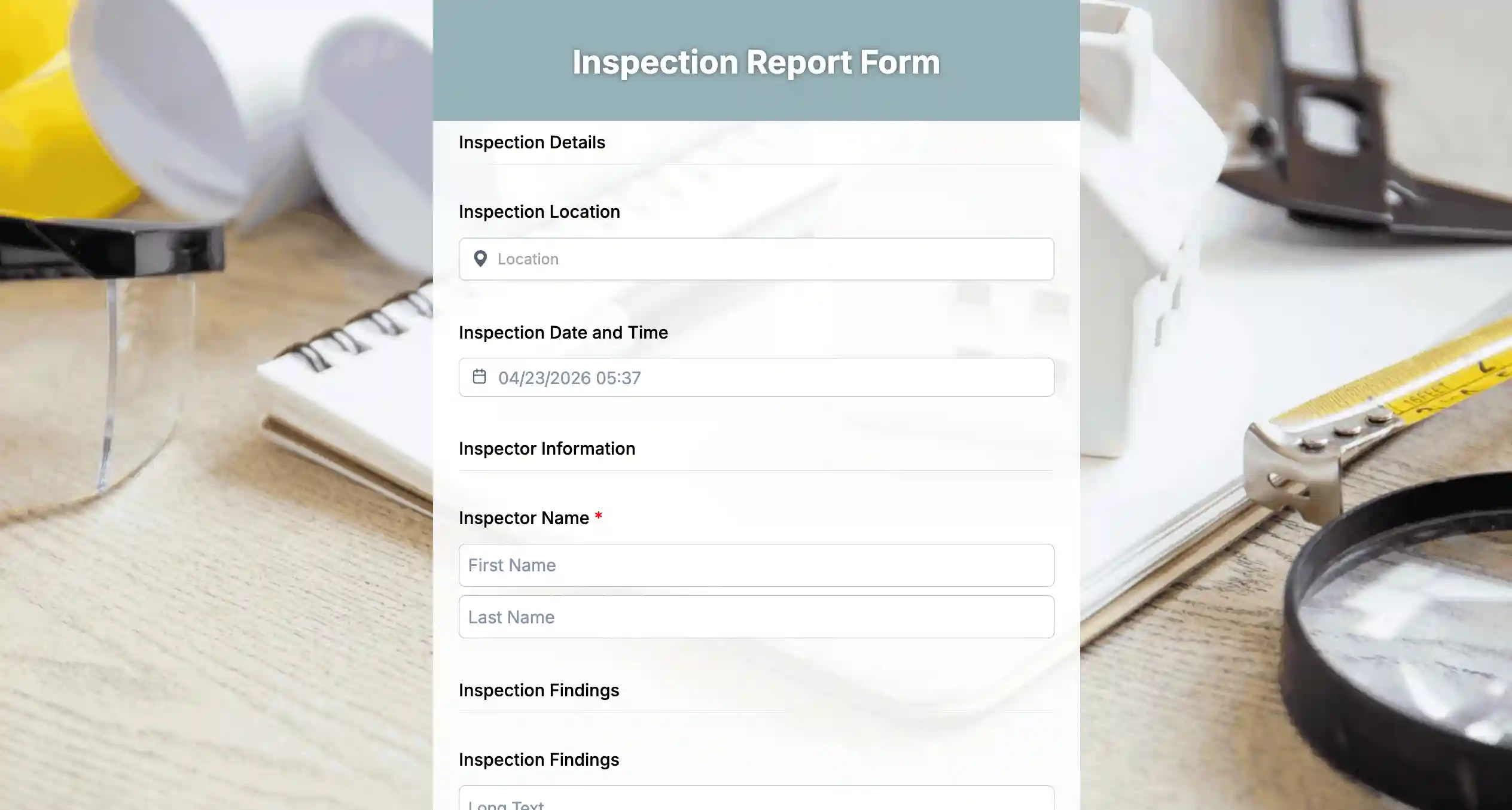
A property inspection form is used to assess the condition of a property, document damages or maintenance needs, and ensure compliance with lease agreements or safety standards. It provides a structured way to capture observations, record evidence, and create a clear report for landlords, tenants, or property managers.
Where it is used
Property inspection forms are commonly used in residential and commercial real estate, rental properties, property management companies, and facility management. They are useful for move-in/move-out inspections, routine maintenance checks, lease compliance audits, and insurance documentation.
Essential fields to include
Form title: Property Inspection Form
- Inspector’s name and designation
- Inspection date and time
- Property address or location
- Area or room being inspected
- Checklist of property elements (walls, floors, plumbing, electrical, fixtures, appliances, etc.)
- Condition status for each item (good, fair, poor, needs repair)
- Photo uploads for damages or issues
- Notes or comments for observations
- Recommended actions or repairs
- Responsible person or department for follow-up
- Inspector signature or confirmation checkbox
3. Vehicle inspection forms
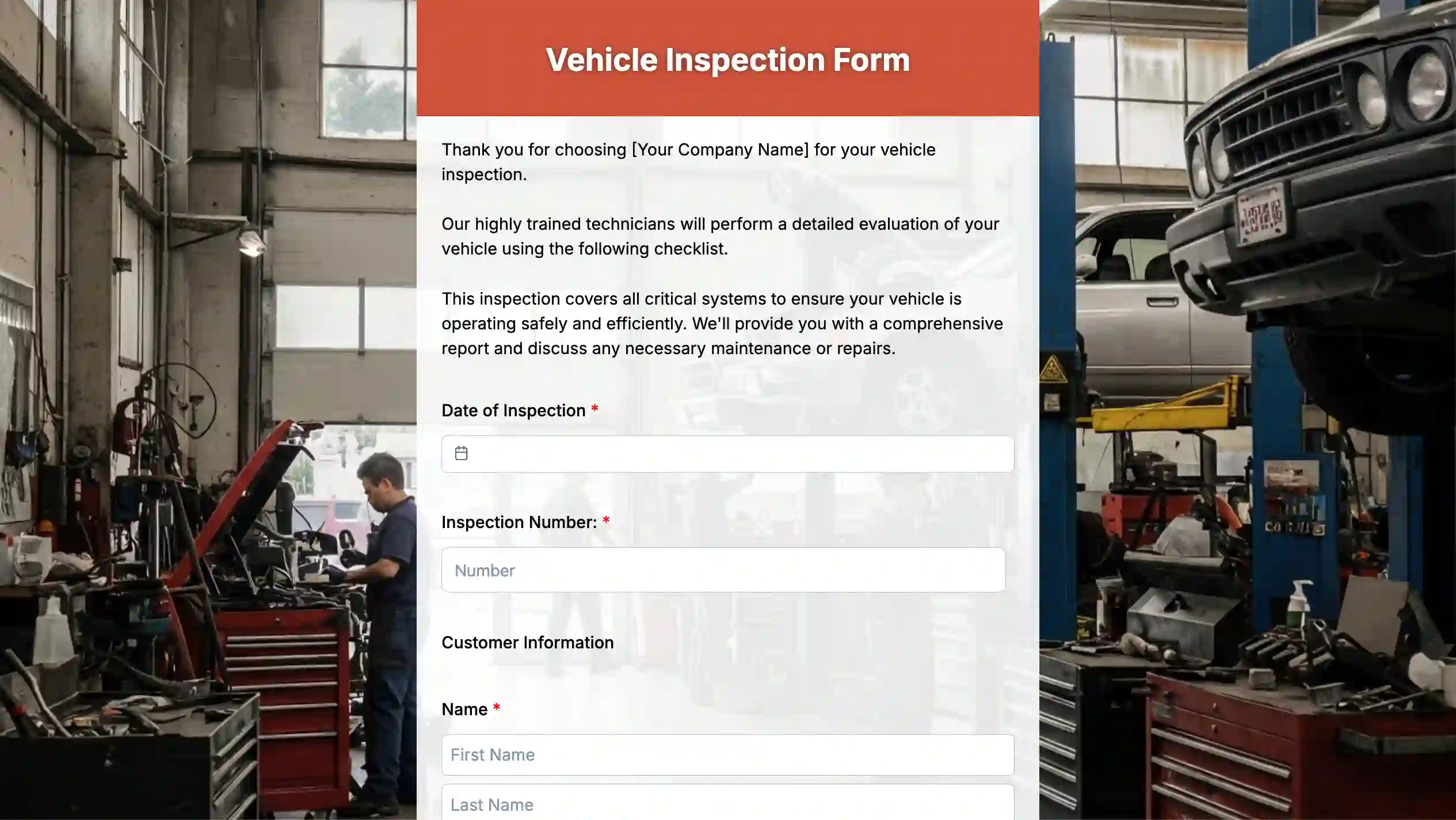
A vehicle inspection form is used to systematically check a vehicle’s condition, document damages or maintenance issues, and ensure it meets safety and regulatory standards. It helps fleet managers, drivers, or service teams record observations and track necessary repairs or preventive maintenance.
Where it is used
Vehicle inspection forms are commonly used in fleet management, rental services, logistics companies, transportation departments, and personal vehicle checks. They are ideal for pre-trip and post-trip inspections, routine maintenance audits, safety compliance checks, and accident or damage reporting.
Essential fields to include
Form title: Vehicle Inspection Form
- Inspector/driver name and designation
- Inspection date and time
- Vehicle make, model, and registration number
- Odometer reading
- Checklist of vehicle components (engine, brakes, tires, lights, fluid levels, safety equipment, etc.)
- Condition status for each item (good, fair, poor, needs repair)
- Photo uploads for damages or issues
- Notes or comments for observations
- Recommended repairs or maintenance actions
- Responsible person or department for follow-up
- Inspector/driver signature or confirmation checkbox
4. Fire inspection forms
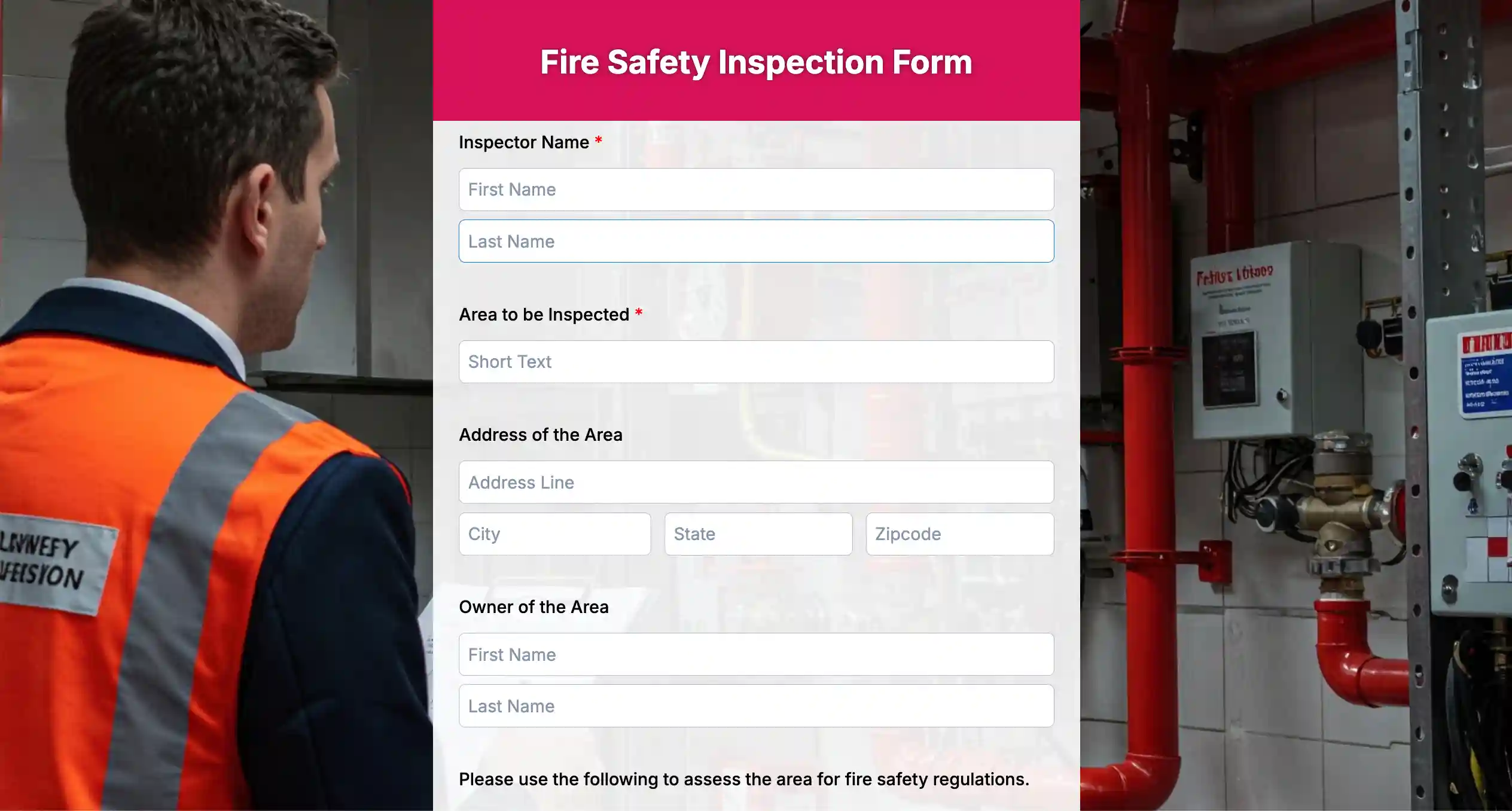
A fire inspection form is used to assess fire safety measures, check compliance with fire regulations, and identify potential hazards in a building or facility. It helps safety officers, facility managers, or inspectors document fire risks, equipment conditions, and corrective actions to ensure the safety of occupants.
Where it is used
Fire inspection forms are commonly used in commercial buildings, residential complexes, schools, hospitals, warehouses, factories, and public facilities. They are ideal for routine fire safety audits, fire equipment checks, emergency preparedness assessments, and regulatory compliance inspections.
Essential fields to include
Form title: Fire Inspection Form
- Inspector’s name and designation
- Inspection date and time
- Building or facility address
- Area or floor being inspected
- Checklist of fire safety equipment (extinguishers, alarms, sprinklers, exit signs, emergency lights, etc.)
- Condition status for each item (functional, needs maintenance, non-functional)
- Photo uploads for issues or equipment
- Notes or observations
- Recommended corrective actions
- Responsible person or department for follow-up
- Inspector signature or confirmation checkbox
5. Rental property inspection forms
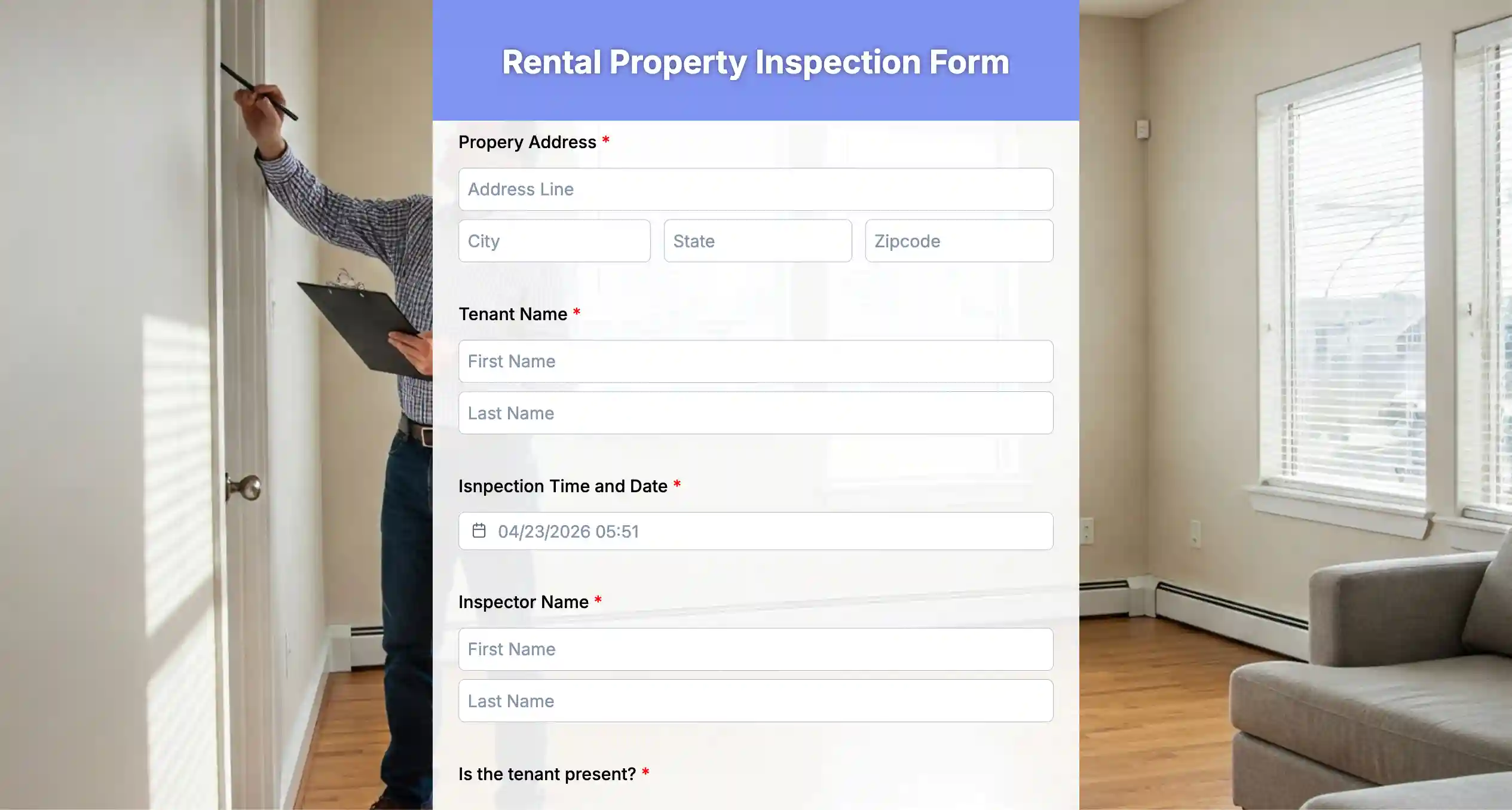
A rental property inspection form is used to document the condition of a rental unit before, during, or after a tenancy. It helps landlords, property managers, and tenants record damages, maintenance needs, and compliance with lease agreements, ensuring accountability and protecting both parties.
Where it is used
Rental property inspection forms are commonly used in residential apartments, houses, commercial rental spaces, and property management operations. They are ideal for move-in and move-out inspections, periodic condition checks, and documenting repairs or improvements.
Essential fields to include
Form title: Rental Property Inspection Form
- Inspector’s name and designation
- Inspection date and time
- Property address or unit number
- Area or room being inspected
- Checklist of property elements (walls, floors, ceilings, plumbing, electrical, appliances, fixtures, doors/windows)
- Condition status for each item (good, fair, poor, needs repair)
- Photo uploads for damages or issues
- Notes or observations
- Recommended repairs or actions
- Responsible person or department for follow-up
- Inspector signature or confirmation checkbox
6. Home inspection forms
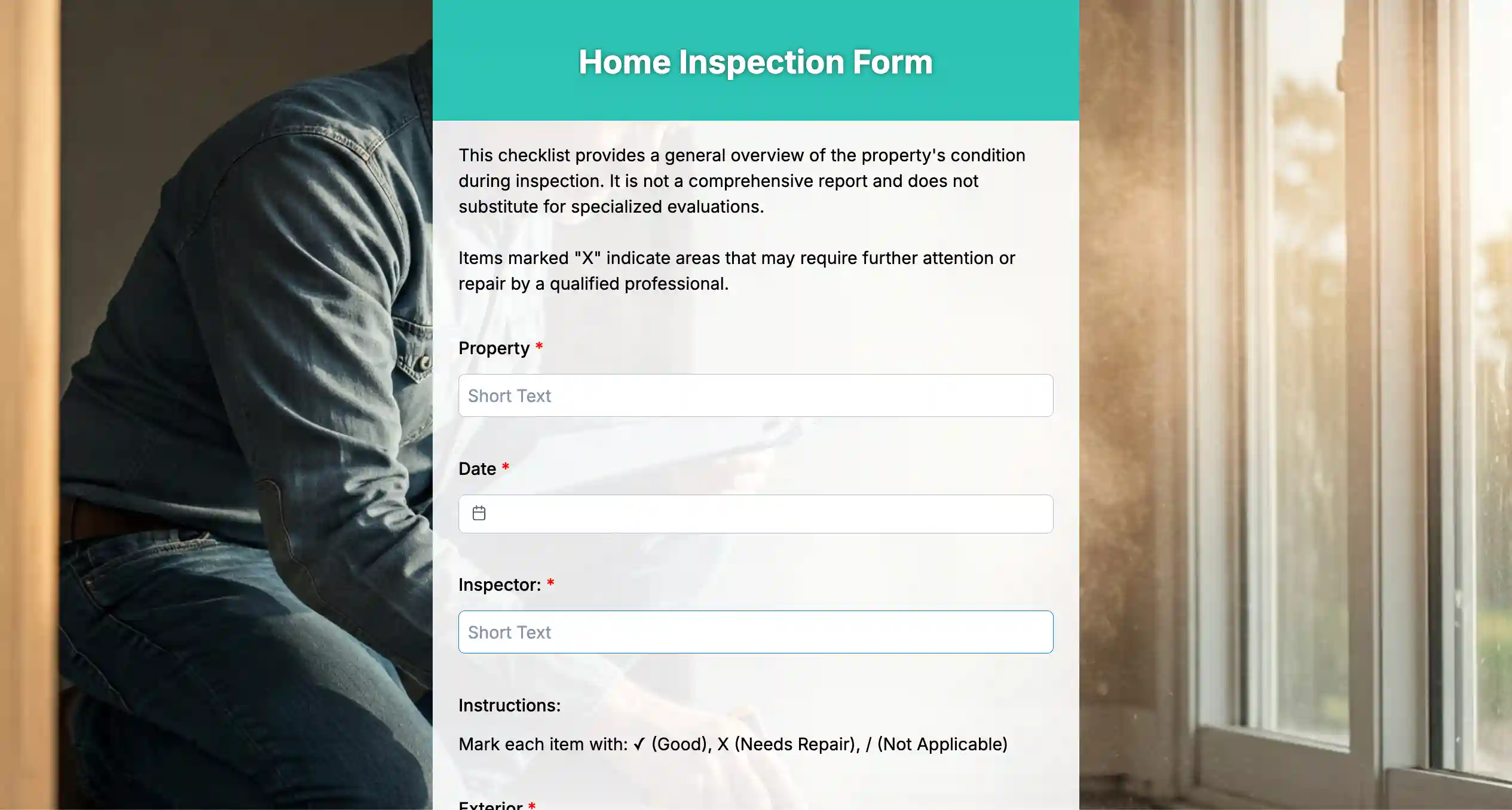
A home inspection form is used to evaluate the overall condition of a residential property, documenting structural, mechanical, and safety aspects. It helps home inspectors, buyers, or property owners identify issues, verify repairs, and make informed decisions about maintenance or purchase.
Where it is used
Home inspection forms are commonly used in residential real estate transactions, pre-purchase or pre-sale inspections, routine property maintenance checks, and insurance assessments. They ensure that homeowners, buyers, and agents have a clear understanding of the property’s condition.
Essential fields to include
Form title: Home Inspection Form
- Inspector’s name and designation
- Inspection date and time
- Property address
- Area or room being inspected
- Checklist of home components (roof, foundation, walls, floors, plumbing, electrical, HVAC, appliances, windows, doors)
- Condition status for each item (good, fair, poor, needs repair)
- Photo uploads for issues or damages
- Notes or observations
- Recommended repairs or maintenance actions
- Responsible person or department for follow-up
- Inspector signature or confirmation checkbox
7. Hygiene inspection forms
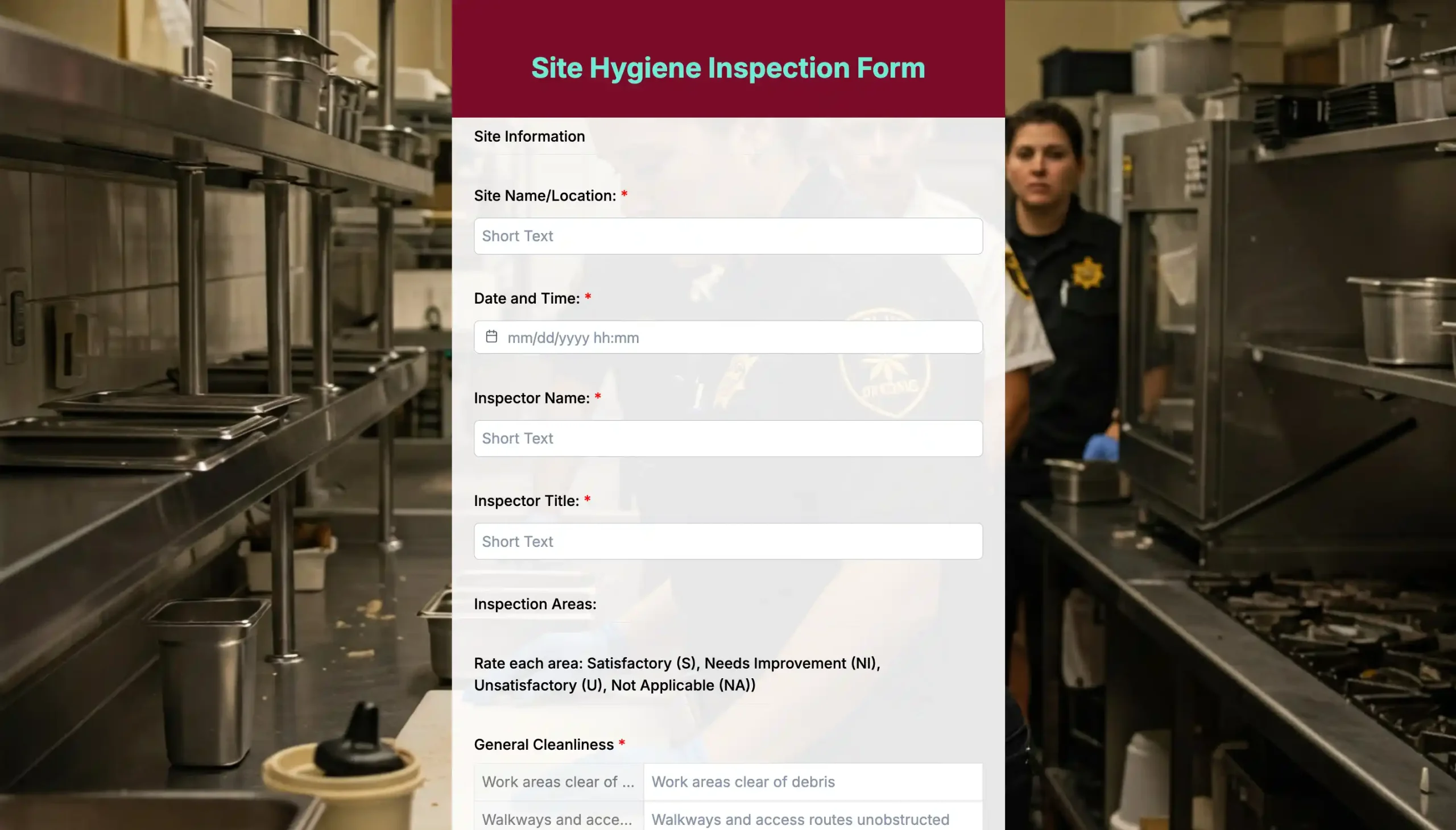
A hygiene inspection form is used to systematically assess cleanliness, sanitation practices, and compliance with health standards in workplaces, food establishments, or public facilities. It helps inspectors document hygiene conditions, identify potential risks, and ensure corrective actions are taken to maintain a safe and healthy environment.
Where it is used
Hygiene inspection forms are commonly used in restaurants, cafeterias, hotels, hospitals, schools, offices, and public facilities. They are ideal for routine hygiene audits, food safety inspections, sanitation checks, and compliance monitoring with local health regulations.
Essential fields to include
Form title: Hygiene Inspection Form
- Inspector’s name and designation
- Inspection date and time
- Facility name and location
- Area or section being inspected
- Checklist of hygiene items (cleanliness of surfaces, restrooms, kitchen areas, waste disposal, pest control, personal hygiene practices)
- Condition status for each item (satisfactory, needs improvement, unsatisfactory)
- Photo uploads for evidence
- Notes or observations
- Recommended corrective actions
- Responsible person or department for follow-up
- Inspector signature or confirmation checkbox
8. Construction inspection form
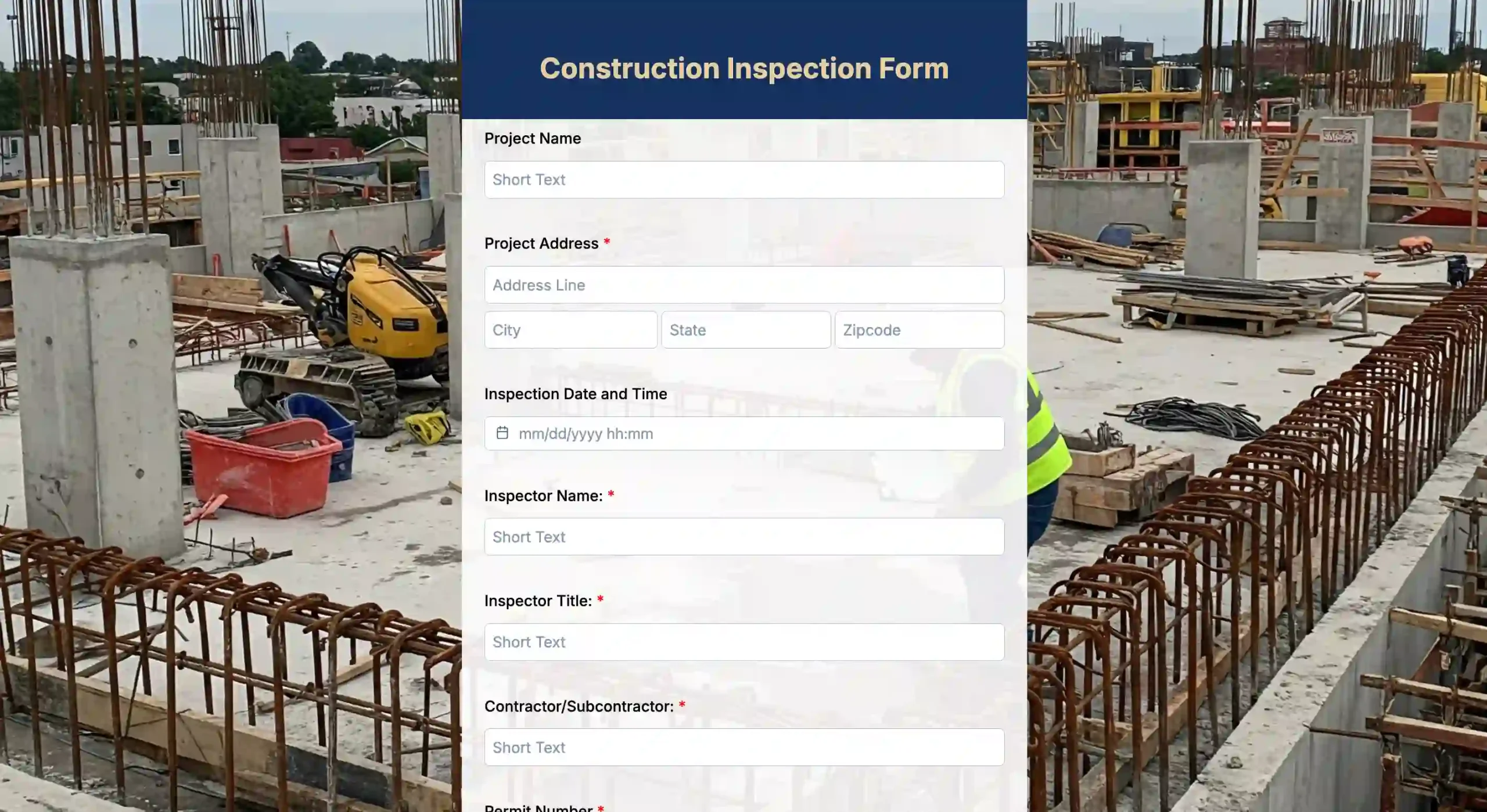
A construction inspection form is used to monitor construction sites, track project progress, and ensure compliance with safety and building standards. It helps inspectors, project managers, and contractors document work quality, identify issues, and record corrective actions in a structured, reliable way.
Where it is used
Construction inspection forms are commonly used on residential, commercial, and infrastructure projects. They are ideal for site safety audits, quality control checks, material inspections, structural assessments, and regulatory compliance inspections.
Essential fields to include
Form title: Construction Inspection Form
- Inspector’s name and designation
- Inspection date and time
- Project or site location
- Area or section being inspected
- Checklist of construction elements (foundations, structural integrity, electrical, plumbing, safety equipment, scaffolding, materials)
- Condition status for each item (good, fair, poor, needs attention)
- Photo uploads for evidence
- Notes or observations
- Recommended corrective actions
- Responsible person or team for follow-up
- Inspector signature or confirmation checkbox
9. Manufacturing inspection form
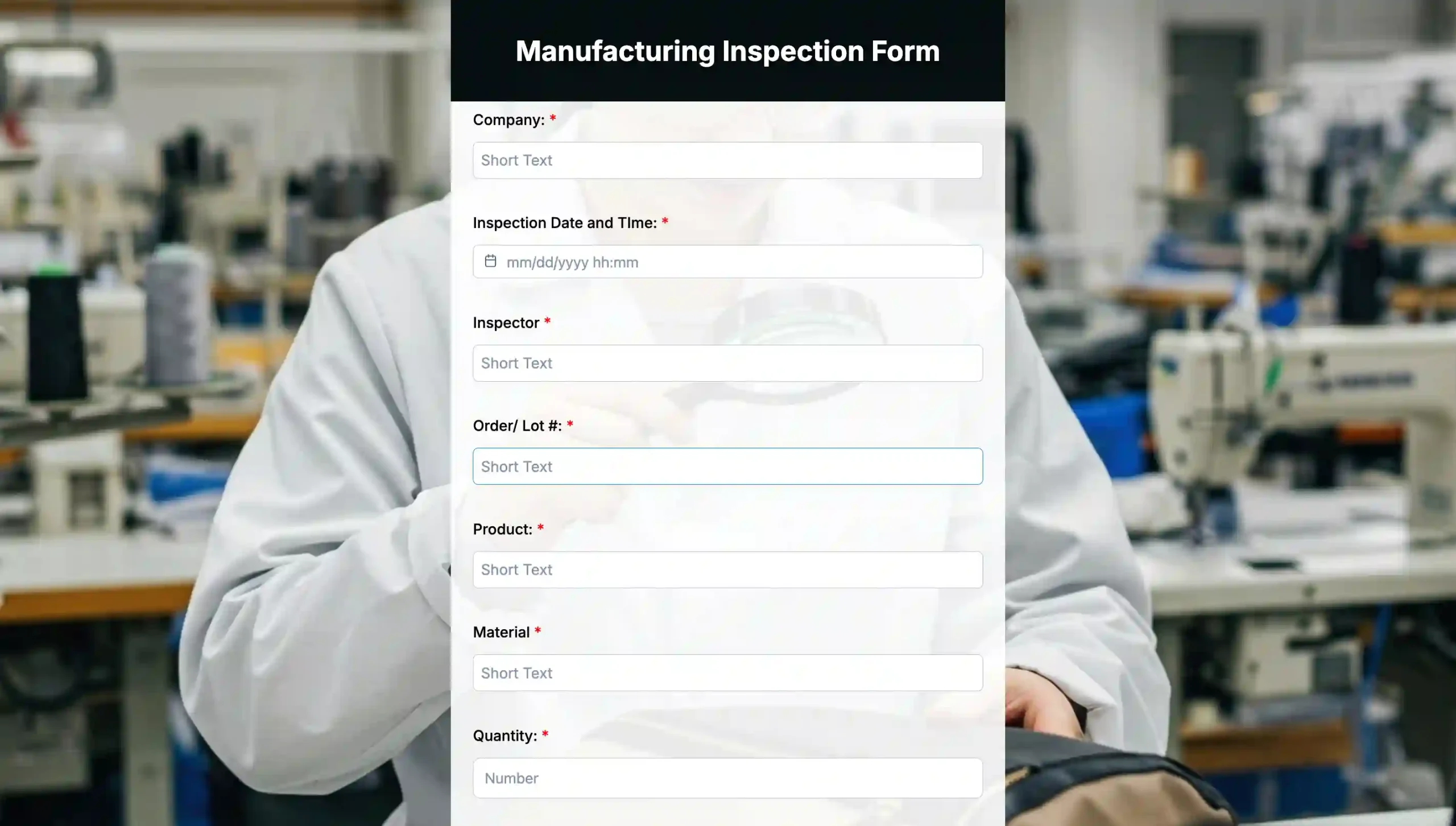
A manufacturing inspection form is used to monitor production processes, equipment, and product quality. It helps inspectors and quality control teams document compliance with safety standards, identify defects, and ensure that manufacturing operations meet regulatory and internal quality requirements.
Where it is used
Manufacturing inspection forms are commonly used in factories, production lines, assembly plants, and warehouses. They are ideal for routine quality checks, equipment inspections, process audits, safety assessments, and compliance verification.
Essential fields to include
Form title: Manufacturing Inspection Form
- Inspector’s name and designation
- Inspection date and time
- Facility or production line location
- Area or section being inspected
- Checklist of manufacturing elements (equipment, machinery, production quality, safety measures, material handling, packaging)
- Condition status for each item (good, fair, poor, needs maintenance)
- Photo uploads for defects or issues
- Notes or observations
- Recommended corrective actions
- Responsible person or department for follow-up
- Inspector signature or confirmation checkbox

How to create an inspection form online with an inspection form builder
Step 1: Start with TIGER FORM
Log in to your TIGER FORM account or sign up if you’re new. Once inside, you’ll have the best inspection from the generator with a centralized workspace to create, manage, and update all your inspection forms in one place. This removes the need to juggle multiple tools and makes it much easier to keep inspections consistent, controlled, and up to date.
Step 2: Pick a template or build from scratch using AI
You can either select a ready-made inspection template or use the AI form generator to create one from a simple prompt. Templates are ideal when you need speed, while the AI option helps you design a form tailored to a specific inspection type. Both approaches save setup time and help you avoid missing essential inspection items.
Step 3: Add essential inspection fields
Include key details such as inspection location, date, inspector name, condition checks, and photo uploads. These fields ensure each inspection captures complete and usable information. Photos and notes add context, making reports clearer and easier to verify later.
Step 4: Customize logic and form settings
Set up conditional logic so that follow-up questions appear only when needed, based on the type of inspection form you’re creating. Mark critical fields as required, define response types, and fine-tune settings to match your inspection process. This keeps each inspection focused on what matters while maintaining accuracy and consistency across all submissions.
Step 5: Share the form and collect inspection data
Once ready, share the inspection form via a form QR code. Inspectors can access it instantly on any device, even on-site. Submissions are captured in real time, eliminating delays and manual data entry.
Step 6: Review results or export inspection reports
After inspections are submitted, review responses through built-in analytics or export reports for records, audits, or follow-up actions. This final step turns raw inspection data into clear insights you can act on immediately.
Start creating reliable inspection forms with TIGER FORM
Inconsistent inspections don’t come from a lack of effort. They come from unclear processes, rigid checklists, and tools that don’t match how inspections actually happen on-site. TIGER FORM solves this by giving teams the digital inspection solution to standardize inspections across every use case.
With ready-to-use inspection form templates, AI-powered form creation, and customizable logic, TIGER FORM helps you capture accurate data the first time. If you’re looking for the best inspection form generator to reduce errors, save time, and produce inspection reports you can trust, TIGER FORM gives you everything you need to get started and scale with confidence.

FAQs
Is there any free inspection form I can use?
Yes. Many platforms like TIGER FORM offers ready-made inspection templates for free that you can customize, such as product inspection report forms, sample inspection templates, and production inspection forms available without cost on services like 123FormBuilder and others. These provide a simple way to get started without subscribing to paid inspection form software.
What features should I look for in the best inspection form generator?
The best inspection form generator should let you build and customize inspection checklists, include photo and file uploads, handle conditional logic, work on mobile devices, and offer templates tailored to different inspection types (like safety, property, or vehicle). Integration and analytics capabilities are also valuable for reporting and follow-up workflows.
Can inspection forms be used on mobile devices?
Are there different types of inspection form templates available?
Absolutely. There are inspection templates for many use cases, safety audits, property walk-throughs, product quality checks, site compliance, vehicle inspections, and more. These ready-to-use inspection form templates can be customized to match specific workflows and help teams avoid building forms from scratch.