

A complaint form generator gives customers a clear, structured way to share issues, ask for help, and provide honest feedback directly through your website. Without this, problems go unreported, customers feel ignored, and teams miss valuable insights that could improve products, services, and support.
An effective complaint form builder, like TIGER FORM, turns feedback into usable data. It helps you identify patterns, respond faster, and show customers that their concerns matter. When created and placed correctly, a complaint form doesn’t harm your brand. Instead, it strengthens trust, improves decision-making, and creates a better overall customer experience.
Read this blog to see how TIGER FORM helps you create an effective complaint form with QR codes.
What is a customer complaint form, and how does it help your business
A customer complaint form is a simple way for customers to tell you when something goes wrong. It could be a page on business websites, a downloadable link attached on emails or SMS notifications, or a QR code leading up to an online form, allowing customers to share their issue in one clear designated place.
Even better, businesses can access and sort out all the feedback in a single database. This helps you avoid missing out on critical issues that could have ended up on spam folders or unanswered call archives.
This makes feedback easier to manage. All complaints come into one system, so teams can see what’s happening, respond faster, and avoid losing track of issues. It also helps spot repeat problems, whether it’s slow service, product issues, or unclear policies.
A complaint form also builds trust. Customers feel more confident speaking up when they know there’s a clear and simple way to do it. Over time, these complaints turn into useful insights that help improve customer experience, reduce repeated issues, and strengthen long-term relationships.
Reasons you should choose TIGER FORM as your complaint form generator

According to a survey by Zippia, only about 4% of dissatisfied customers actually voice their complaints directly to a company, which means most issues go unreported unless you make it easy for people to complain. When you use an online form creator, the form is easy to fill out, works on any device, and collects the right details without back-and-forth.
Complaint form tools like TIGER FORM make sure that feedback is captured accurately, organized properly, and easy for teams to manage. You create forms that are not only user-friendly but also highly efficient for your business operations.
Below are the features that stand out in TIGER FORM in form generation:
1. AI-powered optimization
TIGER FORM uses AI to suggest the most effective form fields, question types, and layouts to improve response rates. AI form building feature helps you create forms that are easy for customers to fill out, capture the right information, and reduce incomplete submissions.
2. Pre-built templates
TIGER FORM offers a wide range of professionally designed complaint form templates tailored for different industries and use cases. You don’t need to start from scratch.
Simply choose a template, customize it with your branding and specific fields, and your form is ready to go. These templates are designed to capture all essential information, guide customers through the submission process smoothly, and ensure higher completion rates.
3. QR code integration
The platform allows you to generate a unique QR code for each complaint form, making it instantly accessible to customers from any location. Customers can simply scan the code using their phone or tablet, opening the form immediately without typing URLs or searching for links. This feature is perfect for placing forms at service counters, hospital rooms, event venues, or product packaging, ensuring feedback is captured at the exact moment issues occur.
4. Mobile-friendly design
TIGER FORM ensures that every complaint form works efficiently on smartphones, tablets, and desktops. The responsive design adapts automatically to different screen sizes, so customers can fill out forms easily on the go without zooming or scrolling excessively. Mobile-friendly forms reduce friction, increase completion rates, and allow businesses to collect feedback anytime, anywhere. Whether customers are in-store, at an event, or accessing the form from home, the experience remains smooth, professional, and user-friendly.
5. Customizable and brandable
TIGER FORM lets you fully customize complaint forms to match your brand identity. You can easily do your form design by adding your logo, selecting brand colors, adjusting fonts, and modifying field labels to create a consistent and professional look. Beyond aesthetics, you can customize the form fields, sections, and response options to fit your specific business needs.
6. Secure and reliable
All customer complaint data is stored safely and handled with strong security measures. Encryption and secure servers protect sensitive information, giving both businesses and customers peace of mind. Reliable uptime makes sure that forms are always accessible, so no feedback is missed. Data integrity is maintained, meaning submissions are accurately recorded and easily retrievable for analysis, reporting, and follow-up. This level of security and reliability makes it easy to trust the system for collecting and managing complaints.
7. Centralized feedback management
All customer feedback are collected in a single, organized system, making it easy for teams to track, prioritize, and respond efficiently. Every submission is stored in one place with timestamps, customer details, and status updates. This centralization helps managers identify recurring issues, assign tasks to the right departments, and ensure nothing gets overlooked.
8. Real-time notifications
Whenever a customer submits a complaint, the relevant team receives an instant alert. This immediate notification allows businesses to respond quickly, reducing delays and showing customers that their feedback is valued. Real-time alerts help prevent issues from being overlooked, improve resolution times, and enhance overall customer satisfaction.
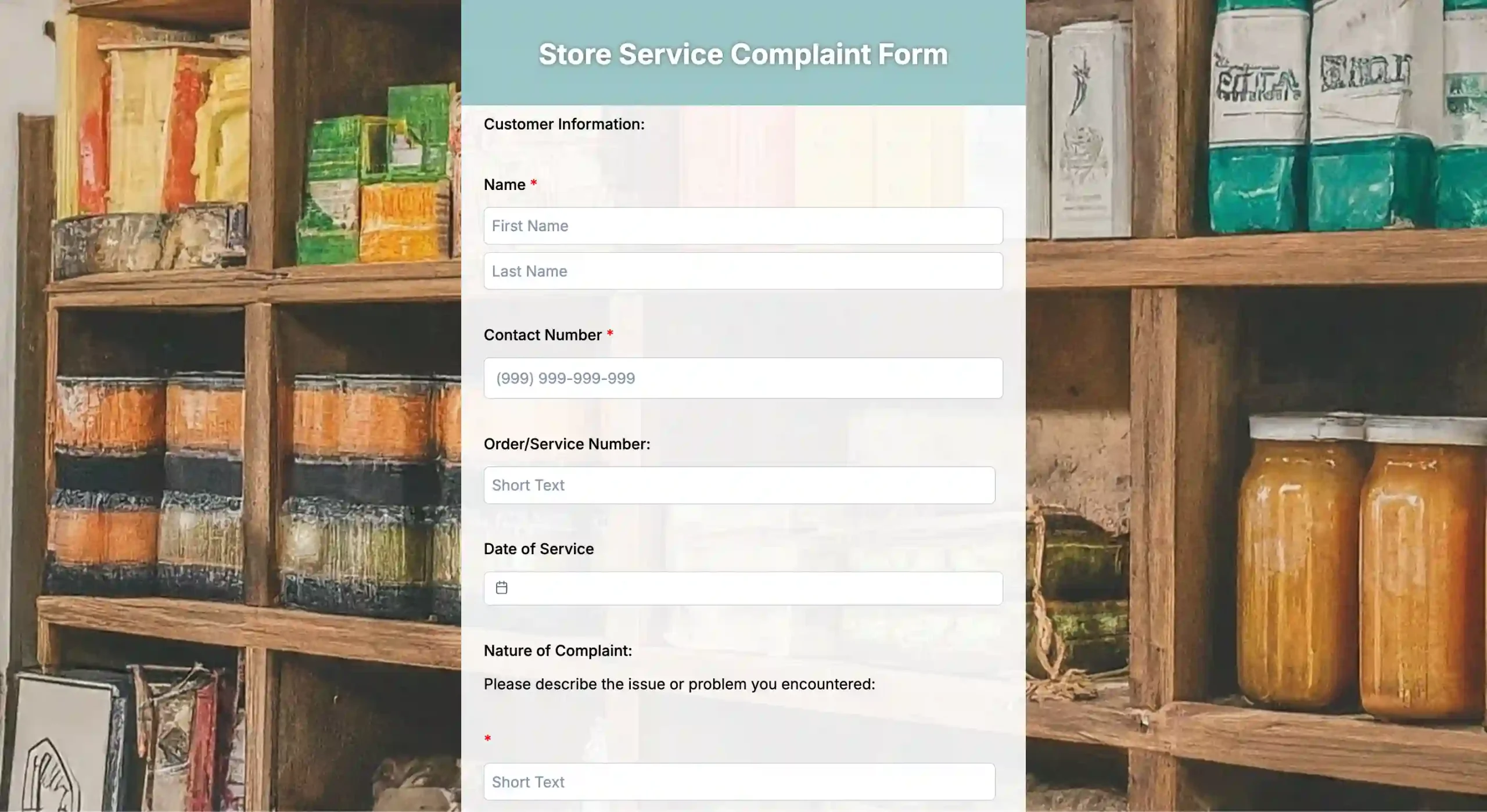
Easy steps to using a complaint form generator
1. Sign up or log in
Create a TIGER FORM account or log in to access all features, including templates, AI assistance, QR code generation, and analytics.
2. Use the AI form builder
Give TIGER FORM a prompt describing your complaint form needs, and the AI automatically generates a ready-to-use form. It suggests fields, layout, and question types, saving time and ensuring the form captures all necessary information.
3. Select a template or customize further
You can choose from pre-built templates designed for different industries or refine the AI-generated form to match your specific requirements.
4. Add and customize fields
Include key fields like customer name, contact info, complaint type, detailed description, and attachments. You can also add dropdowns, checkboxes, ratings, or text fields and mark mandatory questions for completeness.
5. Brand your form
Customize the form with your logo, brand colors, and fonts for a professional, consistent look that builds customer trust.
6. Enable QR code access
Generate a QR code for instant access. Customers can scan the QR code complaint form from anywhere, at stores, service desks, events, or on packaging and fill out the form immediately, increasing submission rates.
7. Preview and test
Ensure the form works on all devices, desktop, tablet, and mobile and check that conditional logic, field validation, and overall usability are correct.
8. Publish and share
Share the complaint form QR code via website link, email, or social media.
Tips to create an effective form with a complaint form software
1. Make the form easy to find
A complaint form is only useful if customers can access it without effort. Place it on visible website pages, help sections, confirmation emails, or physical locations using QR codes. When customers don’t have to search for the form, they’re more likely to share feedback instead of staying silent.
2. Keep the form short and focused
Only ask for information that helps resolve the issue. Long forms frustrate users and increase drop-offs. Focus on essentials like contact details, complaint category, and a brief description so customers can submit feedback quickly.
3. Use clear, simple language
Every question should be easy to understand on the first read. Avoid technical terms, internal processes, or complex wording. Simple language makes customers feel comfortable and ensures they provide accurate information.
4. Use predefined options where possible
Dropdowns and checkboxes help customers submit complaints faster and reduce confusion. They also make it easier for your team to sort, track, and analyze complaints by category, priority, or department.
5. Include space for detailed explanations
While structured fields are important, customers still need room to explain what happened in their own words. An open-text field allows them to share context, which often helps teams resolve issues more effectively.
6. Make sure it’s mobile-friendly
Many customers submit complaints on their phones, often immediately after an issue occurs. A mobile-friendly form that adapts to all screen sizes improves usability and increases completion rates.
7. Allow space for detailed explanations
Alongside predefined fields, include a text area for customers to explain the issue in their own words. This additional context helps your complaint tracking system resolve cases more accurately and efficiently.
8. Confirm submission instantly
Customers want reassurance that their complaint has been received. A confirmation message or email builds trust and reduces repeat submissions or follow-up messages.
9. Route complaints to the right team
Set up automatic routing so each complaint reaches the correct department. This avoids delays, reduces internal back-and-forth, and speeds up resolution time.
10. Keep the tone respectful and neutral
The form should feel supportive, not defensive. A calm and professional tone encourages honest feedback and helps de-escalate frustration.
Build a better complaint process today for faster and clearer resolutions
A strong complaint process helps businesses respond faster, stay organized, and build trust with customers. Using the right complaint form generator makes this process more efficient. When complaints are easy to submit and simple to track, fewer issues slip through the cracks.
By reviewing and acting on these insights, businesses can improve customer experience, strengthen relationships, and prevent future complaints. Customers feel heard, and teams can focus on resolving problems instead of searching for information across emails, messages, or paper forms.
Start building a complaint process that’s easier for customers and more efficient for your team, and turn every complaint into an opportunity to improve.
FAQs
1. How does a QR code complaint form work?
A QR code complaint form lets customers access the form instantly by scanning a code with their phone. The form opens in a browser, allowing customers to submit complaints at the exact location where the issue occurred, such as a store, office, or event venue.
2. Is there a free complaint form generator available?
Yes, many platforms offer a free complaint form generator that allows businesses to create and share basic complaint forms online. Tools like TIGER FORM also offer scalable options, so businesses can start free and upgrade later as their needs grow, especially when features like QR codes, tracking, and automation become essential.
3. What should be included in an online complaint form?
An online complaint form should include customer contact details, complaint category, a short description of the issue, and any optional attachments. Keeping the form simple helps increase completion rates.