
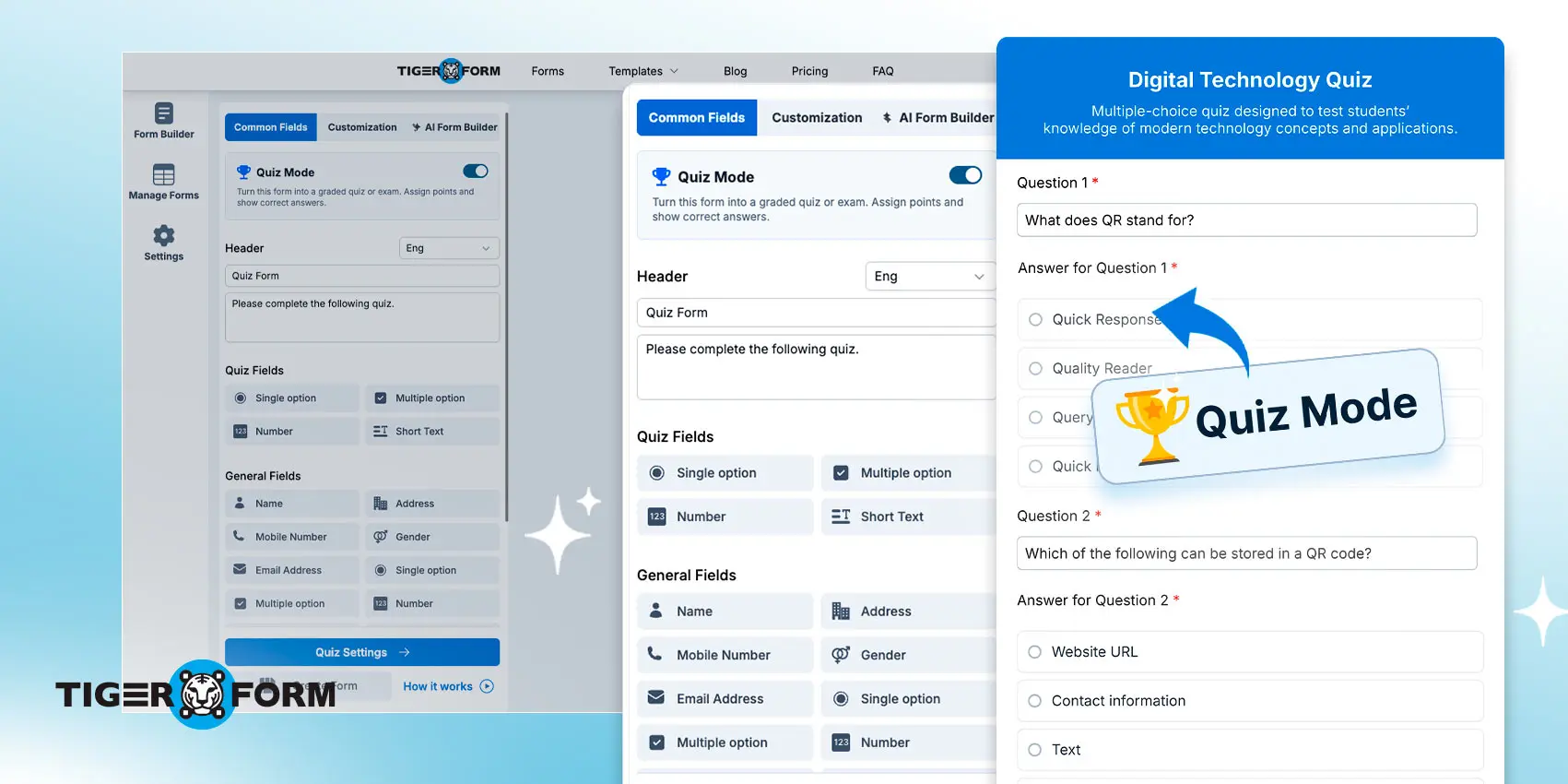
Which quiz form feature would you choose: user-friendly or advanced functions? You actually don’t need to choose because the new TIGER FORM quiz maker offers both.
Most quiz tools are simple, don’t get me wrong, but they can also be frustrating when you need more advanced features.
TIGER FORM is launching its newest feature: the Quiz and Trivia Form Maker. It is built directly into the platform you already use, complete with scoring, timers, custom feedback, and full QR code sharing.
Everything you need to create a professional quiz, without the complicated learning curve, is offered by this new feature. Read more about it below.
The newest on TIGER FORM: Online quiz maker
Quizzes aren’t just forms with right and wrong answers. They need time pressure, scoring, and be able to tell respondents something useful at the end. Not just “thank you for submitting.”
TIGER FORM built their latest quiz form with that in mind. It is built in the same clean, intuitive builder you already know, but now it layers in features that turn a basic question set into a fully functional quiz. No coding required; you don’t need plugins, and it is conveniently beginner-friendly.
So, if you’re running a product knowledge check for a new sales hire or trivia question quizzes for your students, this new mode will give you everything you need without using third-party tools or software integrations.
How to create your quiz forms with this new mode?
1a. Create an account
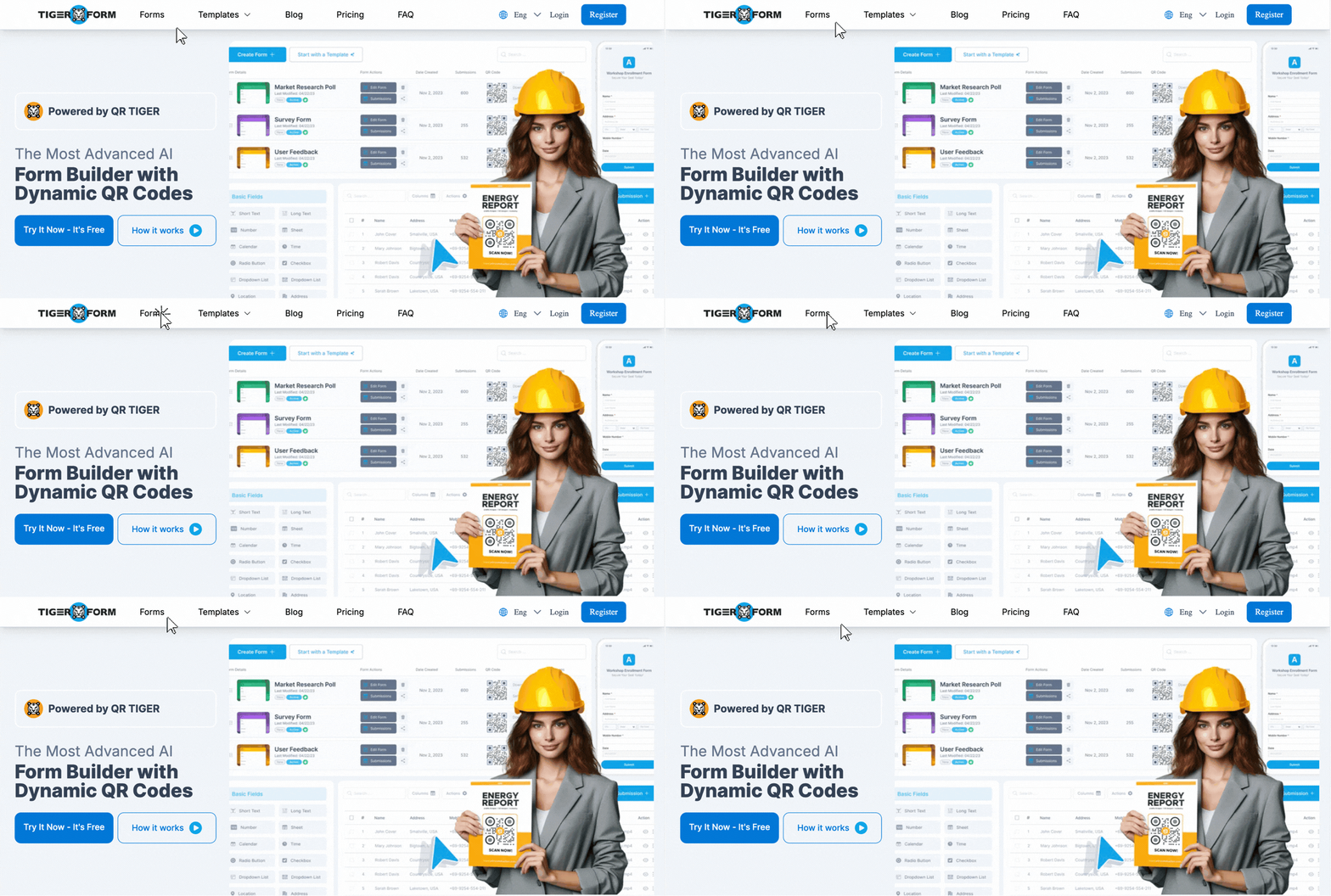
If you’re new to TIGER FORM, enter the quiz mode by clicking the tab “Forms.” Creating an account is also possible; read our “How to Create a TIGER FORM Account” guide to get started.
1b. Login
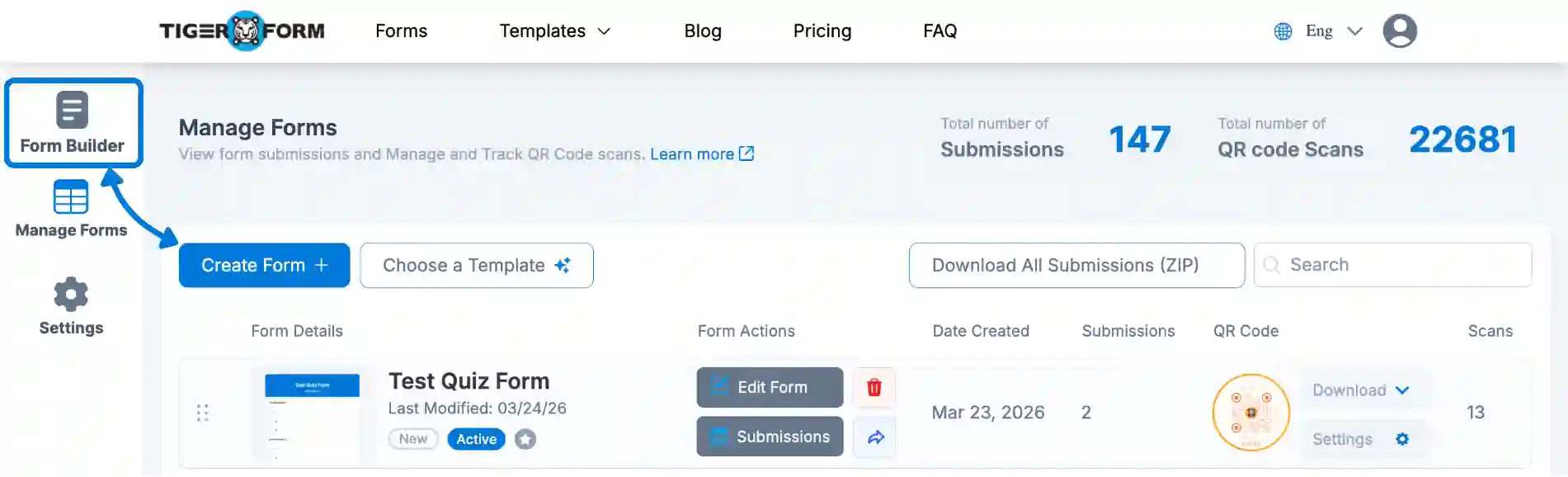
If you have an account with us, log in and click the “Form Builder” icon and proceed with the “Create Form” button.
2. Turn on “Quiz Mode.”
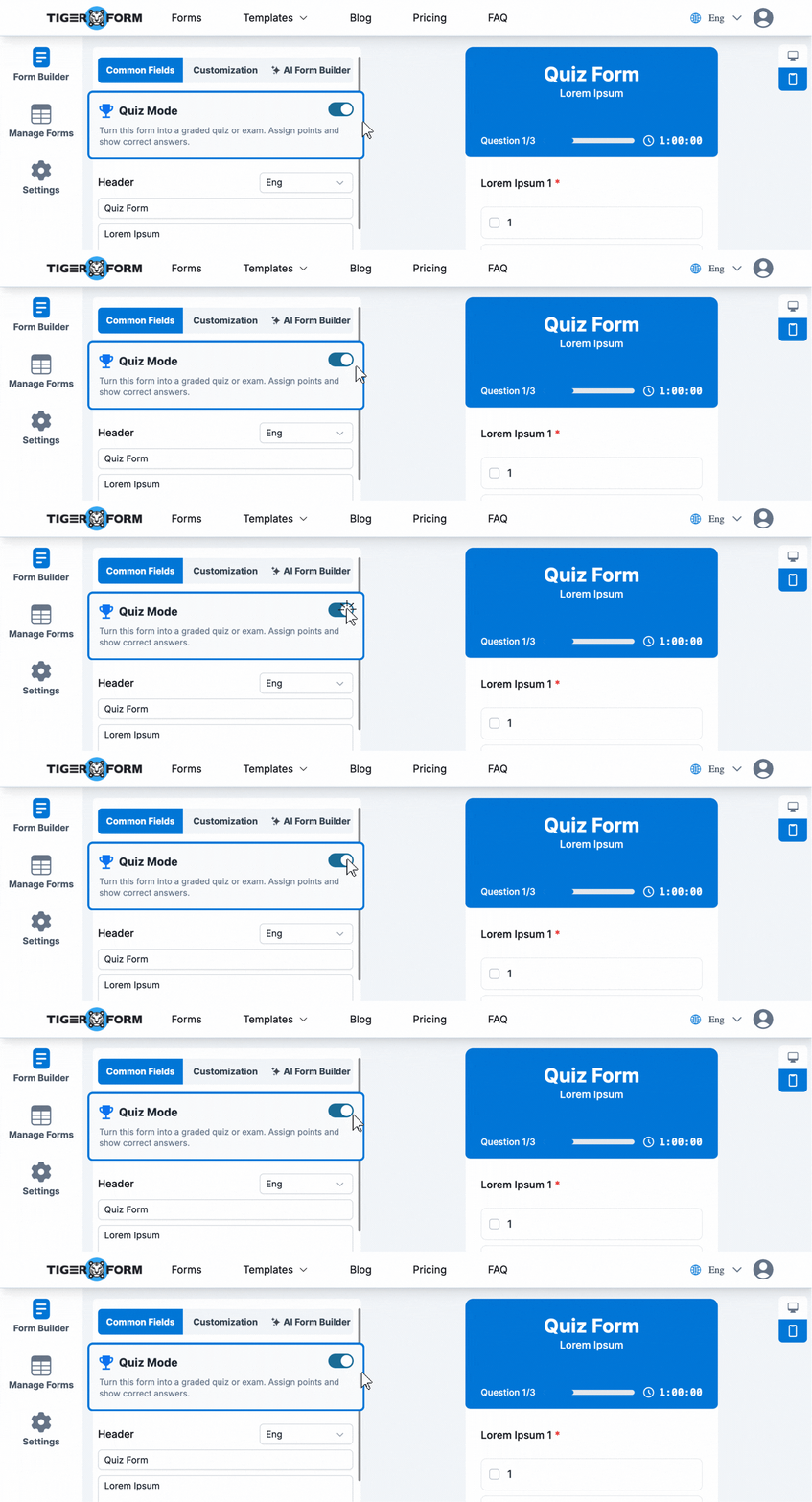
Then, enable the “Quiz Mode” Slider to create your quiz.
3. Add your quiz questions
Add your question and options. After, you can edit the set to the correct answers and points per item.
4. Set up “Quiz Settings.”
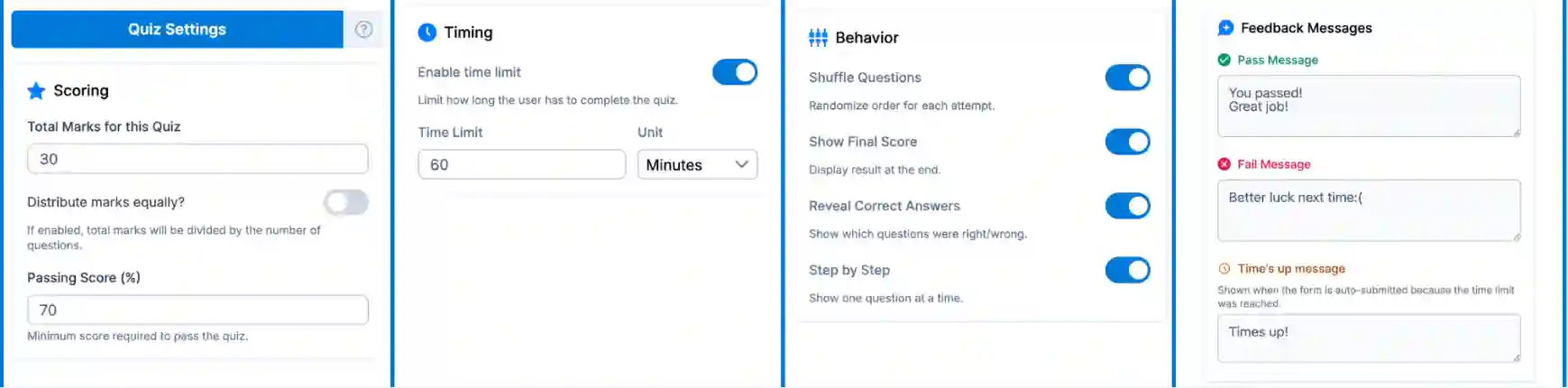
Go to the “Quiz Settings” to set scoring, timing, behavior, and feedback messaging.
5. Preview and finalize
Use the preview feature to finalize your form.
6. Generate QR code
After, you can now generate the QR code for your quiz. You can customize the QR code to match your branding.
7. Share digitally or physically
Lastly, you can print the QR code for physical distribution. You can share it digitally by projecting it to your respondents or by email.
What are the unique features of quiz mode?
Time limit setting
Pressure creates focus. With the time limit feature, you set a countdown for each quiz, and respondents know they’re on the clock. This is especially useful for certification tests, moving exams, or any scenario where speed and recall matter.
Set the limit once, and the quiz makes it happen automatically. No manual monitoring. No honor system.
Time display at quiz end
A quiz maker with a timer display does more than count down; it gives takers something to react to. After submitting, respondents can see exactly how long they took. In competitive settings, like a team trivia game or a leaderboard-style training session, that number adds a whole extra layer of engagement.
It also helps you as the quiz creator. When you review responses, time-on-quiz data tells you whether your questions are too easy, too hard, or just right.
Scoring system
Every quiz needs a score. TIGER FORM’s built-in scoring system automatically tallies correct answers and displays results to respondents at the end, eliminating manual grading and spreadsheet lookups. And as a free online quiz maker, it does all of that without putting the cost on you.
You define which answers are correct, and the system handles the rest. This works for everything from a quick 5-question product quiz to a 50-question certification exam.
Custom feedback messaging
A score without context isn’t that helpful. With custom feedback messaging, you can set different messages based on a respondent’s performance. Someone who scores above 80% sees an encouraging message. Someone who scores below 50% sees guidance on what to review.
This turns your quiz from a data collection tool into an actual learning experience, one that responds to each person individually without you having to lift a finger.
Randomized/shuffled questions
When every respondent sees questions in the same order, it’s easy for answers to spread. Randomized question order solves that.
Each quiz attempt pulls questions in a different sequence, making it much harder to game the results and much more reliable as an assessment tool.
It’s especially valuable for HR teams running applicant tests or educators distributing quizzes across multiple class sessions.
Image display options
Not every question needs to be text-only; images can help respondents better understand your questions.
TIGER FORM’s free quiz maker supports image display within questions, so you can ask respondents to identify a product, interpret a diagram, or choose based on a visual.
This feature is best for product training quizzes, safety assessments, and any situation where “show, don’t just tell” makes the question clearer.
How TIGER FORM’s quiz mode compares to the rest
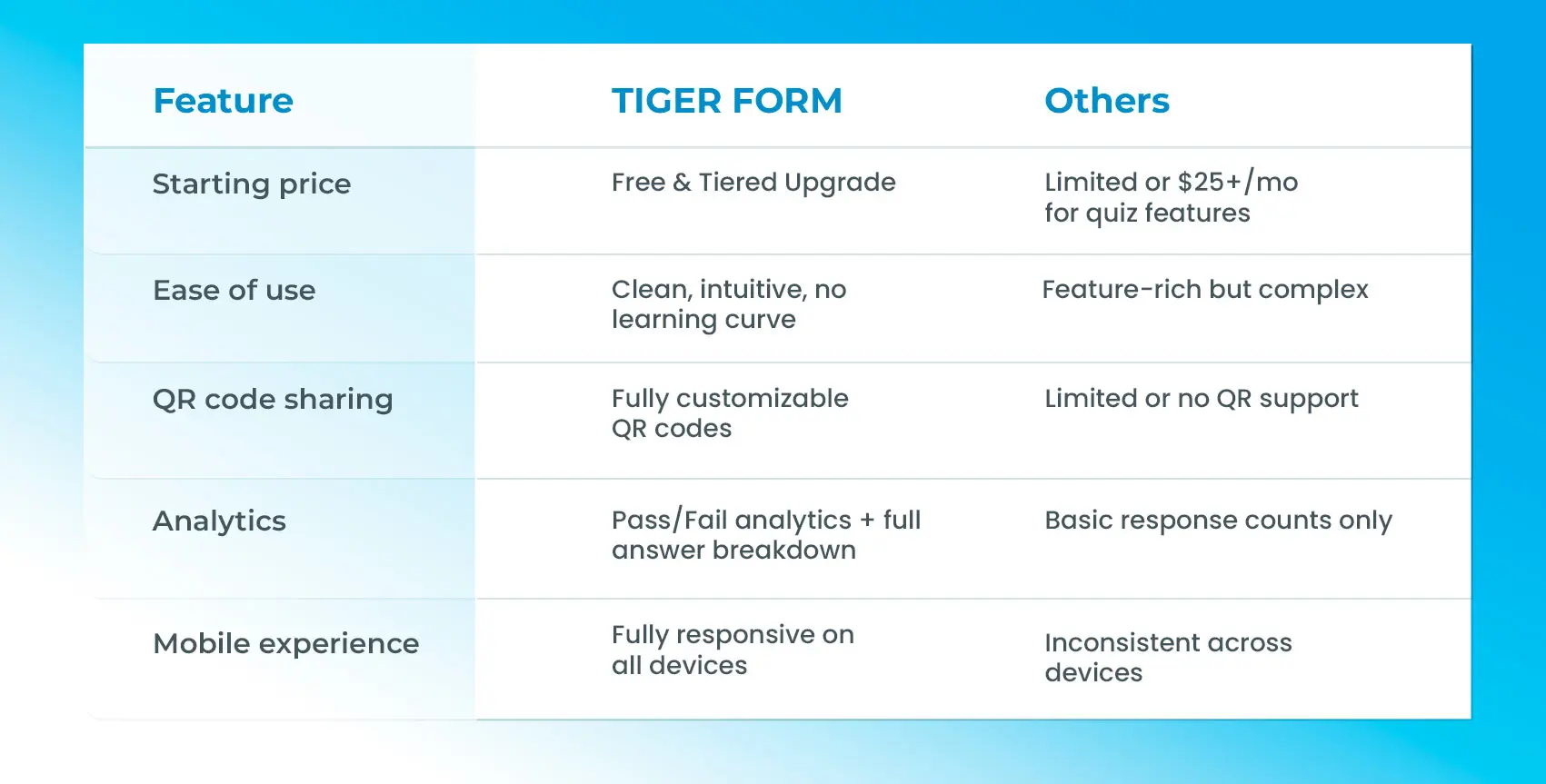
Most quiz platforms charge a premium for the features that TIGER FORM includes out of the box. Here is how the comparison looks across the features that matter most:
Who is the TIGER FORM quiz maker built for?
Educators and trainers
This quiz form creator actually works like a test for your classes, workshops, or online courses. Set a time limit, randomize questions to prevent answer sharing, and let the scoring system handle grading. Your learners get instant feedback. You get reliable data.
Event organizers
Trivia nights, live quizzes, and icebreaker games all benefit from quizzes that feel polished and run smoothly. And shareable via QR code, mobile-friendly, and timed? This online quiz maker makes your event quiz look professional with no complexities.
HR and onboarding teams
Hiring tests, compliance checks, and company policy quizzes—these need to be reliable and fair. Randomized questions mean no two respondents see the same order. Built-in scoring means you don’t need to grade anything manually. And the analytics give you a clear pass/fail result across your entire cohort.
Marketers
A quiz inserted on a landing page or shared form QR code can drive marketing engagement and collect data simultaneously for:
- Product knowledge quizzes
- Brand awareness checks
- Interactive lead magnets
Tip: Custom feedback messaging lets you personalize the experience without building a custom tool.

Build smarter quizzes with our new free quiz maker
A form asks questions. A quiz tests knowledge, drives engagement, and gives respondents something back. But an efficient quiz form tool bridges that gap, all within the same form creator you’re already using.
Time limits, scoring, custom feedback, randomized questions, image support;; everything you need to build a quiz that actually works as a quiz.
The TIGER FORM quiz maker gives you exactly that, at no extra cost and with no complicated setup. Build smart quizzes with this quiz mode now!
FAQs
Is the quiz maker available on all plans?
Yes, the quiz maker is accessible to all users. Some advanced features may vary by plan. But for now, they’re totally free.
Is there a limit on how many questions I can add to a quiz?
There is no fixed question limit. You can build short five-question trivia rounds or longer assessments, depending on your needs.
Does the QR code update automatically if I edit the quiz?
Yes. TIGER FORM uses dynamic QR code forms, so any edits you make to the quiz are reflected instantly without needing to regenerate another code, saving you from reprinting or reposting.
Can I see each taker’s individual answers?
Yes. Your analytics include the taker’s name, their pass/fail result, and their full set of responses, so you know exactly what each person answered, not just the overall group performance.