

Every successful event begins long before the stage is set or the guest list fills up. What this really means is that your event’s first impression isn’t the venue, the agenda, or the speakers; it’s the sign-up experience. When you create an event registration form that’s straightforward, guest-friendly, and effortless, you instantly raise the chances of people committing to your event. But when that first touchpoint feels messy, even the most excited attendees pause.
That’s why designing an effective registration form matters just as much as planning the event itself. A good form reassures your audience, sets expectations, and gives your team organized, ready-to-use information.
When you understand the main types of event registration forms and the essential fields inside each, an online form creator helps you turn those ideas into clean, ready-to-use forms in just a few clicks. Read on to know more.
Why digital registration forms are becoming the new standard for every event
People expect sign-ups to be fast and effortless, and old methods like paper forms or manual entries just can’t keep up with the pace of modern events. Digital registration forms solve it by giving organizers a cleaner, smarter way to collect information without juggling files or dealing with handwriting no one can decode.
Attendees register online from any device, their details land exactly where you want them, and you don’t waste hours rebuilding lists or correcting errors. For events that require quick turnarounds, such as workshops, conferences, webinars, and ticketed meetups, a digital form becomes the backbone of smooth planning.
There’s also a trust factor. People feel more confident sharing information when the experience is organized, secure, and professional. An online event registration builder helps you add required fields, set limits, trigger confirmations, and securely store data without requiring any code. Instead of reinventing the wheel every time, you can start with a ready-made template from form builders and make it match the event you’re running.
Ready-to-use event registration form templates for any use case

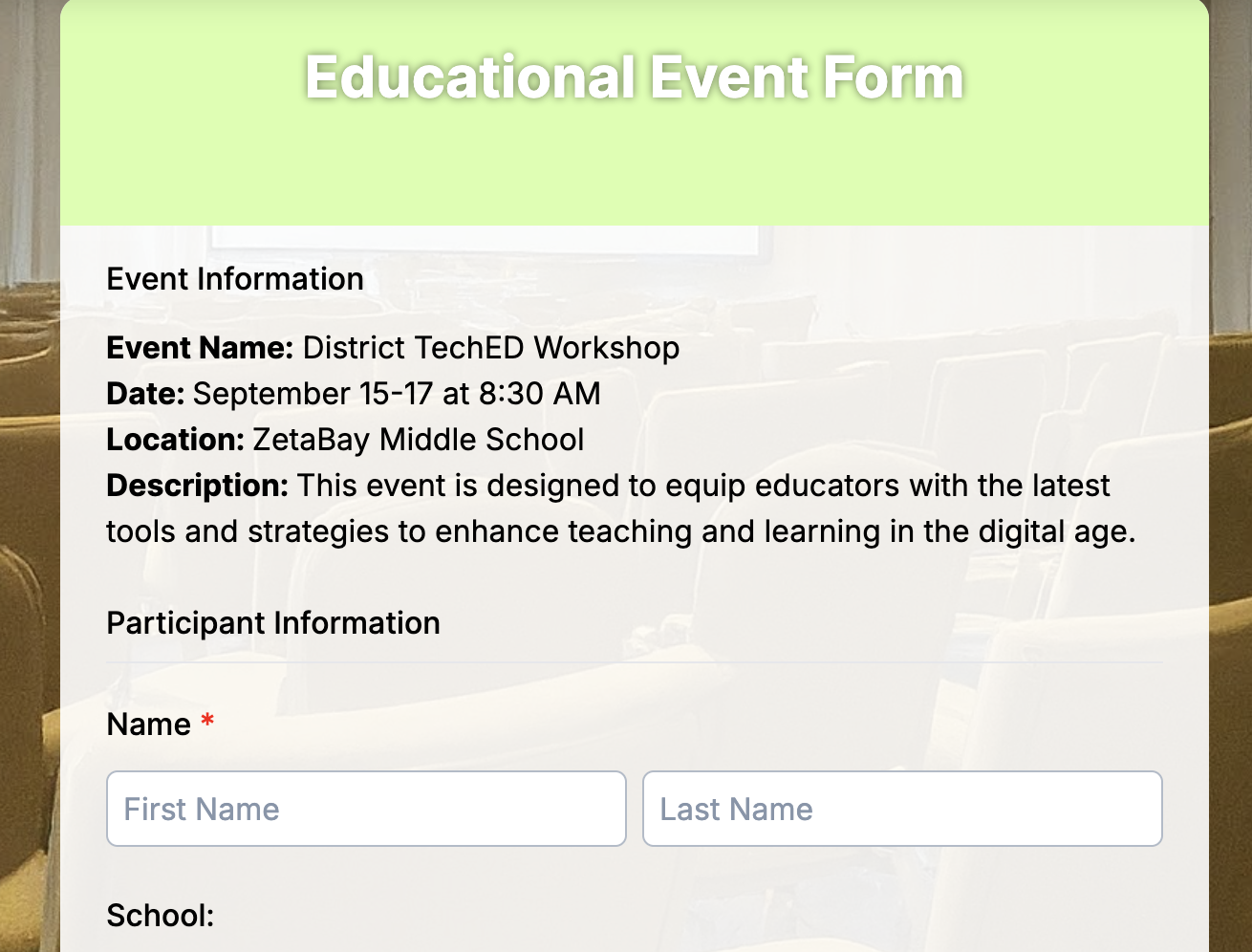
Educational event forms
These forms help schools, colleges, training centers, and coaching institutes register students, parents, teachers, or participants for events like workshops, seminars, orientations, admission drives, certificate programs, and campus activities. They’re designed to gather the correct information quickly so the event runs smoothly.
Key fields:
- Name
- Email and phone
- Grade, class, or department
- Parent or guardian details (if required)
- Event type or session selection
- Skill level or course preference
- Attendance mode (online or offline)
- Payment or ticket selection (optional)
- Special notes or requirements
Benefits:
Educational events often involve tight schedules and multiple sessions. These forms streamline the process by collecting complete information in one go. You can manage class sizes, confirm attendance instantly, and keep all data in one dashboard. They also allow quick QR-code check-ins, making it easier for institutions to handle large groups without confusion.
2. Business event forms
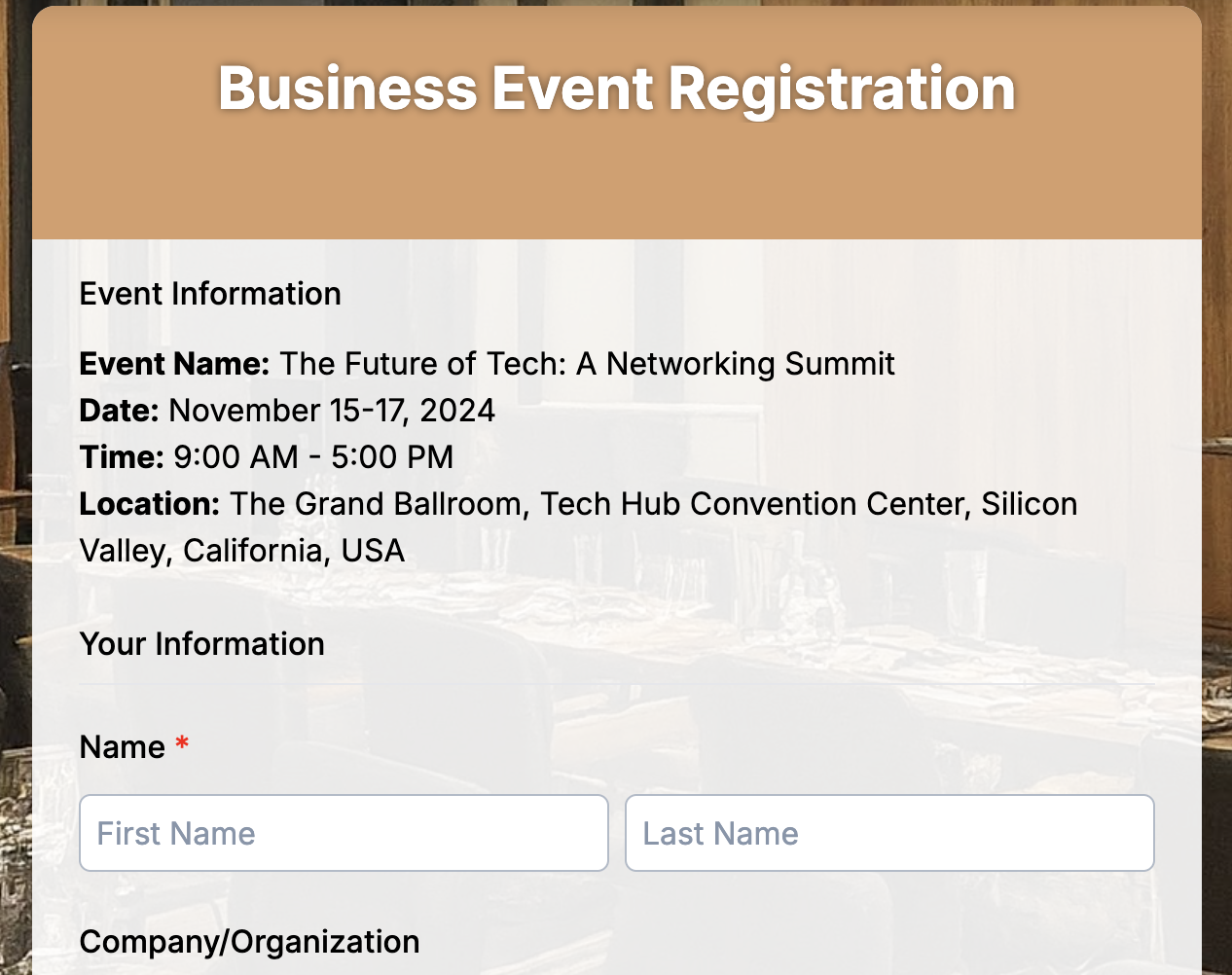
These forms support conferences, corporate meetups, product launches, networking events, training sessions, and client gatherings. They help organizers capture professional details that matter for planning agendas, grouping attendees, and aligning the event with business goals.
Key fields:
- Full name
- Company name
- Job title or role
- Work email and phone number
- Industry or business category
- Session or workshop selection
- Ticket type (general, VIP, corporate pass)
- Dietary or accessibility needs
- Billing or GST details (if applicable)
Benefits:
Business events run smoother when organizers know who’s attending and what they need. These forms help segment attendees, manage RSVPs, plan logistics, and prepare materials ahead of time.
3. General events forms
These forms work for any event that doesn’t fit into a specific niche. Think community meetups, open houses, charity gatherings, school fairs, public workshops, cultural events, or casual social meetups. They give organizers a flexible way to collect attendee details without overwhelming them with unnecessary questions.
Key fields:
- Full name
- Email and phone number
- Number of attendees
- Preferred time slot (if applicable)
- Reason for attending or interests
- Ticket type or RSVP option
- Special requirements (dietary, accessibility, assistance)
Benefits:
General event forms keep things simple while giving organizers enough data to plan confidently. You get a clear idea of expected turnout, audience preferences, and any support guests may need. This helps optimize seating, manage supplies, adjust schedules, and create a welcoming experience for everyone. With everything captured digitally, check-in becomes faster, communication is easier, and event plans stay organized from start to finish.
4. Festival event forms
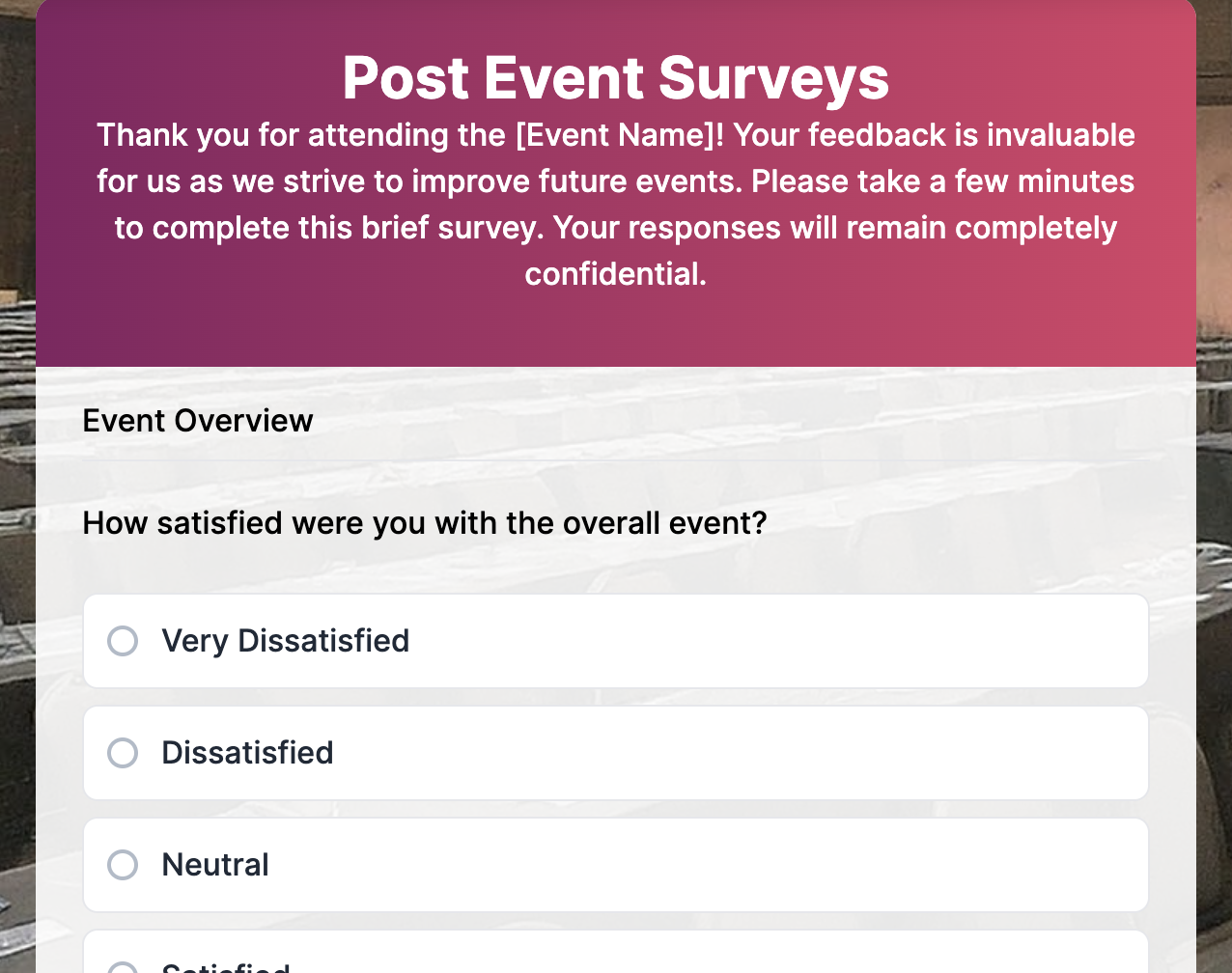
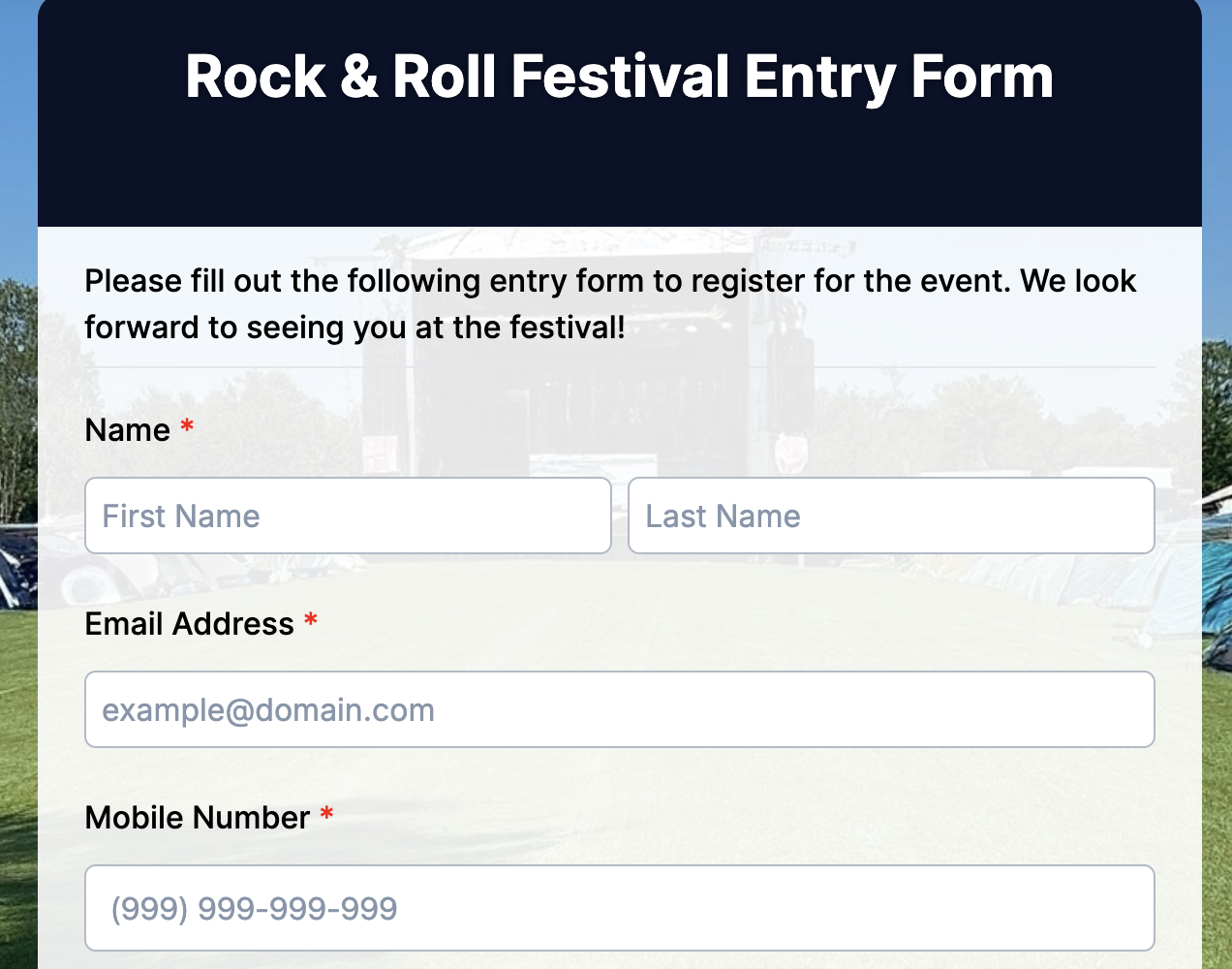
These forms make festival planning easier by collecting everything organizers need in one place. They’re ideal for music festivals, food festivals, cultural fairs, film festivals, holiday celebrations, and large public gatherings. Instead of juggling messy spreadsheets or walk-in registrations, these forms help manage ticketing, crowd flow, and essential attendee details before the event even starts.
Key fields:
- Full name
- Email address
- Phone number
- Ticket type or festival pass
- Number of attendees
- Preferred entry time
- Age group (for restricted events)
- Emergency contact
- Accessibility requirements
- Special requests
- Consent to rules and safety terms
Benefits:
Festival event forms make crowd management smoother and safer. Organizers can estimate attendance, prepare security and medical teams, and plan entry gates based on real numbers. Attendees enjoy quicker entry, fewer lines, and clearer communication before the event. Everything stays digital, so updates, confirmations, and last-minute announcements reach people instantly. It keeps the whole festival experience organized, predictable, and enjoyable for both guests and staff.
5. Sports events forms
These forms help organizers manage participants, teams, and spectators for all types of sports events. They work well for marathons, school sports days, local tournaments, fitness challenges, charity runs, community leagues, and professional competitions. With one clean sign-up flow, organizers get the crucial details needed to plan schedules, assign categories, and ensure fair play and safety.
Key fields:
- Full name
- Email and phone number
- Age or age category
- Team name or individual entry
- Event category (race type, sport type, distance)
- Emergency contact
- Medical conditions or allergies
- Waiver and consent
- Jersey size (if applicable)
- Preferred time slot or heat
Benefits:
Sports event forms keep participant data organized, which means fewer delays and fewer surprises on event day. Organizers can map out heats, verify age groups, prepare medical support, and plan equipment based on accurate numbers. Athletes enjoy a smoother check-in process, instant confirmations, and clear communication about schedules or rules. Everything is digital, so coordination becomes easier, safer, and far more efficient.

6. Vendor forms
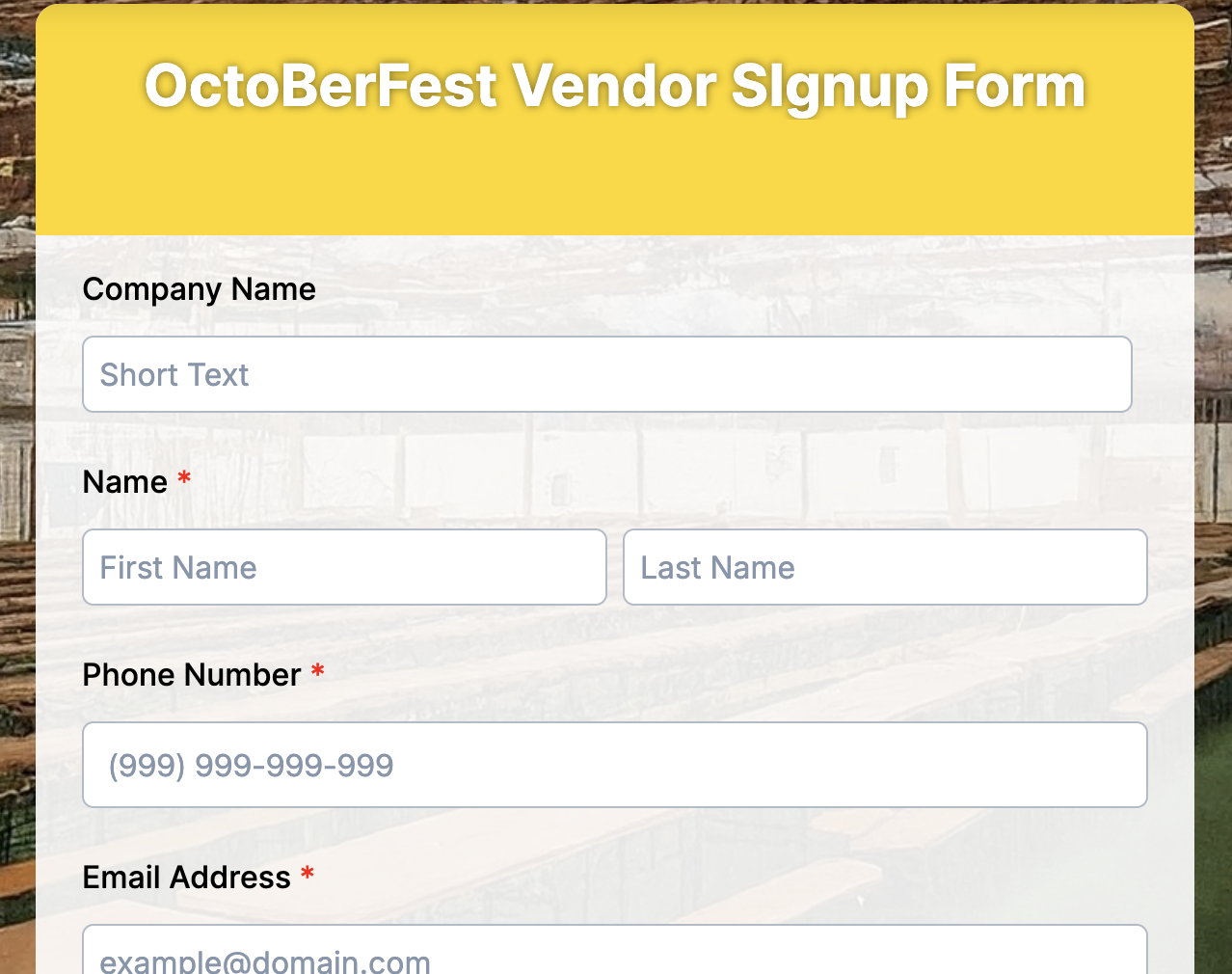
Vendor forms are used by event organizers, market managers, and business expo organizers to collect essential information from vendors who wish to participate. They help ensure that every vendor meets the event’s requirements, provides the necessary documentation, and that logistical needs, such as booth space, power, or special accommodations, are properly planned. These forms work for farmers’ markets, trade shows, craft fairs, food festivals, pop-up markets, or business expos.
Key fields:
- Vendor or company name
- Contact person name
- Email and phone number
- Type of products or services offered
- Number of staff attending
- Booth or space requirements
- Electrical or equipment needs
- Insurance or permits confirmation
- Set-up and breakdown times
- Payment or booth fee details
- Special requests or restrictions
Benefits:
Vendor forms streamline the onboarding process by collecting all critical details in one place, minimizing last-minute issues. Organizers can plan layouts, verify permits, and allocate resources efficiently. Vendors gain clear instructions, confirmed booth assignments, and a smooth registration experience.
7. Workshop forms
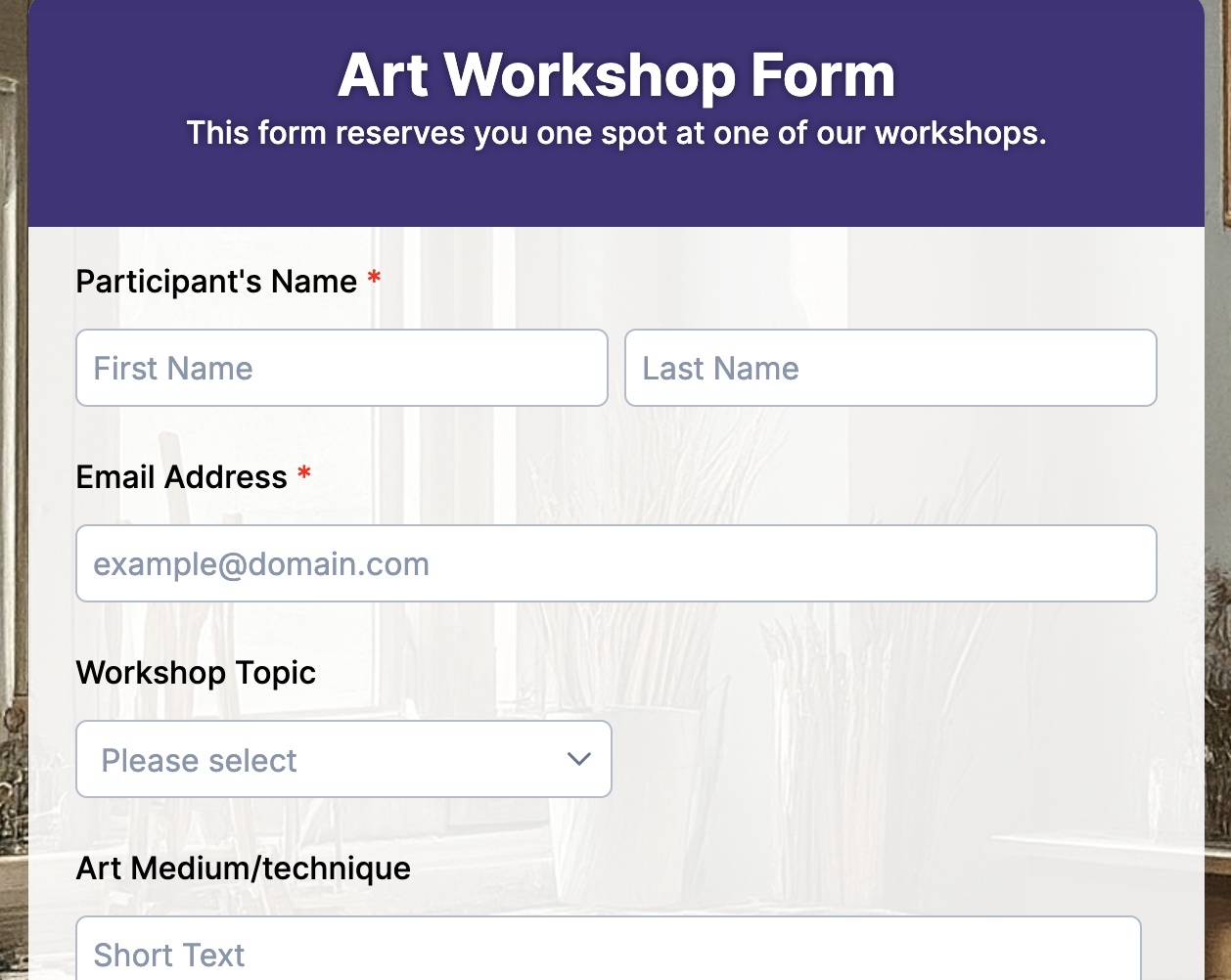
These forms are perfect for any hands-on learning session where organizers need to know who’s attending and what they expect from the workshop. They work with art classes, tech boot camps, cooking lessons, photography sessions, skill-building seminars, corporate training, or community DIY events.
Key fields:
- Full name
- Email and phone number
- Skill level (beginner, intermediate, advanced)
- Preferred session date or time
- Topic or workshop type
- Materials needed (if applicable)
- Payment or ticket type
- Special requirements or accessibility needs
- Consent/waiver (for hands-on or tool-based workshops)
Benefits:
Workshop forms help organizers understand who’s coming and what they need before the event starts. This makes it easier to plan materials, customize the session, and avoid overcrowding. Attendees get quick confirmations, reminders, and a clear idea of what to expect. With everything stored digitally, collecting feedback, tracking attendance, and communicating post-workshop become effortless.
8. Event planning forms
These forms are designed for anyone offering event planning services or coordinating events on behalf of clients. They’re used for weddings, corporate events, birthdays, product launches, conferences, brand activations, family functions, or any event that needs structured planning. The idea is to capture all the core details early so planners can build timelines, budgets, vendor lists, and logistics without endless back-and-forth messages.
Key fields:
- Client name and contact information
- Type of event
- Event date, time, and venue
- Estimated guest count
- Budget range
- Theme or style preferences
- Required services (catering, decor, photography, entertainment, invitations, etc.)
- Vendor preferences or restrictions
- Special instructions or must-have elements
Benefits:
Event planning forms give both planners and clients a smooth starting point. You collect all the essential information in one place, eliminating confusion and the need for repeated clarifications. This helps planners estimate costs, create schedules, shortlist vendors, and map out logistics much faster. Clients feel heard, planners stay organized, and the entire project runs with fewer delays or mistakes. Since everything is digital, updates are easy, approvals happen faster, and both sides stay aligned from day one.
9. Party forms
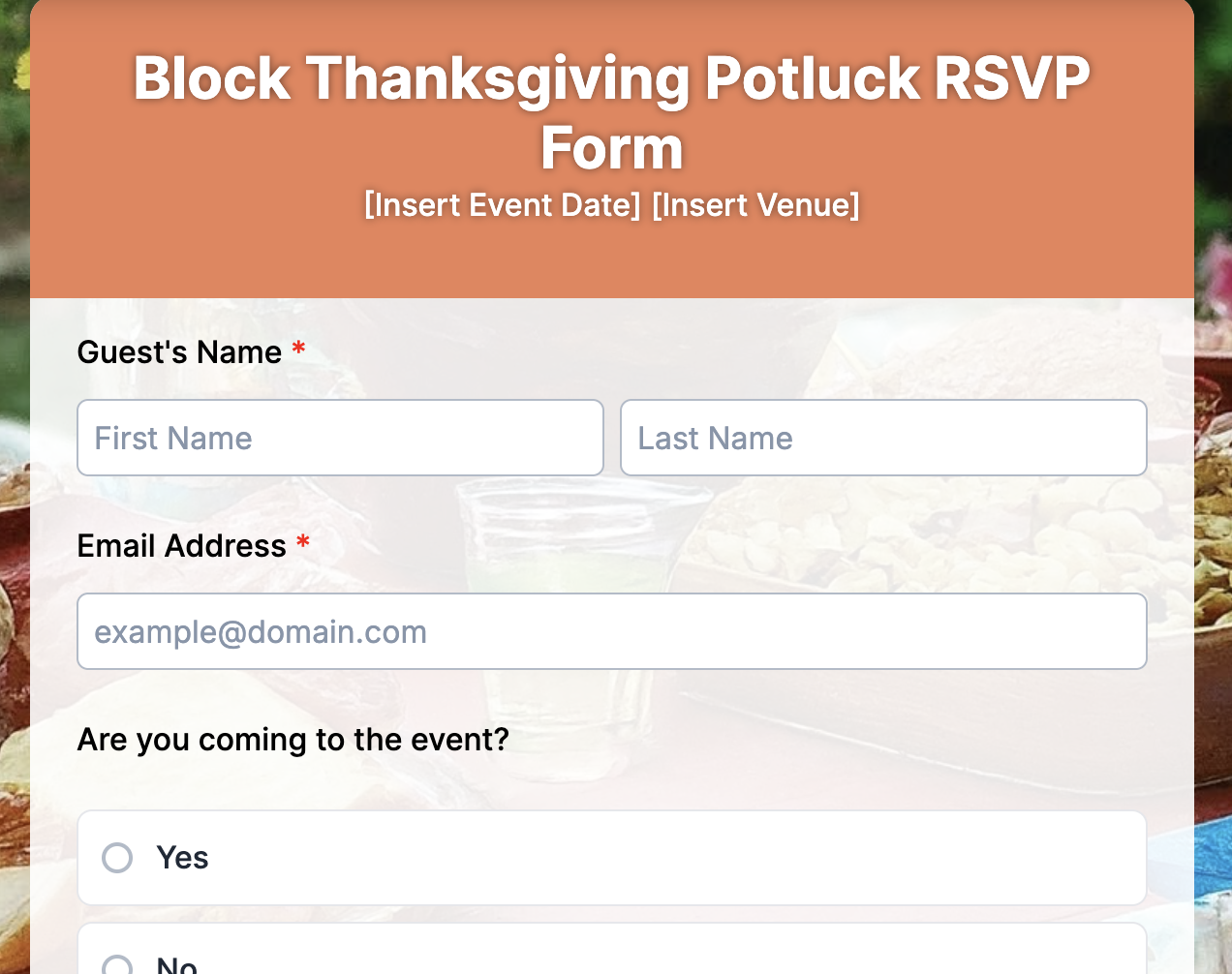
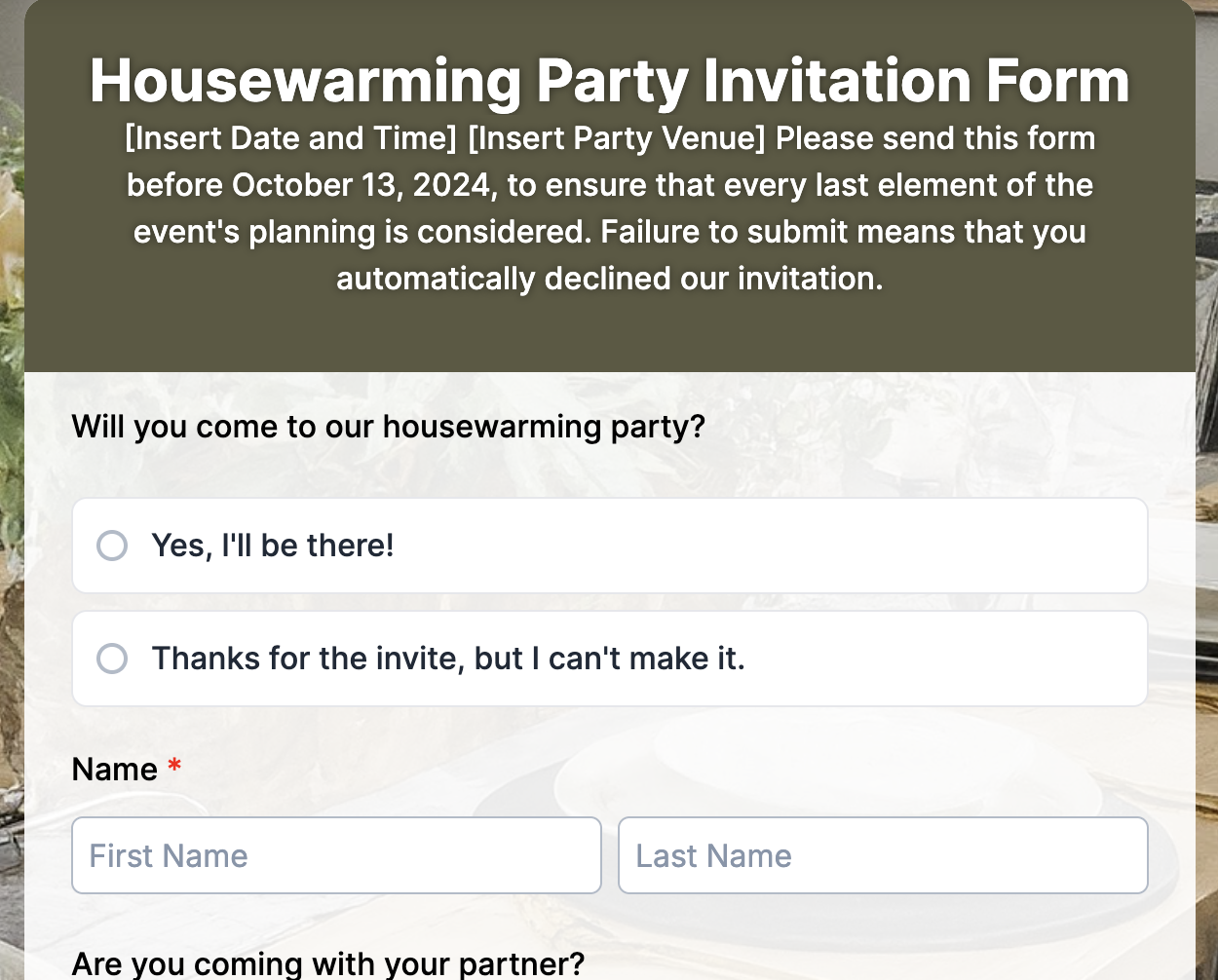
Party forms make it easy to collect RSVPs and important guest details for any type of celebration. They work for birthdays, anniversaries, baby showers, holiday parties, office gatherings, farewell parties, engagement celebrations, or even casual get-togethers. These forms provide hosts with a clear headcount, aid in planning food, seating, gifts, and activities, and eliminate the guesswork that often accompanies event organization.
Key fields:
- Full name
- Email and phone number
- Number of guests attending
- Event type or invitation category
- Food preferences or dietary restrictions
- Participation in games, gift exchange, or activities
- Special requests or accessibility needs
- Gift contribution or RSVP message
- Preferred time slot (if multiple sessions)
- Consent for photos or recordings
Benefits:
Party forms keep guest information organised in one place, which means easier planning and fewer surprises. Hosts can arrange catering accurately, prepare activity lists, and set up seating without confusion. Guests enjoy a simple RSVP process, clear event details, and immediate confirmations. Everything stays digital, so communication is faster and updates are easy to send out.
10. Travel forms
Travel forms help organizers collect essential details from participants before a trip. They’re useful for school excursions, corporate retreats, adventure tours, family travel groups, holiday packages, spiritual trips, and community outings. What this really means is that organizers get all the information they need upfront to plan transport, accommodation, meals, safety measures, and emergency support without chasing people for missing details.
Key fields:
- Full name
- Email and phone number
- Destination or trip package
- Travel dates
- Passport or ID details (if required)
- Emergency contact
- Medical conditions, allergies, or medication
- Accommodation preferences
- Meal preferences or dietary needs
- Consent for photos, travel risks, and liability
- Payment or booking confirmation details
Benefits:
Travel forms bring structure to trip planning. Organizers can finalize room allocations, confirm transport capacity, prepare medical support, and handle permissions in advance. Participants enjoy a clear, organized signup process and receive important updates without confusion. Since everything stays digital, it becomes easier to track responses, manage missing details, and keep the entire group informed.

11. Ticket Forms
Ticket forms help organizers sell or distribute tickets for events in a simple, organized way. They work for concerts, workshops, festivals, sports events, conferences, exhibitions, movie screenings, charity galas, or even small community shows. Let’s break it down. These forms collect the essential attendee info, process ticket types, and handle payments or confirmations in one clean flow. No messy spreadsheets, no confusion about who bought what.
Key fields:
- Full name
- Email and phone number
- Event name or session selection
- Ticket type (general, VIP, early bird, student, group)
- Number of tickets
- Preferred time slot (if multiple show timings)
- Payment details or order ID
- Discounts or promo codes
- Accessibility or seating requests
- Consent for event policies or terms
Benefits:
A ticket form gives organizers a real-time snapshot of registrations, revenue, and seat availability. They can plan venue capacity, allocate seating, and manage check-ins without struggling through last-minute queues or mismatched lists. Attendees enjoy a smooth ticket purchase process, instant confirmations, and clear event details. Since everything is digital, tracking sales, resending tickets, or updating attendees becomes simple and fast.

Simple steps to create an event registration form with TIGER FORM
TIGER FORM makes event registration easy because everything you need, templates, AI form creation, QR codes, and automation, is built right in. You don’t need different tools to do anything complicated. Follow these steps to generate an event registration form in just minutes.
1. Log in or sign up for TIGER FORM
Start by creating your account or logging in if you already have one. Once you’re inside the dashboard, everything is laid out cleanly so you can jump straight to creating an event registration form.
2. Choose a ready-made event template
TIGER FORM gives you a full library of event registration templates: workshops, parties, conferences, ticket forms, sports events, everything. Pick the template that matches your event and it instantly loads with the core fields already in place. You save time and avoid building the entire structure from scratch.
3. Use the AI Form Builder for instant customization
If you want a more tailored form, simply tell TIGER FORM’s AI form-building feature what type of event you’re hosting and what details you want to collect. The AI form creator builds a full registration form for you in seconds with properly ordered fields, relevant questions, and clean formatting. It’s one of the easiest ways to build an event form fastly, because you skip the entire manual setup and jump straight to a form that already feels polished and ready to publish.
4. Customize fields with the drag-and-drop editor
Once your AI-generated or template-based form is loaded, you can adjust any aspect you like. Add new fields, remove the ones you don’t need, and fine-tune the structure. TIGER FORM keeps the interface simple so you can focus on clarity, not technical details.
5. Add your branding and event details
Upload your logo or banner, tweak the colors, rewrite the intro text, and match the design to your event theme. A well-branded form helps people trust the event and complete the registration without hesitation.
6. Enable TIGER FORM’s built-in QR code
One click generates a QR code linked to your form. Add the QR code event form it to posters, invites, website banners, or even your event ticket. Guests scan and register instantly, and their details appear directly in your dashboard.
7. Turn on smart automation
Set up auto-confirmation emails, ticket counters, payment collection, reminders, or limited-time access. TIGER FORM handles all the repetitive tasks, so you don’t have to chase people manually.
8. Test the form before publishing
Preview it on mobile and desktop. Check if the flow feels clean, if fields work properly, and if confirmation messages look right. Fix anything that feels off.
9. Publish and share your form instantly
Hit publish, and TIGER FORM gives you a shareable URL, an embed code for websites, and the QR code for print or social promotion. Wherever your audience sees the form, email, social media, posters, they get the same smooth experience.
10. Track everything in real time
Your dashboard updates instantly as people register. You can view entries, manage payments, track ticket counts, and send updates all within the platform.
Why TIGER FORM is your best event form generator
1. Easy-to-use interface
Creating event forms is quick and intuitive with a drag-and-drop builder. You can design professional forms in minutes without coding skills or prior experience. Real-time previews and field validation help avoid mistakes, saving organizers valuable time.
2. Fully customizable templates
Ready-to-use templates cover workshops, parties, travel bookings, ticketed events, and more. Every field, section, and design element can be customized to match your event’s theme or branding, making forms both functional and visually appealing.
3. Mobile-friendly forms
Forms automatically adapt to smartphones, tablets, and desktops. Attendees can register, RSVP, or purchase tickets from anywhere, which increases participation and ensures smooth user experiences on any device. This mobile-friendly experience lines up with Google’s guidance on creating pages that work well across devices.
4. Digital payments and ticketing
Payment gateways are built-in, allowing secure registration fees, ticket sales, and donations. Multiple ticket types, discounts, and promo codes can be set up easily, with instant confirmations and receipts for attendees.
5. QR code integration
Generate QR code forms for quick registration or check-in. QR code integration in forms allows attendees can scan and register instantly, while organizers can track attendance and streamline on-site entry, reducing printing costs and manual work.
6. Real-time data and analytics
Monitor registrations, ticket sales, and responses as they happen. Live dashboards provide insights into attendance trends, demographics, and resource allocation, helping make data-driven decisions and avoid last-minute surprises.
7. Automated confirmations and notifications
Instant emails and reminders keep attendees informed, while targeted notifications can be sent to specific groups like VIP guests or vendors. Automation reduces no-shows, saves manual effort, and ensures smooth communication.
8. Secure and compliant
Collected data is encrypted and stored safely, with options for consent checkboxes, privacy policies, and legal disclaimers. Sensitive information, from personal details to payment info, stays protected, giving attendees confidence and organizers peace of mind.
9. Multi-purpose capability
One platform handles all types of events, vendor registrations, sports tournaments, workshops, parties, and concerts. It eliminates the need for multiple tools and keeps all event forms organized in one place.
10. AI content creation
TIGER FORM has an AI form builder to assist in generating engaging form descriptions, invitations, follow-ups, and promotional text. This ensures consistent messaging, saves time on writing, and helps present your events professionally to participants.
11. Cost-effective and scalable
Scales easily from small gatherings to large festivals without extra software or overhead. All features, from ticketing to analytics, are integrated, saving money and simplifying event management while supporting growth.
Best practices for a high-converting event registration form
A high-performing event registration form is the result of small choices that remove friction, reduce confusion, and make the sign-up process feel effortless. Here’s how to create a form that people actually finish.
- Keep it simple.
A long form is the fastest way to lose someone’s interest. Ask only for the details you truly need to run the event: name, email, ticket choice, and any essential preferences. Every extra question increases the chance someone closes the tab, so trim away anything that doesn’t support your goal.
- Use clear, direct questions.
Clarity makes people move faster. Instead of vague phrasing or technical wording, stick to simple questions that anyone can understand at a glance. When people don’t have to think, they complete the form more confidently and more quickly.
- Offer multiple ticket types.
Not every attendee needs the same level of access. Offering choices like general admission, VIP, early-bird, or group tickets helps people find the option that fits their budget and purpose. It also helps organizers forecast headcount more accurately.
- Enable automatic confirmation emails.
Once someone registers, they should instantly receive a confirmation email with event details, payment status (if any), and a copy of their submission. This builds trust, reduces repetitive follow-up questions, and makes your event appear well-organized.
- Keep the form mobile-friendly.
Most people sign up on their phones, sometimes on the go, sometimes minutes before the event. A mobile-friendly layout prevents the frustrations of zooming, scrolling sideways, or tapping tiny buttons. A clean, responsive design improves completion rates across the board.
- Add a QR code for walk-in attendees.
For on-site registrations, nothing works faster than a QR code. It lets walk-in guests scan, fill out the form on their phone, and check in without holding up the line. It also keeps your data cleaner by avoiding handwritten entries.
Let’s get your event registration live and make planning easier
Your form decides whether someone moves forward or walks away. People want clarity: What is this event? What do you need from me? How long will this take? A good form answers all of that without making them think twice.
A smart event form generator eases the whole process by putting all of these elements in one easy-to-use platform. It keeps attendee information organized, reduces errors, and allows you to manage everything digitally.
With mobile-friendly forms, instant confirmations, and clear communication, guests know exactly what to expect, which improves attendance and overall satisfaction. You can easily create an event registration form with features like AI-generated content, QR codes, and real-time analytics, which not only save time but also make your events look professional and well-managed.
FAQs
1. Can I collect payments for tickets or entry fees?
Yes. You can accept payments inside the form through trusted gateways. This helps you manage ticketing, early-bird pricing, donations, or add-ons without using a separate platform. It keeps the attendee journey clean and improves conversions.
2. How do QR code forms help during event check-ins?
QR codes speed up the chaos at the entrance. Attendees scan the code, fill the form instantly, or show their confirmation. Staff can verify registrations quickly, reduce queues, and keep the event flowing without manual paperwork.
3. How can I create a free event registration form without coding?
You can build one by opening a free online form builder, choosing a ready-made event template, and customizing the fields you need. Add your event details, branding, ticket options, and publish the form instantly with a shareable link or QR code.
4. How can I create a free RSVP form for my event?
Log in or sign up to a form builder, pick an RSVP template, add fields like name, email, number of guests, and attendance confirmation. Once you publish it, guests can respond from any device, and you can track responses in real time.