
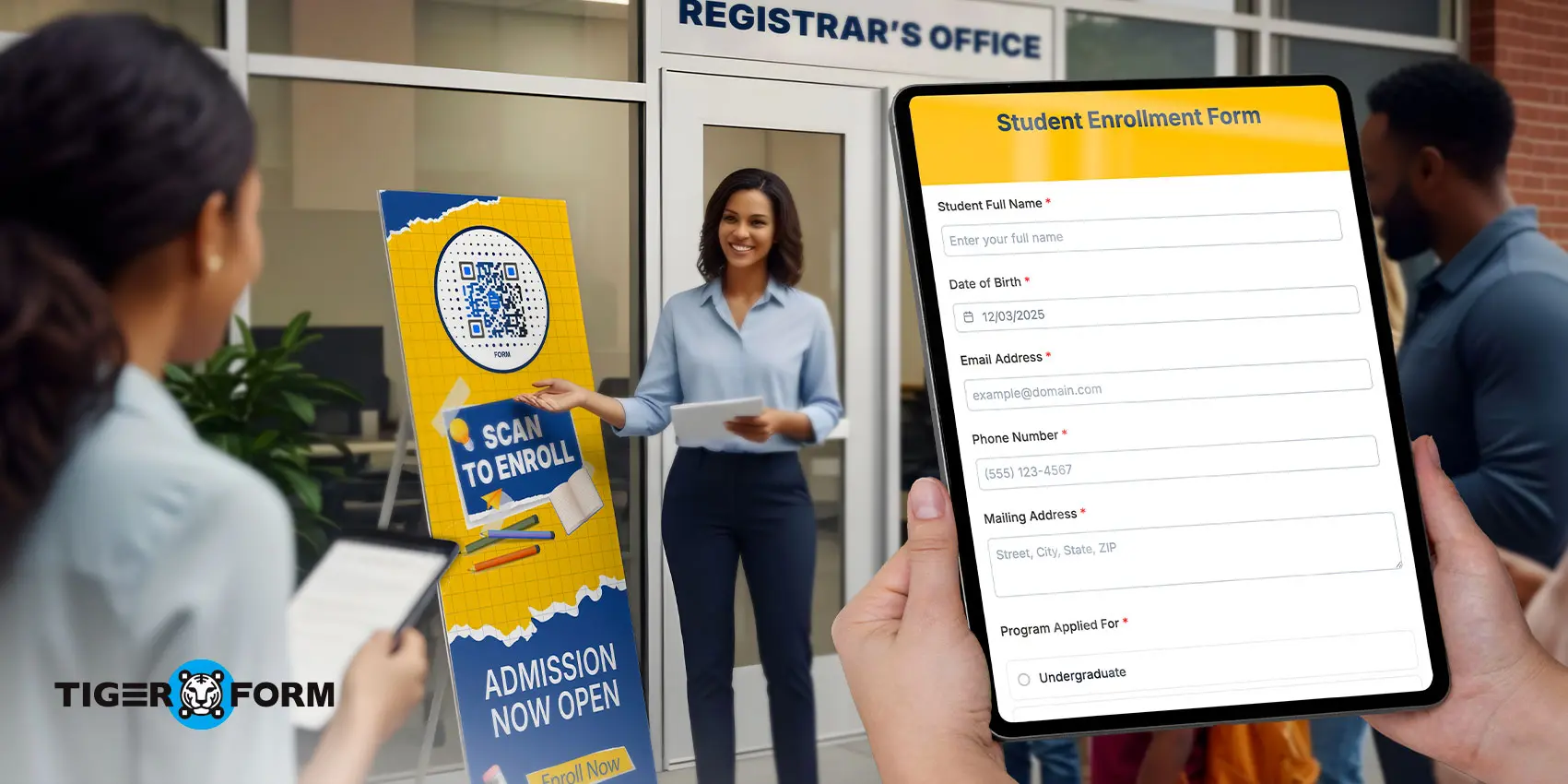
If your school admission team is still doing paper-based enrollments, you’re likely dealing with slow, unorganized processes. Switching things up online with the free school registration form templates can simplify the entire workflow.
Manual school registrations have a lot more inefficiencies than you might think: long student queues, data entry errors, and other issues that can lead to late enrollments. But guess what? You can counter these with digital student sign-ups that not only simplify student intake but also make your enrollment and SIS systems easier to manage.
In this guide, we will go over some of the inefficiencies of traditional enrollments, then introduce QR code school registration forms as a solution for you, along with some of their form templates for every use case.
What are QR school registration forms?
A school registration form is a document that collects students’ information used for enrollment or any registrations done for school activities. Traditionally, this form exists in paper or downloadable file format that must be printed, completed, and returned.
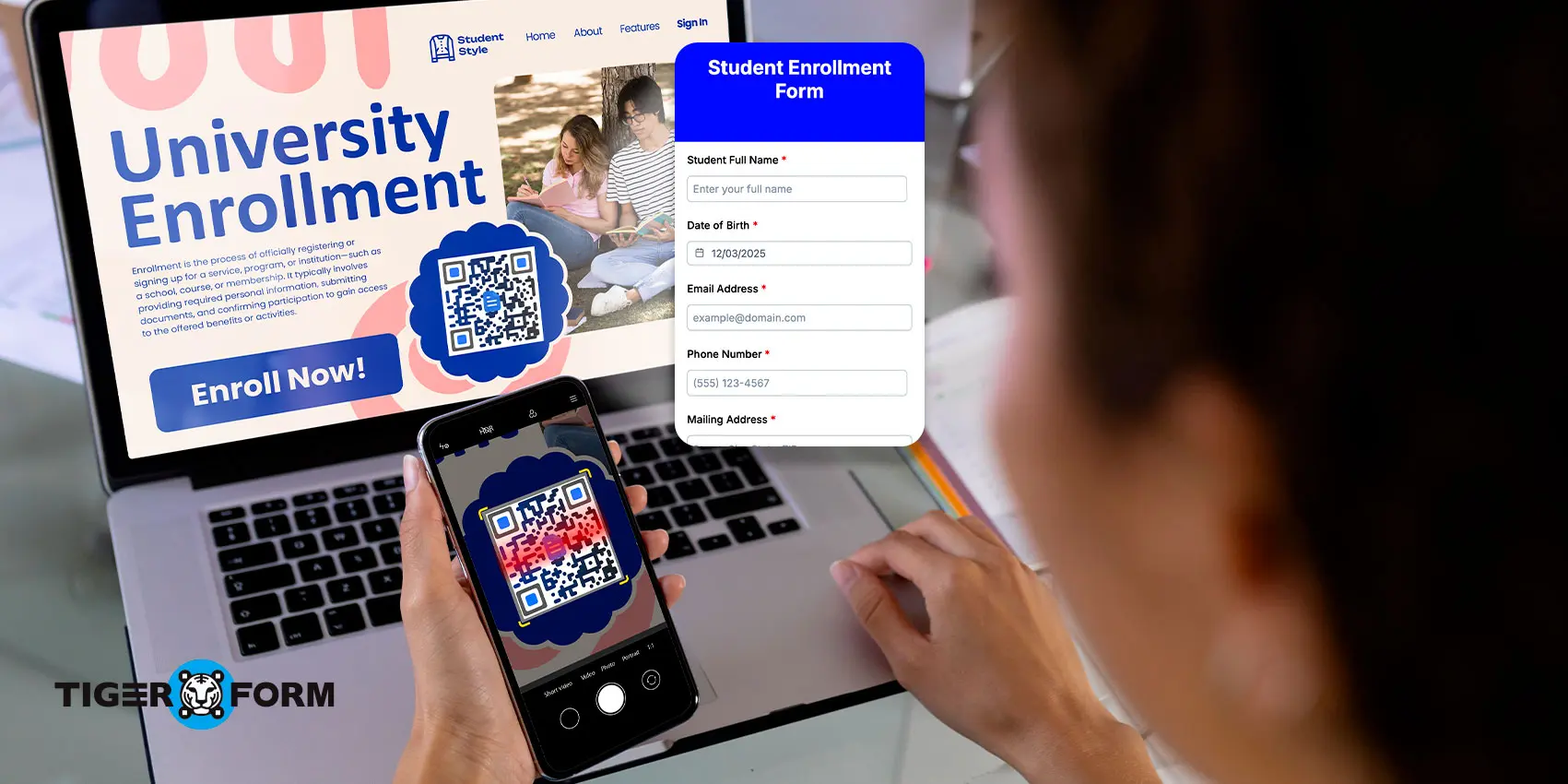
Now, a QR school registration form serves the same purpose but changes how schools create a form and share it. Instead of distributing paper, the school shares a QR code. When parents or students scan the code using their phone camera, it opens a mobile-friendly online form. The entire registration process begins with a scan and continues through a guided digital form.
These school registration forms with QR codes can be placed in areas where parents already look for information. They work on posters at the gate, flyers, school websites, emails, and social media pages. There is no need to type long links or search through pages. The scan takes users directly where they need to be.
Because the form is digital, schools can add structure and controls. Required fields can be enforced. Options can be standardized using dropdowns. Automatic confirmation messages can be sent after submission. The QR code acts as the entry point, while the form itself creates consistency and order in how enrollment data is collected.
5 free school registration form templates for easy form setup
1. School registration form
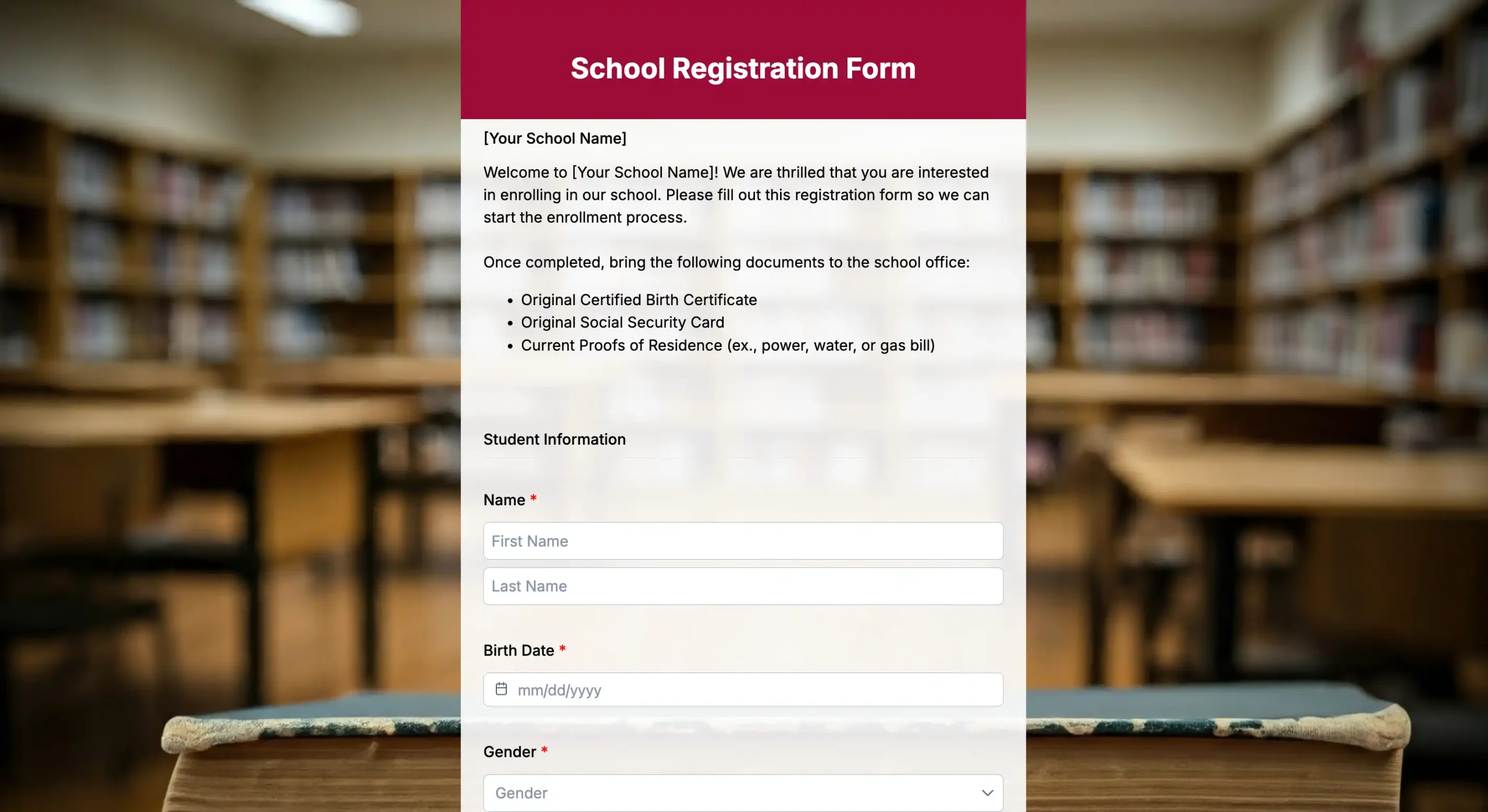
This template is used for school enrollments or student transfers and is mostly used at the start of the school year. It asks for student records like personal information, course application details, past school records, consent, or even payment. Aside from this school registration form template, you can check other registration form templates for different use cases.
2. Course registration forms
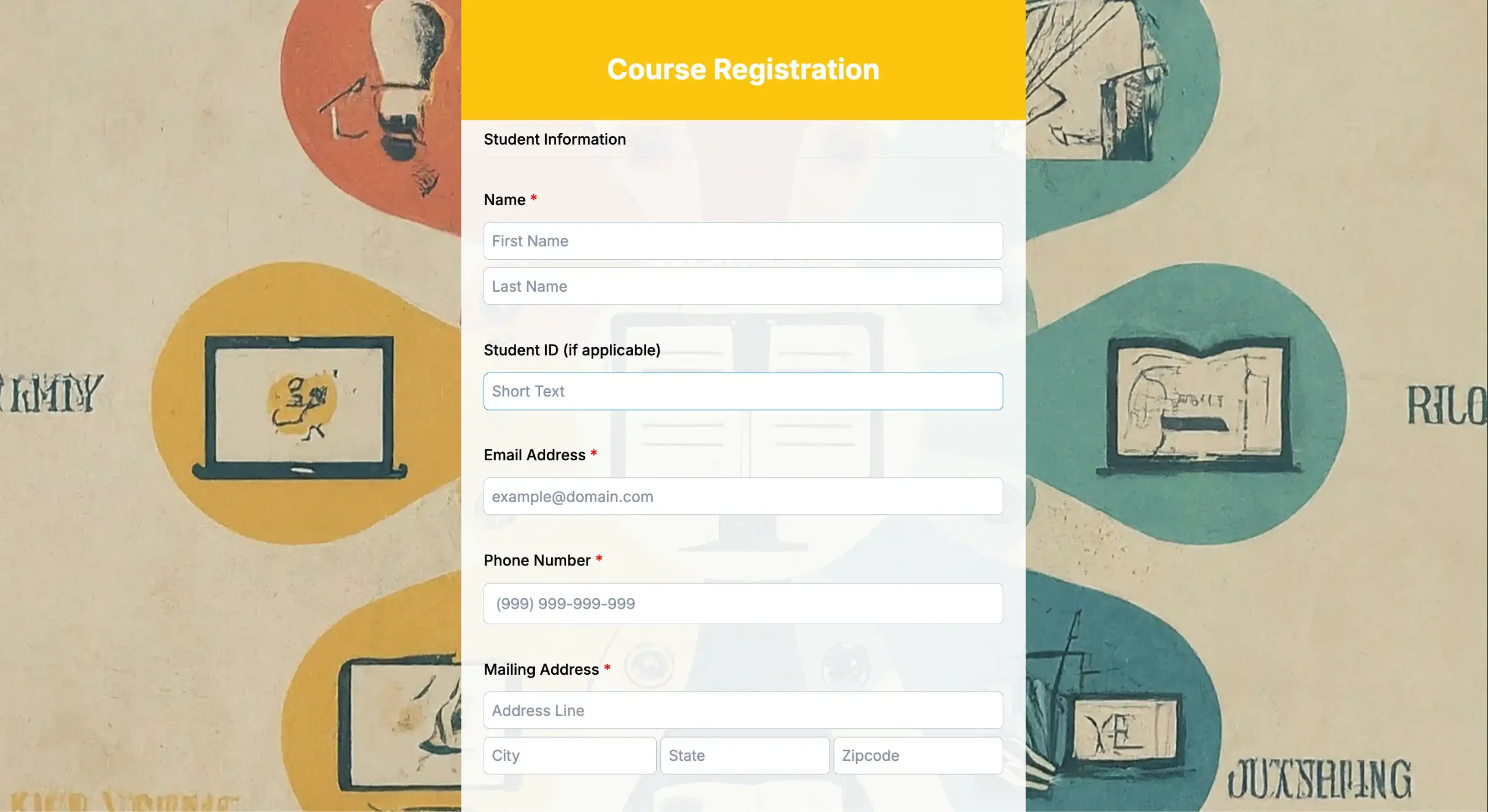
This template will add another layer to enrollment or can be used for elective selection rather than full admission. This form usually collects student details, selected courses, and any required prerequisites. It helps students choose subjects or electives based on their grade level and academic track.
3. Educational event form
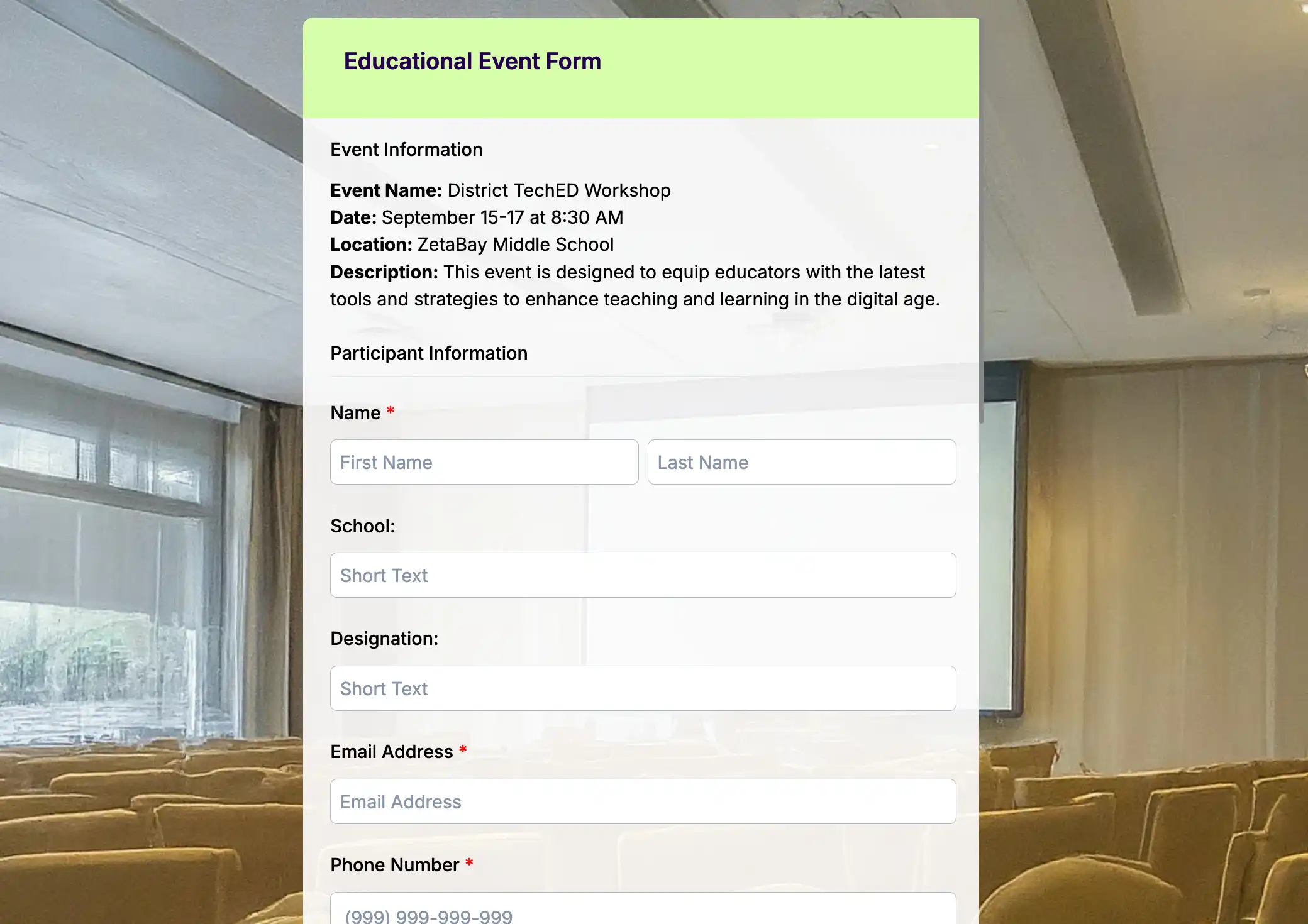
As schools are communities with social life, events are a regular part of school activities. You can use this basic template for event sign-ups such as orientations, open houses, or school fairs. Schools use this form when they need an accurate head count or event suggestions, as it collects students’ preferences and special needs.
4. Workshop registration form

This form is for short learning programs outside or within the school that have limited slots, such as workshops, camps, or trainings. It usually looks into participants’ background, skill level, and interests.
5. Sports tryout registration form

This template is used for athletic tryouts and team selections. It collects information like sports of choice, position, experience, health details, emergency contacts, and required consent. Schools and coaches use this form to organize tryouts before physical activities begin.
How to efficiently use these free enrollment forms

For effective use of these easy school enrollment forms, let’s consider this cycle: choose > customize > generate > refine.
1. Choose
First, choose the template according to your needs. Are you doing general school registration? Or a course selection, orientation event, perhaps a tryout? Knowing what you need will be the starting point of a guided roadmap.
2. Customize
Next, customize the template’s structure and branding. Adjust sections to your grade levels, policies, and consent wording. Set required fields and basic validation to reduce incomplete or incorrect submissions.
3. Generate
After finalizing the form, generate the QR code for it. TIGER FORM is one of the best form builders for schools, handling QR code creation within the platform. The QR code can be automatically generated and customized to match your school branding, including colors and logos.
Once the QR form is generated, it is ready to share. Place it where families are most likely to see and access your form.
4. Review
Finally, after an enrollment cycle, review how each form performed. Use a school feedback form to check where families had questions or where submissions were incomplete, then update the wording or structure based on that input.

The hassles of manual school enrollments
1. Long waiting times for enrollees
Long lines are often the first sign of a strained enrollment process. When registration relies on office hours and paper forms, families must visit the school in person to complete the process.
Walk-ins also create congestion–each enrollee adds to the wait as they ask questions, fill out forms, and submit documents. After receiving the form, they line up again to submit it. An hour passes, and the office remains crowded.
A long waiting process like this cannot handle growth for both the enrollees’ experience and the school’s reputation.
2. Slow data handling
After forms are collected, another constraint appears. Staff review paper forms, sort them, and retype the details into digital systems. This work takes time and repeats the same steps. Until encoding is done, schools lack clear enrollment numbers and cannot finalize class lists or resources.
This task also pulls staff away from higher-priority work. Time that could go to assisting families or planning class allocations is spent on data entry. Slow data handling delays everything that follows.
3. Manual and demanding
Manual enrollment places constant demands on staff. Forms must be printed, distributed, collected, sorted, stored, and encoded. Each step adds friction to the data collection and needs physical effort and attention.
The work becomes repetitive. Staff members answer the same questions repeatedly. They check for missing signatures and incomplete fields. Fatigue sets in, especially during peak periods.
When enrollment overlaps with other school tasks, the strain increases. Staff shift between counters, filing cabinets, and computers. There is little room to step back and improve the process.
This manual burden limits growth. Adding more students means adding more paperwork and more hours.
4. High-risk errors
Paper registration forms increase the chance of errors. Handwriting may be unclear. Fields may be skipped. Staff may misread or mistype information during encoding.
These errors appear later as incorrect names, wrong contact details, or misplaced students. Fixing them requires revisiting forms, contacting families, and updating multiple records. Each correction takes time, which adds frustration.
5. Lack of accessibility
Traditional enrollment may work for families who have flexible time to visit the school during office hours. For working parents, those living far away, or those with mobility challenges, it becomes an inconvenience.
Parents may need to take time off work or adjust their schedules to pick up or submit forms. If something is missing, they must return. This discourages timely enrollment and creates last-minute rushes.
6. Delayed communication
With paper forms, communication moves slowly. Parents often wait days or weeks for confirmation. If something is missing, staff must call or send notices after reviewing forms.
Families are left wondering if registration is complete. Staff field calls asking for updates, even when the data is still being processed.
This uncertainty weakens trust. Enrollment feels disorganized when updates are delayed.
7. Repetitive submissions
Manual school registrations often need parents to provide the same information on multiple forms. Details like contact information, grade level, or program choices are repeated for general enrollment, courses, and activities.
This repetition wastes time for families and creates extra work for staff, who must cross-check and resolve inconsistencies across forms.
How QR enrollment forms simplify manual registrations
1. Remove physical limits
Ready-made school enrollment form with QR codes replaces office hours and paper queues with digital access. Families scan the code, open the form, and register at any time. This removes long lines and reduces crowding at school offices.
2. Speed up data handling
Multiple families can submit forms at the same time. Staff no longer type handwritten details one by one. Data arrives already digital, organized into clear fields, and ready for review or import. This shortens processing time and lowers the risk of errors caused by handwriting or rushed encoding.
3. Reduce incomplete submissions
Automated validation prevents missing or incorrect data. Important fields are required fields, so they must be completed before submission. Phone numbers, emails, and dates follow set formats. Conditional questions appear only when needed, which supports lead capture strategies by collecting only relevant information. These cuts follow-up work and revamp data accuracy.
4. Ease of access
Families can access forms through QR codes displayed on posters, in emails, on websites, or on social media. They can complete the form on a phone or computer—school admission made simple. For those who need help, staff can assist using the same online form on a shared device. This keeps the process digital while allowing support when needed.
5. Reuse and adapt forms
QR-based forms are easy to update and reuse. Once a template works well, it can be adjusted for future terms with minor changes. Sharing the same QR code directs families to the correct form without extra instructions or searching.
School admission made simple with QR forms
The inefficiency of manual enrollment will take a toll on the experience of your students, parents, and even school staff. But with QR forms and their templates, you move enrollment into a modern system.
Families can access forms anytime by scanning a code, fill them out on their own schedule, and receive immediate confirmation. Staff work with clean, structured data from ready-made templates.
If you want to start with a manageable change, choose one of the enrollment forms above, test it, and see how it improves your enrollment process.

FAQs
What if some families don’t have smartphones or internet access?
You can provide alternative options like a computer station at the school where families can fill out the same online form, or print a limited number of paper forms for those who truly cannot access digital tools.
Are QR registration forms secure for student information?
Yes, when you use a secure form platform and set access properly with TIGER FORM’s compliance privacy rules, such as GDPR, CCPA, and SSL encryption. This keeps student details safe during submission and storage.
Can QR code enrollment forms integrate with our existing SIS?
Yes, you can integrate your forms with your SIS using outfunnel tools. You can connect your form tool to your SIS through tools like Zapier, Pabbly Connect, or HubSpot. But if automation is limited, you can export responses as CSV files and upload them to your SIS. This still saves time and reduces data entry errors.
How do we handle signatures and consent in online forms?
You can include consent statements with checkboxes that parents must tick before submitting, and some platforms support digital signatures or typed acknowledgments.
Can QR codes expire or be reused for different enrollment periods?
Yes, TIGER FORMS allows you to set an expiration date or time limit for your generated QR code for your enrollment forms. For evergreen purposes, like general inquiries or ongoing waitlist registrations, you can skip adding an expiration date for the QR code.