
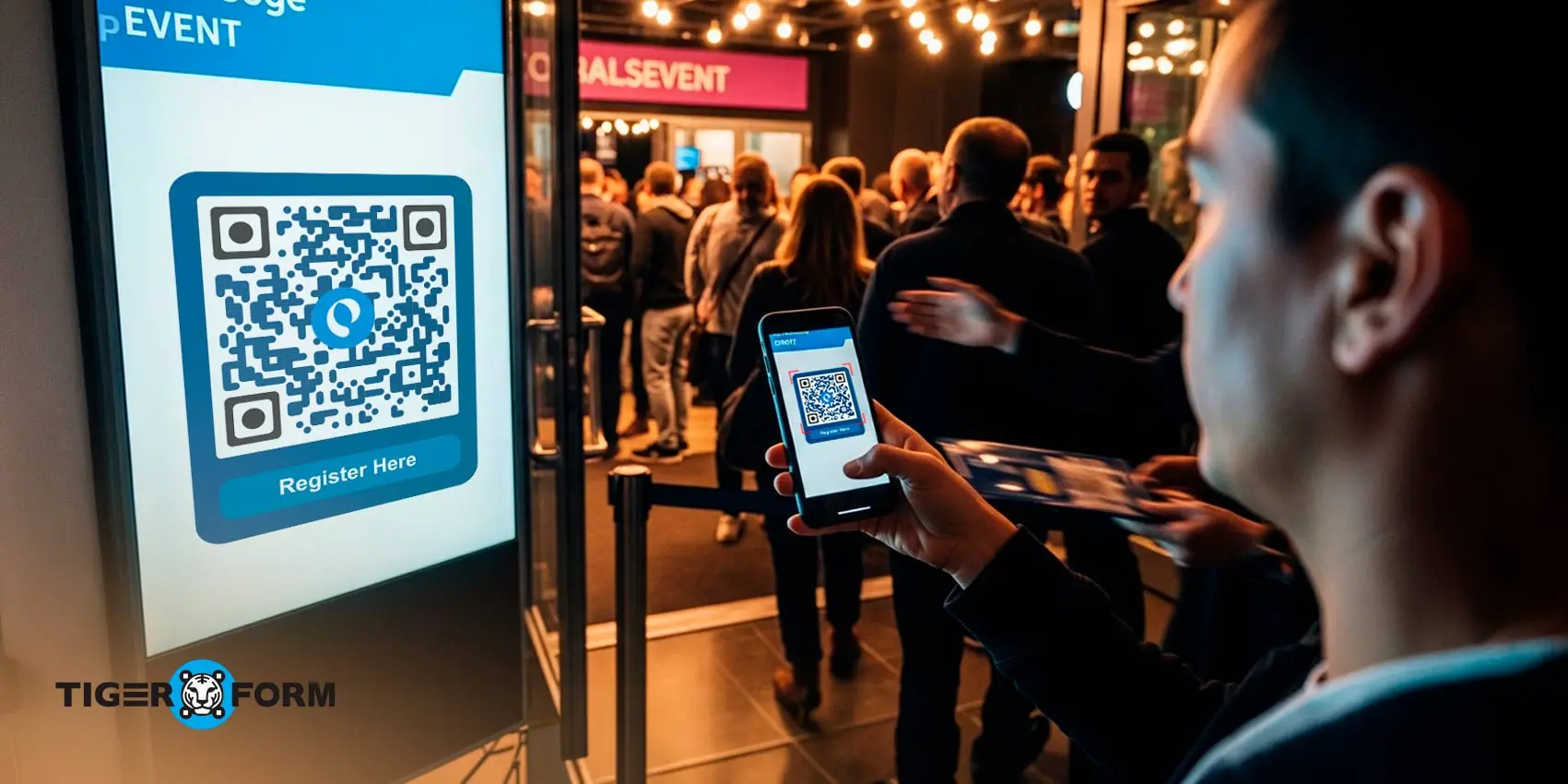
So, you added a QR code. But did you give people a reason to scan it?
Your results will not be useful if your QR code doesn’t lead anywhere. A lot of businesses ignore how much small details matter to the business. But the thing is, you don’t need more QR codes. You need smarter ones.
Take a cafe that places a QR code on its takeaway cups as an example. If the QR code simply opens the homepage, most people will not bother to scan the code. But if it says, “Scan to get a free coffee on your next visit,” and leads to a quick two-field sign-up form, that changes everything. Now there is a clear reward and a simple next step for the QR code.
The same QR but with a different outcome. A few changes can double your QR code’s scan rate.
That’s what we’re going to focus on. QR code best practices that actually move the needle. Read on to learn how to turn every QR code you use into a real opportunity for growth.
What makes a QR code actually work for a business?
A QR code works if it has a reason to work. If people have to think about what will happen after they scan, most won’t scan it. For example, a short message like “Scan to get 15% off” or “Scan to register in 10 seconds” is clear. It tells people what they’ll get and how easy it is. Clear messages make people take action.
It also works if the experience after scanning is smooth. The webpage should load fast on a phone. If it takes too long, people leave. Many businesses lose customers here. The scan is the start. The real win is when a scan turns into a sign-up, booking, purchase, or inquiry.
Finally, QR codes work if they’re measurable.You should be able to track how many people scan it, when they scan it, and what they do after. Using codes help improve your campaigns over time. When used carefully, QR codes can become an effective data collection method, especially when they link to trackable pages with clear next steps.
15 QR code best practices you should consider
QR codes work. But only when they’re set up with intention. According to Uniqode’s 2025 QR code report, 59% of consumers scan QR codes at least once a day. And with global QR code scans growing steadily in recent years, millions of scans will continue to happen across retail, restaurants, and events worldwide. In fact, QR Tiger’s latest QR code trend report cited a 47% annual growth in QR code usage.
The behavior is there. The opportunity is real. Execution is what makes the difference. But before creating it for your use cases, you must know how QR codes work.
Here are the best practices that your business should consider before creating a QR code:
1. Use dynamic QR codes instead of static ones
A static QR code is fixed. Once you print it, that’s it. If you plan to update or change the link embedded, you have to create a new code and reprint everything. That can get expensive and frustrating.
Dynamic QR codes, on the other hand, are more flexible. You can change the text or link embedded even after it’s printed. The code stays the same, but the link behind it can be updated anytime.
Even better, dynamic codes a trackable. This means you can keep a tab on the number of scans, where it was scanned, and which device was used to scan, letting you modify campaigns when needed.
2. Add a clear call-to-action (CTA)
A QR code needs direction. People don’t scan out of curiosity anymore. They scan when they understand what they’re getting and why it’s worth a few seconds of their time.
So instead of being vague, be specific. Look at these CTAs, for example:
- “Scan to Download the Price List”
- “Scan to Register Before Seats Fill”
- “Scan to Leave a Quick Review”
When people know the outcome, they feel more comfortable taking action. A simple, direct instruction can increase engagement because it answers the silent question in their mind: what’s in it for me?
3. Optimize your forms for mobile
Most QR codes are scanned on phones. So if your QR code form isn’t easy to fill out on a small screen, chances are people will abandon it.
You need to make it short and simple. Ask only for what you actually need. Use big input fields, clear labels, and a submit button that’s easy to see and tap. Because if it is easier, people are likely to finish the forms.
Speed also matters. Form sharing with QR code is a great choice, but if the form takes too long to load or glitches on mobile, users will close it.
4. Ensure high contrast and proper quiet zone
A QR code has to be easy for a camera to read. If your color of choice for the code and the background doesn’t have enough contrast, scanning becomes difficult. Best practice is to keep a dark QR code on a light background. It might not look fancy, but it works.
Also, mind the margin. The quiet zone is the empty space around the QR code. That blank margin is important. Without it, the scanner may struggle to separate the code from nearby text or graphics. Form design matters, but function matters more here.
5. Use the right QR code size based on distance
If the code is on a business card or product label, it can be small because people will hold it close. But if it’s on a wall, a storefront window, or a billboard, it needs to be much larger.
There’s a simple rule many marketers use: for every 10 inches of scanning distance, the code should be at least 1 inch wide. So if people scan it even from 5 feet away, the code will still be scannable on their device.
6. Match the QR code offer to the context
If someone scans a QR code on product packaging, they’re likely looking for product details. If it’s on a restaurant table, they expect a menu or an easy way to leave feedback. At an event, they might want schedules, speaker info, or a sign-up page. So the info behind your QR code should match the context.
7. Choose the right spot for the QR code
Where you place a QR code can decide whether it gets scanned or ignored.
Put it where people naturally pause. Think of a restaurant table while they wait, product packaging as people hold it in their hands, checkout counters where customers stand for a few seconds. Those small moments of stillness are your opportunity.
Avoid awkward spots that are too high up, too low, or too incorporated in the background. Basically, placements that are not at eye-level are a no-no.
8. Offer an immediate reward or incentive
People show more interest in scanning a QR code when they know they’ll get something valuable out of it. It could be a discount, a free resource, exclusive content, or early access to an offer.
For example, a QR code on product packaging with the message “Scan to get 10% off today” often sees 2–3 times more engagement than a code that just links to the homepage.
9. Align each QR code with a clear business goal
A QR code should never exist just because there was space to fill. It should support your target business outcome.
Before creating it, ask yourself: what do we want this scan to achieve? Is it to collect emails? Get bookings? Drive product purchases? Gather feedback? When the goal is clear, the experience becomes focused.
Problems start when businesses try to do too much. But when the QR code leads to one specific action, people know exactly what to do next.
10. Avoid over-designing the QR Code
It’s tempting to turn a QR code into a design experiment. And yes, some customization is fine, but always know when to draw the line.
Stick to your brand colors, but with contrast. You can add your logo as centerpiece, but mind the size. Get creative with the frame shape, but not overdone so people can still recognize your QR.
11. Refresh QR code campaigns periodically
Even a perfectly designed QR code can lose effectiveness over time. People stop noticing it if the offer becomes stale. In such cases, just refresh campaigns with new designs, messages, or incentives to maintain engagement.
12. Test before you publish
You would want to avoid disappointed people who attempted to scan the code but failed.
Scan the QR code using different phones. Try it in low light. Try it from the expected distance. Check how fast the page loads. Make sure the form works smoothly. Small technical issues often show up only after printing, and by then, fixing them can be expensive.
13. Choose a platform that supports smart forms
If your goal is to collect leads, feedback, or registrations, your QR code should open a form and not just any form. It should be simple, mobile-friendly, fast to load, and connected to your system automatically.
Some platforms only generate the code. The QR code form generators let you build forms, update them anytime, track submissions, and integrate directly with your email or CRM tools. That flexibility saves time and prevents errors.
So that you can create short forms, adjust them whenever needed, and see exactly how many people completed them.
14. Refresh QR code campaigns periodically
Even a perfectly designed QR code can lose effectiveness over time. People stop noticing it if the offer becomes stale. You have to refresh campaigns with new designs, messages, or incentives to maintain engagement.
15. Keep the follow-up fast and automated
A QR code scan is just the first step. Connect your form to your email system or CRM, so leads are followed up on immediately. For example, businesses that send an automated email within minutes of a QR code sign-up see three times higher engagement than those who wait days.
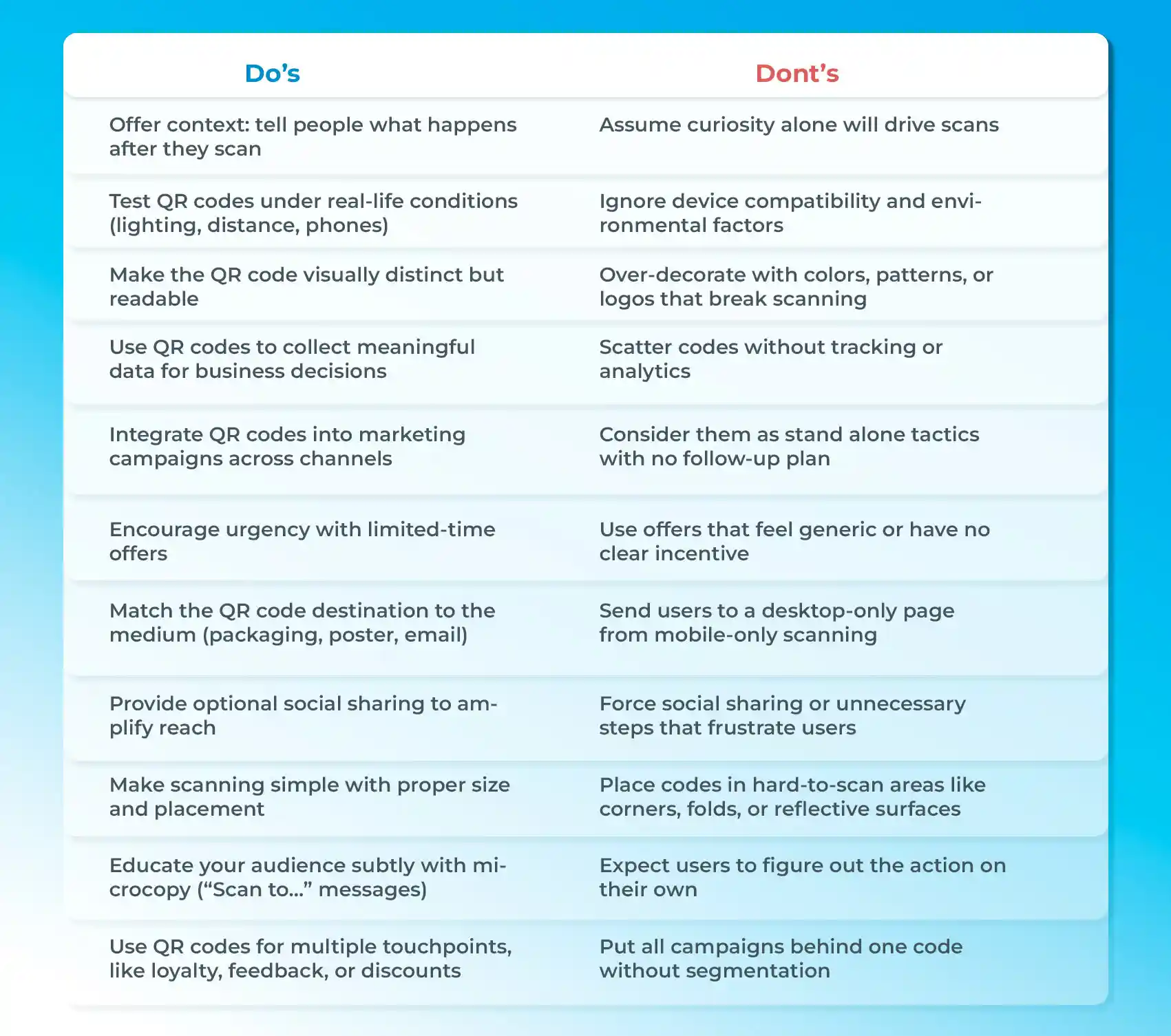
QR code do’s and don’ts
Use QR codes in forms to capture leads quickly
QR codes make it easy for users to open and complete your forms. All they have to do is scan the code with their phones, which, by the way, only takes a few seconds.
When you make your forms accessible, you can increase lead capture, streamline event registrations, and even improve customer feedback rates.
Here’s how you can link QR codes to your forms in 7 simple steps using an online form creator like TIGER FORM:
1. Choose a form template or create a new form
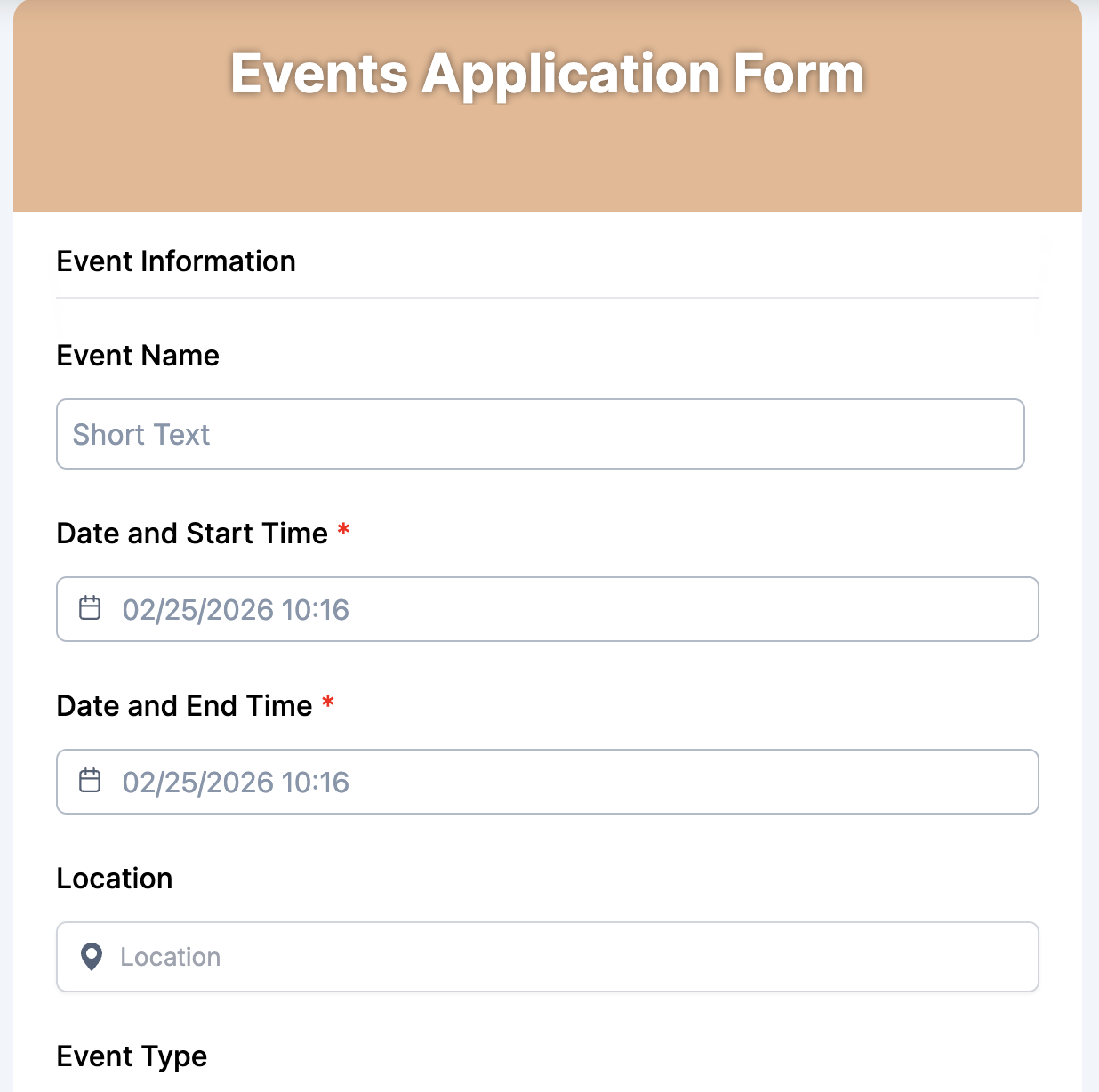
Start with a ready-made form template in TIGER FORM. For example, if you need to create a registration form for an event, you can choose a ready-made event application form template from the platform, which can save you a lot of time. You can actually pick from a wide range of templates, perfect for lead capture, event registration, and feedback surveys, among others.
2. Customize the form fields
Ask only for the information you need: name, email, phone, or short responses. Short, focused forms increase completion rates and keep users engaged.
3. Use an AI form generator for quick setup
TIGER FORM has a tool that can generate a form for you: the AI form generator. You can tell it what you want the form for and what you want it to look like. It saves time and gives you optimized forms that are mobile-friendly by default.
4. Generate a QR code for the form
Once your form is ready, the form builder can generate a QR code in seconds.
5. Add a clear call-to-action (CTA)
Tell users exactly what happens when they scan. Example: “Scan to get a free e-book” or “Scan to RSVP in 10 seconds.” A simple CTA increases scans and completion rates.
6. Place the QR code wisely
Think about where people will potentially see the codes. Put it where people can notice it and be able to scan it.
7. Publish and share your form
Once everything is set up, your form is ready. The QR code is generated and all integrations are connected, it’s time to make it live. You can share the QR code across your chosen channels: print it on brochures, flyers, or packaging, add it to emails, or display it at events.
Smarter QR codes, stronger business results
A great QR code feels obvious to use. People shouldn’t have to worry what happens next or struggle to scan it. When paired with a clear, mobile-friendly form, a relevant offer, and a simple call-to-action, every scan becomes effective and rewarding.
The takeaway is simple: when QR codes are clear, easy to scan, and paired with optimized forms, conversions are easy. When you start applying the QR code guidelines we have discussed in this blog, you can make your QR code work harder for your business.
Start applying these QR code best practices next time when you create QR codes for your use cases.
FAQs
1. What is the ISO standard for QR codes?
QR codes are standardized under ISO/IEC 18004, which defines their structure, encoding, and error correction to make sure they can be scanned consistently worldwide.
2. How can you use QR codes effectively?
Use QR codes with a clear purpose, place them where they’re easy to scan, and link them to mobile-friendly content that gives immediate value.
3. What are common QR code mistakes?
Common mistakes include linking to non-mobile pages, making the code too small, placing it in hard-to-scan locations, and failing to explain what users will get after scanning.